Table of Contents
- What Is a SaaS Website Builder?
- What Pages Every SaaS Website Needs
- How to Choose a SaaS Website Builder
- Why Unicorn Platform Works Well for SaaS Teams
- Common Mistakes SaaS Teams Make With Their Website
- FAQ
A SaaS website builder helps you launch a product site faster without starting from a custom-code project every time you need a homepage, pricing page, waitlist, or feature page.
That speed matters because most SaaS teams do not lose momentum on design taste alone. They lose it in the messy middle between strategy and launch. The copy is half-ready, the pricing page is not clear yet, screenshots are still changing, and no one wants to wait weeks just to publish a page that will probably be edited again next week.
That is why the best SaaS website builder is not only about visual polish. It is about how quickly your team can ship, how easy the page is to update, whether the builder supports SEO and conversion work, and whether it still feels manageable after the first draft is live.
This guide explains what a SaaS website builder should actually help you do, what pages a SaaS site needs, when a builder is smarter than a custom build, and what to look for if you want a site that can rank, convert, and keep up with product changes.
sbb-itb-bf47c9b
SaaS Website Builder Quick Answer
If you need the short version, a good SaaS website builder should help you:
- launch quickly without turning every change into a design or development task
- explain the product clearly with screenshots, feature blocks, proof, and pricing
- capture demos, trials, or leads without extra setup pain
- support SEO basics such as editable titles, headings, page structure, and blog content
- stay fast and mobile-friendly
- handle repeated updates as the product and offer evolve
If the builder is easy to launch in but hard to improve later, it will slow the team down almost as much as a custom build.
What Is a SaaS Website Builder?
A SaaS website builder is a tool designed to help software teams create and maintain product-marketing pages without rebuilding everything from scratch.
That can include:
- a homepage
- feature pages
- pricing pages
- comparison pages
- waitlist or signup pages
- product launch pages
- docs or blog support pages
The point is not just to "have a website." The point is to create a site that helps users understand the product, trust the company, and move toward a trial, demo, signup, or paid plan.
That is why SaaS websites need a slightly different workflow from a generic small-business site. They usually need stronger product explanation, more proof, clearer pricing logic, and a faster update cycle because the offer changes often.
Why SaaS Teams Choose a Builder Instead of Coding From Scratch
Custom builds make sense in some cases, but many SaaS teams do not need that level of complexity right away.
They need a site that can answer practical questions quickly:
- what does the product do?
- who is it for?
- why is it better than the current workaround?
- what does it cost?
- what should I do next?
A builder is often a better fit when the team wants:
- faster launch cycles
- easier marketing edits
- less dependence on designers or developers for every change
- a simpler path to testing new headlines, pages, and offers
- cleaner day-to-day ownership across product, growth, and founder teams
The real benefit is not that builders are easier in theory. It is that they reduce the cost of iteration. That matters a lot for SaaS because product sites rarely stay finished for long.
Key Facts for SaaS Teams
If you are choosing a SaaS website builder, these are usually the most important questions:
- Can the team ship new pages quickly?
- Can non-designers update product messaging safely?
- Can the site support SEO and blog growth?
- Can the builder handle pricing, lead capture, and analytics?
- Can the team maintain the site after launch without rebuilding it?
Those questions are usually more useful than long feature lists because they map directly to what slows SaaS teams down in practice.
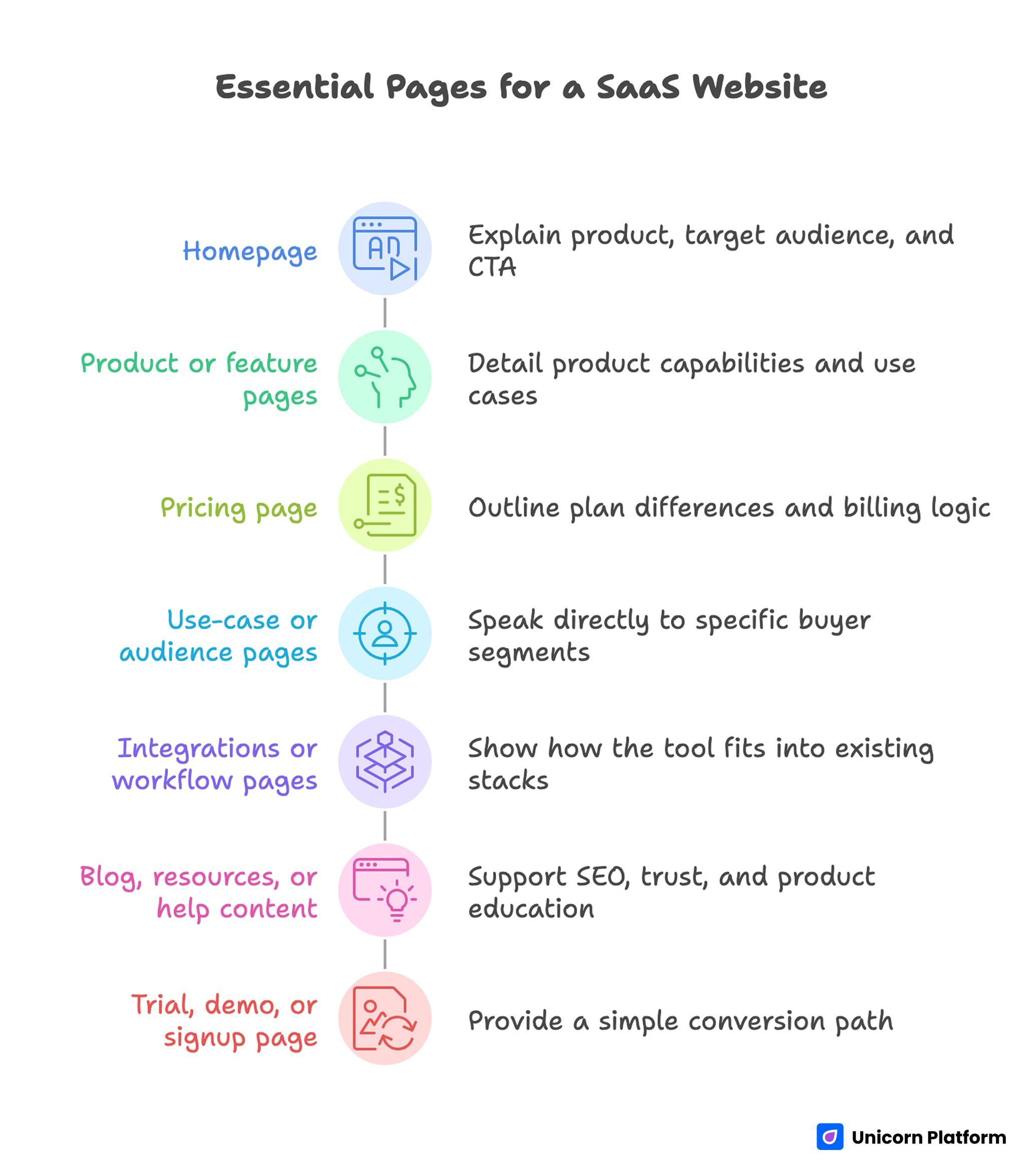
What Pages Every SaaS Website Needs
A SaaS website does not need dozens of pages on day one, but it does need the right core pages.
1. Homepage
The homepage should explain what the product does, who it is for, and what action to take next.
For most SaaS sites, that means:
- a clear headline
- a direct subheadline
- product visuals
- proof
- CTA
If visitors cannot understand the product quickly, the rest of the site has to work harder than it should.
2. Product or feature pages
Feature pages help explain how the product works in more detail and often rank for more specific search intent over time.
These pages are useful when the product has multiple use cases or capabilities that deserve their own explanation.
3. Pricing page
The pricing page is one of the most important pages on a SaaS site because it often decides whether curiosity turns into serious evaluation.
It should make these things obvious:
- plan differences
- who each plan is for
- billing logic
- upgrade path
- where to go if the visitor still has questions
4. Use-case or audience pages
These pages are useful when the same product serves different segments such as agencies, startups, ecommerce teams, marketers, or product managers.
They help both SEO and conversion because they let you speak more directly to one buyer context at a time.
5. Integrations or workflow pages
Many SaaS buyers want to know how the tool fits into the stack they already use. Integration pages or workflow pages can reduce uncertainty quickly and strengthen both organic search reach and conversion quality.
6. Blog, resources, or help content
Not every SaaS company needs a huge content engine immediately, but most benefit from having at least a small resource section over time. It supports SEO, trust, and deeper product education.
7. Trial, demo, or signup page
The final conversion path should feel simple. Whether that means a free trial, demo request, or waitlist depends on the product stage, but the next step should never feel buried.
If your team is still shaping the structure of these pages, this landing page structure guide is useful for planning page flow before design polish starts.
How to Choose a SaaS Website Builder
The best SaaS website builder usually wins on workflow, not on the longest feature list.
Launch speed
How quickly can you go from idea to live page?
This matters most for early-stage SaaS teams, launches, pricing changes, feature announcements, and campaign pages.
Editing control
Can the people who own the message also update the page?
If every copy change needs a designer or developer, the site becomes slower than it looks.
SEO support
Can you control page titles, descriptions, headings, URLs, and supporting content? Can the site support blog growth or additional landing pages over time?
Product storytelling
Can the builder showcase screenshots, videos, feature breakdowns, testimonials, and pricing clearly?
SaaS sites often fail because they show the product poorly, not because the builder is missing obscure features.
Integrations and analytics
Can you connect forms, analytics, live chat, email tools, or other parts of the marketing stack without unnecessary friction?
Team usability
Will the team still like using the builder after the site is live and the product starts changing?
That is where the real cost shows up. A builder that feels fine during setup but painful during iteration will not age well.
Essential Pages for a SaaS Website
SaaS Website Builder vs Custom Build vs Webflow or WordPress
This choice usually depends on stage, team structure, and how custom the site really needs to be.
| Option | Best for | Main advantage | Main drawback |
|---|---|---|---|
| SaaS website builder | early-stage SaaS teams, fast-moving launches, marketing-owned sites | quickest path to launch and easier day-to-day editing | less custom control than a full bespoke build |
| Custom build | mature teams with complex brand, product, or app-site requirements | maximum control over design and functionality | slower, more expensive, and harder to update routinely |
| Webflow or WordPress | teams that need broader ecosystem flexibility or larger content operations | strong flexibility and longer-term expansion options | more setup, more maintenance, and often more workflow overhead |
When a builder is usually the better choice
- you need to ship fast
- the site is mostly marketing-focused
- the team wants to edit pages without constant engineering help
- product messaging changes often
- you care more about iteration speed than edge-case customization
When custom build is worth it
- the site has highly custom interactions
- the product marketing site is tightly coupled with a deeper web app experience
- the team has dedicated design and front-end capacity
- the business can justify a slower, more expensive workflow
When Webflow or WordPress may be better
- content operations are becoming large and complex
- the team wants broader CMS flexibility
- the site needs a more layered marketing ecosystem than a simpler builder provides
The key is to choose the smallest workflow that still supports the job. Overbuilding the site stack too early is a common SaaS mistake.
SEO, Speed, and Mobile Performance for SaaS Sites
A SaaS site should not only look polished. It should be easy to crawl, easy to scan, and fast enough that visitors do not leave before they understand the offer.
SEO basics that matter most
- editable title tags and meta descriptions
- clean heading structure
- readable URLs
- feature and use-case pages that match search intent
- internal links between related pages
- enough content depth to answer real questions
Speed matters because SaaS buyers are impatient
If the page takes too long to load or the layout shifts while someone is trying to evaluate pricing or start a trial, confidence drops quickly.
That is especially true on mobile, where many early visits come from distracted or lower-intent sessions that can still become meaningful later.
Mobile performance is not optional
Pricing blocks, screenshots, forms, and CTAs should all be easy to use on a phone. A SaaS website that looks fine on desktop but breaks on mobile loses both conversion opportunities and trust.
If SEO is part of the plan, this companion guide is useful:
Pricing Pages and Conversion Architecture
One of the biggest differences between a generic website and a good SaaS website is conversion architecture.
The site should not only look good. It should help users move through a logical evaluation path.
For most SaaS sites, that path looks something like this:
- Understand the product
- See how it works
- Trust that it is credible
- Understand pricing or next-step expectations
- Start a trial, request a demo, or sign up
That is why pricing pages matter so much. A pricing table is not just a billing display. It is a decision surface. The same rule applies to a hosting website template where plan comparison, support expectations, and next-step clarity decide whether visitors keep evaluating.
Strong pricing sections usually make these things clear:
- what changes from one plan to another
- which plan fits which user
- whether there is a free option, trial, or sales step
- what happens after clicking the CTA
Weak pricing pages often fail because they are technically complete but strategically vague.
Why Unicorn Platform Works Well for SaaS Teams
Unicorn Platform works well for SaaS teams because the workflow is biased toward fast product marketing rather than heavy web production.
The current SaaS page already points to the main strengths that matter here:
- fully no-code editing
- product showcase sections
- lead capture forms
- testimonial and logo blocks
- pricing tables
- integrations
- templates built for startup and SaaS use cases
That matters because most SaaS teams do not need unlimited design freedom first. They need to explain the product clearly, publish quickly, and keep improving the site without friction.
What that looks like in practice
- Use the hero to explain the product in one clear sentence.
- Add screenshots or galleries so the product feels real.
- Use proof blocks near CTA points.
- Make the pricing section easy to scan.
- Connect forms and analytics early.
- Keep the site simple enough to update every time the offer changes.
If your team also wants AI help with first drafts and page structure, this related guide can help:
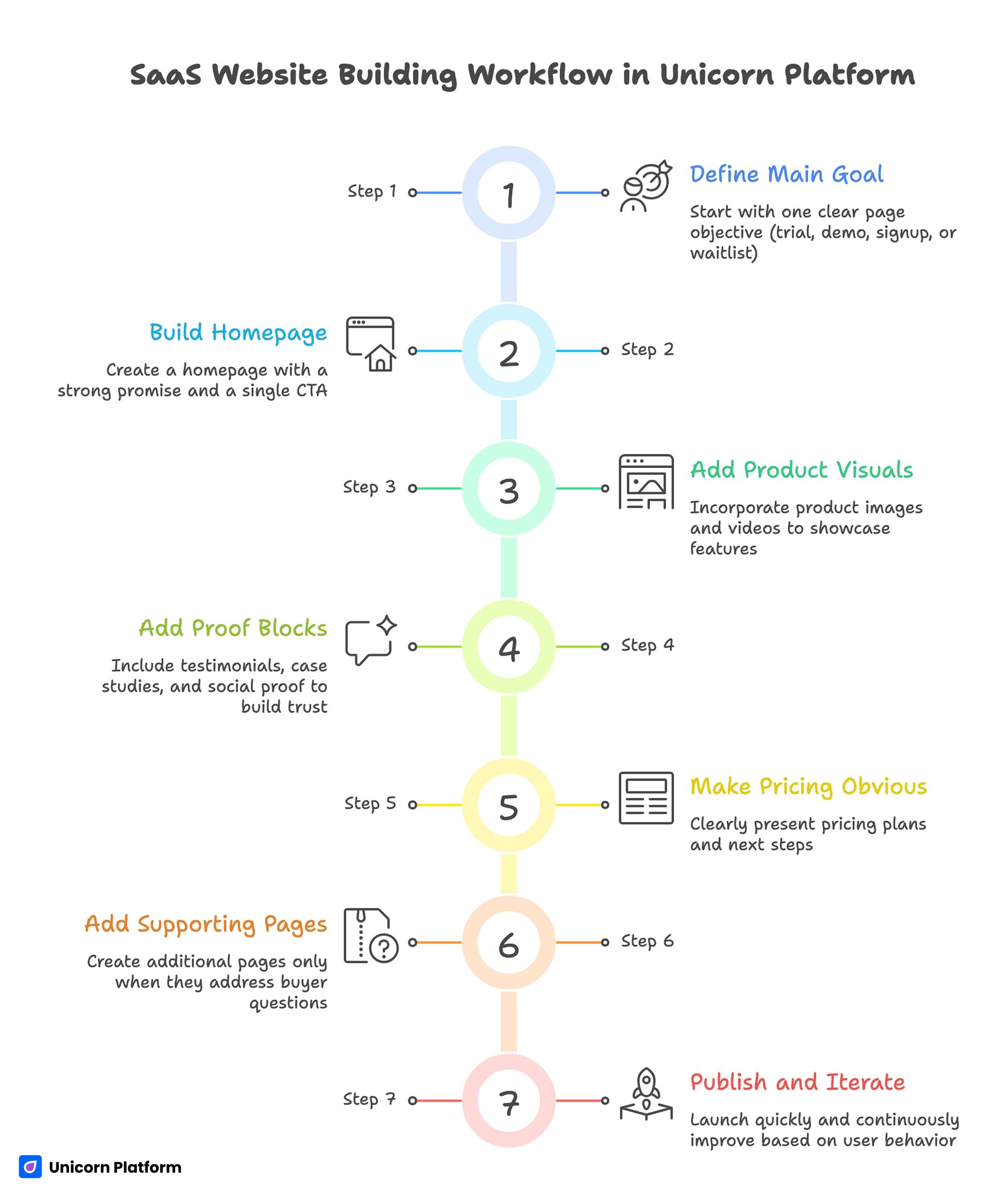
How to Build a SaaS Website in Unicorn Platform
A practical workflow looks like this:
- Start with one main page goal: trial, demo, signup, or waitlist.
- Build the homepage around one clear promise and one main CTA.
- Add product visuals before polishing secondary details.
- Add proof blocks where hesitation is most likely.
- Make pricing and next steps obvious.
- Add supporting pages only when they answer real buyer questions.
- Publish quickly and improve based on real user behavior.
This is one of the biggest advantages of a builder workflow. It makes iteration cheaper, which usually matters more than perfect first-draft output.
SaaS Website Building Workflow in Unicorn Platform
Common Mistakes SaaS Teams Make With Their Website
Mistake 1: Writing vague homepage copy
The page sounds polished but never clearly says what the product does or who it is for.
Mistake 2: Treating the pricing page like an afterthought
Many SaaS sites spend time polishing the hero and features, then leave the pricing logic unclear.
Mistake 3: Showing too little product
If visitors cannot see how the product works, trust builds more slowly.
Mistake 4: Overbuilding the stack too early
Some teams choose a heavier workflow before they actually need it, which slows publishing and updates.
Mistake 5: Ignoring SEO until later
If the builder cannot support real page structure and content growth, the team may have to rework the site later anyway.
Mistake 6: Making updates too expensive
If every new feature, use-case page, or pricing tweak feels like a mini redesign project, the site will become outdated quickly.
FAQ: SaaS Website Builder in 2026
What is a SaaS website builder?
A SaaS website builder is a tool that helps software teams create product-marketing pages such as homepages, pricing pages, feature pages, and signup pages without relying on full custom development for every change.
What should a SaaS website include?
At minimum, most SaaS websites need a homepage, product or feature explanation, pricing, proof, a clear signup or demo path, and at least a small supporting content or help layer over time.
Is a website builder good for SaaS?
Yes, especially when the team wants faster launches and easier updates. The key is choosing a builder that still supports SEO, product storytelling, and conversion work.
Should a SaaS website have a blog?
Usually yes, if SEO and product education matter. A blog or resource section helps answer buyer questions and supports organic growth over time.
What is more important for a SaaS site: speed or design control?
That depends on the stage. Early-stage SaaS teams usually benefit more from speed and iteration. More mature teams may need more design control.
Is a custom-built SaaS website always better?
No. Custom builds can offer more control, but they are also slower and harder to update. Many SaaS teams do better with a builder until complexity truly requires something more custom.
How important is the pricing page on a SaaS website?
It is extremely important because it often decides whether visitors continue evaluating the product or leave. Pricing should be easy to understand and connected to the next step clearly.
Can a SaaS website builder support SEO?
Yes, if it gives you control over titles, descriptions, headings, URLs, page content, and internal linking. The builder does not do SEO by itself, but it should not block it either.
What makes a SaaS landing page convert better?
Clear product positioning, product visuals, strong proof, simple CTA flow, and pricing or next-step clarity usually matter more than decorative design.
Can I build a SaaS website without coding?
Yes. Many SaaS teams can launch and maintain a strong website without coding as long as the builder supports the pages, integrations, and editing workflow they need.
Final Takeaway
The best SaaS website builder is the one that helps your team launch quickly, explain the product clearly, and keep improving the site without turning every update into a web-production project.
For most SaaS teams, that means choosing a workflow that supports product storytelling, pricing clarity, lead capture, SEO basics, and fast iteration. That is usually more valuable than chasing maximum customization too early.
If the builder helps the team keep the site current as the product evolves, it is doing the real job well.

