If you need an AI landing page builder in 2026, the real choice is not just which tool can generate a page fastest. It is which builder can help you launch quickly, edit confidently, and keep improving the page after the first AI draft.
That is where many tools separate. Some are great at the first five minutes but weak once you need better proof, tighter CTAs, cleaner layouts, or real publishing control. Others are slower to start, but much stronger if your team needs structure, templates, reusable blocks, and long-term flexibility.
This guide compares the best AI landing page builder options for founders, marketers, and no-code teams. It covers free and paid tools, shows what each builder is best for, and explains how to choose the right workflow if you care about launch speed, SEO control, and conversion-focused landing pages.
Quick Answer
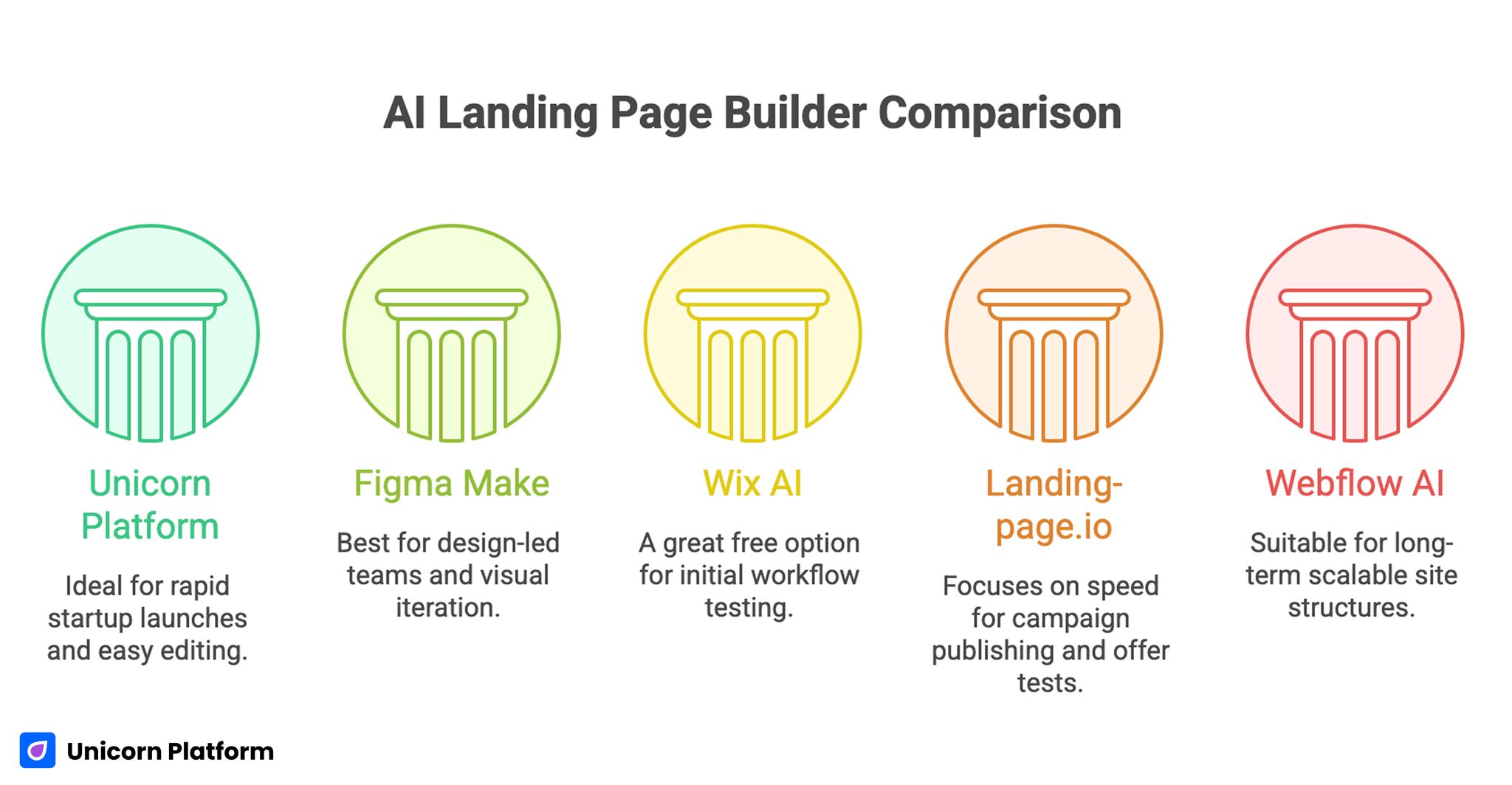
The best AI landing page builder for most startup teams is the one that combines fast generation with easy editing after launch. If you want a lightweight path from prompt to publish, Unicorn Platform is one of the strongest options. If your team needs heavier design control, Figma Make or Webflow AI may fit better. If free entry matters most, Wix AI is one of the easiest places to start.
sbb-itb-bf47c9b
TL;DR: Best AI Landing Page Builders at a Glance
| Tool | Best for | Free entry | Publishing path | Main strength | Main tradeoff |
|---|---|---|---|---|---|
| Unicorn Platform | startup launches and no-code teams | no permanent free plan, but simple startup workflow | direct publish | fast launch plus lightweight editing | less enterprise design depth than heavier systems |
| Figma Make | design-led teams | limited access depends on Figma plan and rollout | design/prototype workflow first | strong visual iteration and prototyping | not the simplest direct publish path |
| Landing-page.io | fast campaign pages | free trial / offer structure may vary | direct publish | very fast prompt-to-page workflow | narrower long-term site governance |
| Rollout | fast generation and multilingual first drafts | offer structure may vary | export and launch | quick generation plus export flexibility | less of a long-term content operating system |
| Webflow AI | scalable site structure | limited entry depends on Webflow plan | full Webflow publish workflow | strong system-level flexibility | more setup and learning overhead |
| Dorik AI | no-code teams wanting broader site growth | free/plan availability may change | direct publish | easy prompt-to-site workflow with CMS options | broader website-builder focus, not landing-page-first |
| Wix AI | teams wanting easy AI setup with free entry | yes | direct publish | low-friction onboarding and broad business stack | broader builder experience than pure landing-page tools |
Best For Summary
If you want the shortest path from idea to live page, start with Unicorn Platform or Landing-page.io.
If you want a free AI landing page builder to test before spending, start with Wix AI.
If your team cares most about design systems, responsive prototyping, and visual review, start with Figma Make.
If your landing page is part of a larger website roadmap, Webflow AI is the stronger long-term choice.
How We Evaluated These AI Landing Page Builders
This comparison focuses on what matters in real landing-page workflows, not only in demo videos.
We looked at five things:
-
Speed to first draft
Can the tool turn a prompt into a usable landing page structure quickly? -
Editing control
Can a real team improve the page after generation without breaking layout, flow, or message clarity? -
Publishing fit
Is the publish path direct, or does the workflow get messy once the page needs to go live? -
Landing-page usefulness
Does the tool help with hero structure, offer framing, CTA flow, proof blocks, and campaign pages specifically? -
Long-term usability
Can the team keep using the builder after launch when pages need updates, tests, and maintenance?
That last point matters more than most buyers expect. A tool that generates an impressive first draft but creates friction during editing is rarely the best AI landing page builder in practice.
Best AI Landing Page Builders and Generators
1. Unicorn Platform
Unicorn Platform is one of the strongest AI landing page builder options for founders, indie makers, and small teams that want to ship fast without turning every page into a design-system project.
The biggest advantage is the workflow. You can start from a template, generate or revise sections with AI, and keep the page editable inside a lightweight no-code builder. This approach also makes it easier to develop an effective agency service page strategy, where each service page follows a consistent structure with a compelling hero section, clear value proposition, trust signals, relevant case studies, and conversion-focused calls to action. That matters because many AI builders look smart in demos but become slower once you need to rewrite the hero, tighten the offer, add proof, or adjust sections after launch.
Why it stands out
- startup-friendly prompt-plus-builder workflow
- direct publishing path
- easier ongoing editing for non-designers
- strong fit for SaaS launches, waitlists, directories, and product pages
Best for
- founders launching quickly
- marketers without a designer in the loop for every change
- small teams that need speed without heavy tooling overhead
Watch-outs
If your team needs advanced enterprise design systems or highly custom interaction logic from day one, heavier tools may fit better.
If you want a supporting workflow for refining AI-generated pages, this guide on how to create an AI landing page is a useful next read.
2. Figma Make
Figma Make is strongest when the landing page sits close to a broader product or design workflow. It is not only about generating a page quickly. It is about turning a prompt into structure, then refining layout, responsiveness, and interaction in an environment design teams already understand.
Why it stands out
- prompt-to-layout workflow inside a design tool
- strong support for visual iteration
- better fit for responsive prototyping and team review
- useful when the page needs design depth before handoff or launch
Best for
- design teams
- product teams
- startups validating multiple layout directions before publishing
Watch-outs
It is not the simplest direct AI landing page builder for teams that just want to publish a campaign page today. Its value is higher when design control matters a lot.
3. Landing-page.io
Landing-page.io is one of the clearest speed-first options in this group. Its positioning is straightforward: describe the product or campaign, generate the page, adjust it with AI, and publish quickly.
That clarity matters. A lot of AI tools try to do everything. Landing-page.io makes a simpler promise: faster campaign page generation.
Why it stands out
- very fast idea-to-page workflow
- direct focus on landing pages rather than broad site building
- simple publishing flow
- strong fit for launch pages, lead-gen pages, and quick tests
Best for
- marketers running fast campaigns
- teams testing multiple offers or audiences
- operators who care more about speed than deep system control
Watch-outs
Fast generation is not the same as good conversion strategy. Teams still need to review the page critically for message clarity, CTA strength, and proof.
4. Rollout
Rollout is useful when the priority is fast AI generation, fast regeneration, and flexible export. It is a strong option for teams that want a polished first draft quickly and are comfortable refining from there.
Why it stands out
- very fast first-draft generation
- AI regeneration workflow
- multilingual editing support
- export options for teams that want deployment control
Best for
- fast experiments
- founders who want a strong visual first draft quickly
- teams comfortable with generation plus export workflows
Watch-outs
Rollout appears stronger as a rapid generator than as a full editorial operating system. If you need long-term CMS structure or a broader content-management workflow, another tool may fit better.
5. Webflow AI
Webflow AI is one of the strongest options if your landing page is part of a bigger site system. It is less of a shortcut tool and more of a structured long-term platform that happens to include AI acceleration.
Why it stands out
- prompt-to-structured site workflow
- reusable design-system foundation
- strong theming and section control
- useful when the landing page needs to fit a bigger growth site
Best for
- growth teams with a broader website roadmap
- companies that care about long-term flexibility
- teams that need AI support without sacrificing structured design control
Watch-outs
If your main goal is to launch a single campaign page with minimal setup, Webflow AI may feel heavier than necessary.
6. Dorik AI
Dorik AI sits in a practical middle ground. It gives no-code teams AI generation, direct publishing, templates, and room to grow into a broader site workflow later.
Why it stands out
- prompt-to-site workflow
- AI-generated content and image support
- direct publish path
- broader site-builder usefulness with CMS options
Best for
- no-code operators
- founders who may grow from one landing page into a larger site
- teams that want AI help without a very steep learning curve
Watch-outs
Because Dorik is broader than a pure landing page tool, it can feel less focused if your only job is running fast conversion-page tests.
7. Wix AI
Wix AI is one of the easiest entry points if you want a free AI landing page builder to test quickly. Its conversational setup makes it easy to describe the site, generate the structure, and then refine sections in a familiar builder.
Why it stands out
- free entry
- low-friction onboarding
- easy AI-assisted setup for non-technical users
- built-in hosting, business tools, and SEO features
Best for
- first-time builders
- small businesses and founders
- teams that want an easy starting point before committing to a more specialized workflow
Watch-outs
Wix AI is broader than a landing-page-only platform. If you want the sharpest possible campaign workflow, a more focused builder may feel cleaner.
Best AI Landing Page Builder by Use Case
Best for fast startup launches
Unicorn Platform is one of the strongest options when the goal is to get a page live quickly and keep it editable without adding workflow drag.
Best for design-led teams
Figma Make is the strongest fit when the page needs tighter visual iteration, prototype thinking, and team review.
Best free AI landing page builder to try first
Wix AI is the easiest place to start if the main question is, “Can we test this workflow without paying first?”
Best for fastest campaign publishing
Landing-page.io is one of the clearest speed-first tools for quick offer tests and campaign pages.
Best for long-term scalable structure
Webflow AI is strongest when the landing page is only one piece of a bigger site system.
AI Landing Page Builder Comparison
Free vs Paid: What Changes in the Workflow
The difference between a free AI landing page builder and a paid one is usually not the first draft. Free tools can already generate respectable first drafts.
The real difference shows up in:
- template quality
- editing depth
- domain and publishing control
- branding limits
- SEO controls
- whether the workflow stays usable after launch
If the page is a real revenue asset, the better question is not “Can I generate this for free?” It is:
- Can I still improve it next week?
- Can I publish cleanly?
- Can I edit the page without redoing the whole thing?
What To Evaluate Before Choosing a Builder
Before choosing an AI landing page builder, check these questions:
-
Can the tool handle real page edits after generation?
A beautiful first draft is not enough. -
Can your team publish without extra handoff friction?
If the publishing model is clumsy, the speed advantage disappears. -
Does the builder support your actual team shape?
A founder working alone needs a different workflow than a product design team. -
Are the SEO controls good enough for the kind of page you want to rank?
Metadata, headings, clean structure, and fast editing still matter. -
Will the tool still be useful after the campaign launches?
The best builders help you iterate, not just generate.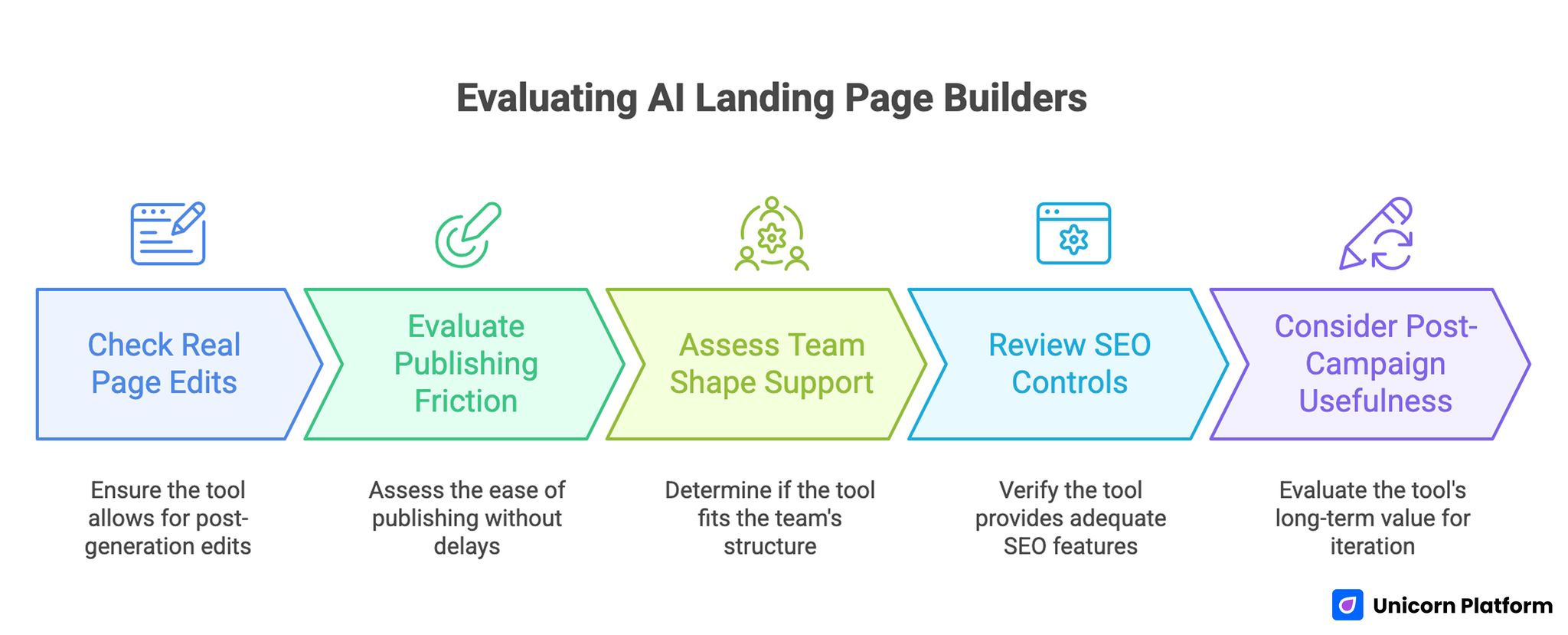
Evaluating AI Landing Page Builders
When an AI Landing Page Builder Is Enough — And When It Is Not
An AI landing page builder is usually enough when:
- you need a fast launch page
- you are testing one offer
- the page does not require advanced app logic
- the team mainly needs speed and clean editing
It is usually not enough on its own when:
- the page needs deep experimentation with custom interactions
- the workflow depends on a broader design system
- multiple stakeholders need complex governance or content operations
In those cases, the right move is often to use AI to accelerate the draft, then move into a stronger structured environment.
Common Mistakes When Choosing an AI Landing Page Builder
The biggest mistake is choosing based only on the first AI output. A strong demo draft is helpful, but landing pages usually improve through editing, CTA refinement, proof upgrades, and message testing.
Another mistake is choosing a tool that does not match team shape. A design-heavy platform may be perfect for one company and painfully slow for another. Teams should also consider how well the builder supports SEO for landing pages, because technical structure, content quality, and page performance directly influence long-term results.
A third mistake is ignoring the publishing path. If generation is easy but launch is messy, the speed advantage disappears fast.
Where Unicorn Platform Fits
Unicorn Platform fits best when a team wants:
- a fast startup-oriented workflow
- direct publishing
- editable AI-assisted sections
- a no-code environment that stays manageable after launch
It is a better fit for operators who care about practical launch speed than for teams that want maximum design-system depth from day one.
If you want a supporting article for the broader workflow, this guide on how to use AI to build a website is a useful companion.
FAQ
What is an AI landing page builder?
An AI landing page builder is a tool that uses prompts or AI-assisted workflows to generate page structure, copy, layouts, and sometimes images so teams can launch faster.
Which AI landing page builder is best for startups?
For fast startup launches, Unicorn Platform is one of the strongest options because it combines AI-assisted generation with a lightweight no-code workflow that stays manageable after launch.
What is the best free AI landing page builder?
If free entry is the priority, Wix AI is one of the easiest options to test first. The right choice still depends on whether you need long-term editing and cleaner landing-page workflows after the first draft.
Are AI landing page builders good for SEO?
They can help, but only if the final page still has strong structure, useful copy, clear headings, and a real match to search intent. AI generation alone does not create SEO performance.
Should I use a dedicated landing page builder or a full AI website builder?
Use a dedicated or speed-first landing page builder when the goal is campaign launch and rapid testing. Use a broader AI website builder when the page is part of a larger site system.
Can AI builders replace a copywriter or conversion specialist?
Not fully. They are strong accelerators, but the best results still come from human review of message clarity, proof, objections, and CTA quality.
Final Takeaway
The best AI landing page builder in 2026 depends less on hype and more on workflow fit.
If you want speed and simplicity, choose a builder that helps you go from idea to live page without adding friction after launch. If you want stronger design control or a bigger site foundation, choose a tool that gives you more structure even if setup takes longer.
The right tool is the one your team can keep using after the first AI draft, because that is where landing pages actually win or lose.