Table of Contents
- The 10 Best Free Website Platforms
- Best Free Website Platforms by Use Case
- Limits of Free Plans: Where the Tradeoffs Start
- Common Mistakes When Choosing a Free Website Platform
- FAQ
Free website platforms can be good enough for a landing page, portfolio, or early startup site, but the tradeoffs are different on every platform.
Some platforms are great for quick publishing but weak once you need more SEO control. Others give you stronger structure but make the free version feel more like a trial than a long-term option. That is why the best free platform is not just the one with the nicest template. It is the one whose limits still fit what you are trying to launch.
This comparison breaks down ten useful options so you can see what each platform is best for, where the free plan works, and when the limits start to hurt.
sbb-itb-bf47c9b
Quick Answer
If you only want the shortlist:
-
Unicorn Platformis one of the best free website platforms for startup pages, waitlists, and product sites. -
WordPress.comis strong if you want a free site with room to grow into a bigger content workflow. -
Wixis a good general-purpose free platform for small businesses and first websites. -
Carrdis one of the cleanest free options for simple one-page sites. -
Frameris strong when design quality matters more than the simplest setup. -
Dorikis a good fit if you want a no-code builder with a generous-feeling free start.
The right choice depends on what you need to publish: one page, a startup site, a portfolio, a local business website, or a content-heavy site.
Quick Comparison Table
| Platform | Best for | Free-plan feel | Main strength | Main limit to watch |
|---|---|---|---|---|
| Unicorn Platform | startup launches | practical entry point | startup templates and fast page building | fuller publishing and brand control improve on paid plans |
| WordPress.com | blogs and content-driven sites | solid long-term starter | strong content workflow and room to grow | custom-domain and deeper control usually push you toward paid plans |
| Wix | general-purpose business sites | easy to start | broad site-builder ecosystem | branding and domain limits matter on free |
| Carrd | one-page websites | genuinely useful forever for simple needs | extremely fast and clean one-page publishing | limited depth for larger sites |
| Framer | polished landing pages | strong for design-first users | high-quality visual control | more design-led than beginner-simple |
| Dorik | no-code business and startup sites | generous-feeling start | fast builder with AI help and templates | free-plan scope vs long-term growth needs |
| Webnode | small business and simple company sites | straightforward free option | guided setup and low learning curve | stronger business polish needs upgrade |
| SITE123 | very simple business sites | easy starter | fast setup and low friction | less flexibility than stronger builders |
| Webflow | structured sites that may grow larger | free to explore seriously | better long-term structure potential | heavier workflow and clearer paid triggers |
| Jimdo | freelancers and local service businesses | simple free start | practical setup for small businesses | narrower customization ceiling |
The 10 Best Free Website Platforms
1. Unicorn Platform
Unicorn Platform is strongest when the job is launching a startup page quickly without turning the website into a long side project. That flexibility is especially useful if you want a real estate website template with listing-ready sections instead of starting from a blank page. It works especially well for waitlists, SaaS homepages, indie-product pages, directories, and simple multi-page startup sites.
Its advantage is not only that it is easy to use. It is that the default structure already fits founder and launch workflows better than many generic builders do.
Best for
- startup launches
- waitlists
- SaaS sites
- product landing pages
- founders who want speed over heavy design-system complexity
Pros
- startup-friendly templates and sections
- fast no-code workflow
- practical for simple launch pages
- easy to keep updating after launch
Cons
- not the best choice for highly custom visual systems
- heavier brand-control needs are better served on paid plans
2. WordPress.com
WordPress.com remains one of the most useful free website platforms if your site is content-heavy or likely to grow. It is a better choice than many lighter builders when the site may eventually need a deeper blog, more pages, or a broader publishing rhythm.
That makes it especially useful for creators, writers, newsletters, documentation-heavy projects, and content-led company sites.
Best for
- blogs
- publishing workflows
- content-driven business sites
- people who expect their site to expand over time
Pros
- strong content management foundation
- generous publishing mindset compared with one-page tools
- useful built-in basics for early SEO and sharing
- easier growth path than many ultra-simple builders
Cons
- not the lightest or fastest option for pure landing-page work
- custom-domain and stronger brand control usually require upgrade
3. Wix
Wix is one of the broadest free platforms on this list. It is a good fit for people who want one place for templates, business tools, editing, and website management without learning a more specialized system.
That breadth is what makes it useful for service businesses, small local companies, freelancers, and people creating a first website.
Best for
- local business websites
- freelancers
- first websites
- general-purpose company pages
Pros
- easy onboarding
- wide template selection
- broad feature coverage
- practical for many business-site types
Cons
- free branding and domain limits matter quickly
- can feel broader than necessary if you only need one simple launch page
4. Carrd
Carrd is still one of the best free website platforms for simple one-page sites. If you need a personal profile, bio page, simple lead-capture page, or lightweight landing page, Carrd remains one of the cleanest answers.
Its strength is focus. It does not pretend to be a full enterprise website platform. It is a fast, simple, good-looking one-page builder.
Best for
- one-page websites
- personal sites
- simple landing pages
- link hubs and compact lead pages
Pros
- very fast to launch
- genuinely useful free option for simple needs
- clean responsive layouts
- low learning curve
Cons
- one-page structure is limiting for bigger sites
- advanced forms, custom domains, embeds, and analytics are stronger on Pro
5. Framer
Framer is one of the strongest free-start platforms when design quality matters a lot. It works well for polished landing pages, startup marketing sites, and teams that care about visual presentation as much as speed.
The main appeal is the combination of strong visual control and modern site-building flow.
Best for
- polished startup sites
- high-quality landing pages
- design-led teams
- visually ambitious portfolios
Pros
- strong visual quality
- modern responsive design workflow
- free start for serious exploration
- better polish than many basic builders
Cons
- not the simplest builder for complete beginners
- free plan is better for starting than for every long-term publishing need
6. Dorik
Dorik is a good no-code option for users who want speed, simplicity, and more flexibility than the most basic website builders. It sits in a useful middle ground: easier than the heavier platforms, but more capable than the ultra-simple ones.
It is especially strong for small business sites, startup sites, and marketing pages.
Best for
- no-code users
- simple business sites
- startup sites
- people who want fast setup with room to grow a bit more
Pros
- easy builder experience
- AI-assisted website creation available
- strong template and block library
- free entry that feels practical for testing and early publishing
Cons
- long-term site governance still improves with paid usage
- not every user will need its wider feature set on day one
7. Webnode
Webnode is a straightforward free website platform for small businesses and simple company sites. It is not the deepest builder in this group, but that is also part of its appeal.
For users who want guided creation and minimal learning friction, Webnode stays useful.
Best for
- small business sites
- basic company websites
- simple multilingual or location-based pages
- users who prefer guided setup
Pros
- easy to understand
- fully functional basic free site
- low learning curve
- useful for simple online presence needs
Cons
- custom domain requires upgrade
- storage and bandwidth are more constrained than stronger plans
- less flexible than platforms built for heavier growth workflows
8. SITE123
SITE123 is one of the simplest free website platforms if your priority is ease, not customization depth. It works well for users who want a straightforward setup path and a site online without spending days on design.
That makes it useful for basic service-business pages, personal sites, and simple information sites.
Best for
- very simple websites
- service pages
- small information sites
- beginners who want the lowest-friction start possible
Pros
- fast and guided setup
- free hosting angle is easy to understand
- simple editing flow
- useful for non-technical users
Cons
- limited flexibility compared with stronger builders
- custom-domain and more professional setup usually lead to upgrade
9. Webflow
Webflow is less of a forever-free website platform and more of a powerful platform you can start exploring for free. That distinction matters.
If your site may grow into a larger, more structured marketing system, Webflow becomes more compelling. If you only want a fast simple free site, it may feel heavier than necessary.
Best for
- teams planning bigger websites
- structured marketing sites
- users who want a stronger long-term site system
- marketers or designers comfortable with more complexity
Pros
- strong long-term structure potential
- robust design and CMS workflow
- useful for serious site-building exploration
- better for future scalability than ultra-simple platforms
Cons
- steeper learning curve
- free plan is more of an exploration and staging path for many users
- overkill for very simple launch pages
10. Jimdo
Jimdo is still a practical option for freelancers, solo businesses, and local service providers who want a free start without much technical friction. It combines a straightforward website flow with business-oriented simplicity.
That makes it a reasonable choice for people who care more about getting online than about advanced customization.
Best for
- freelancers
- local businesses
- service providers
- users who want a simple business website quickly
Pros
- easy setup
- free website creation path
- strong fit for small-business basics
- good for non-technical site owners
Cons
- narrower customization ceiling
-
premium plans matter once branding and more advanced business features become important
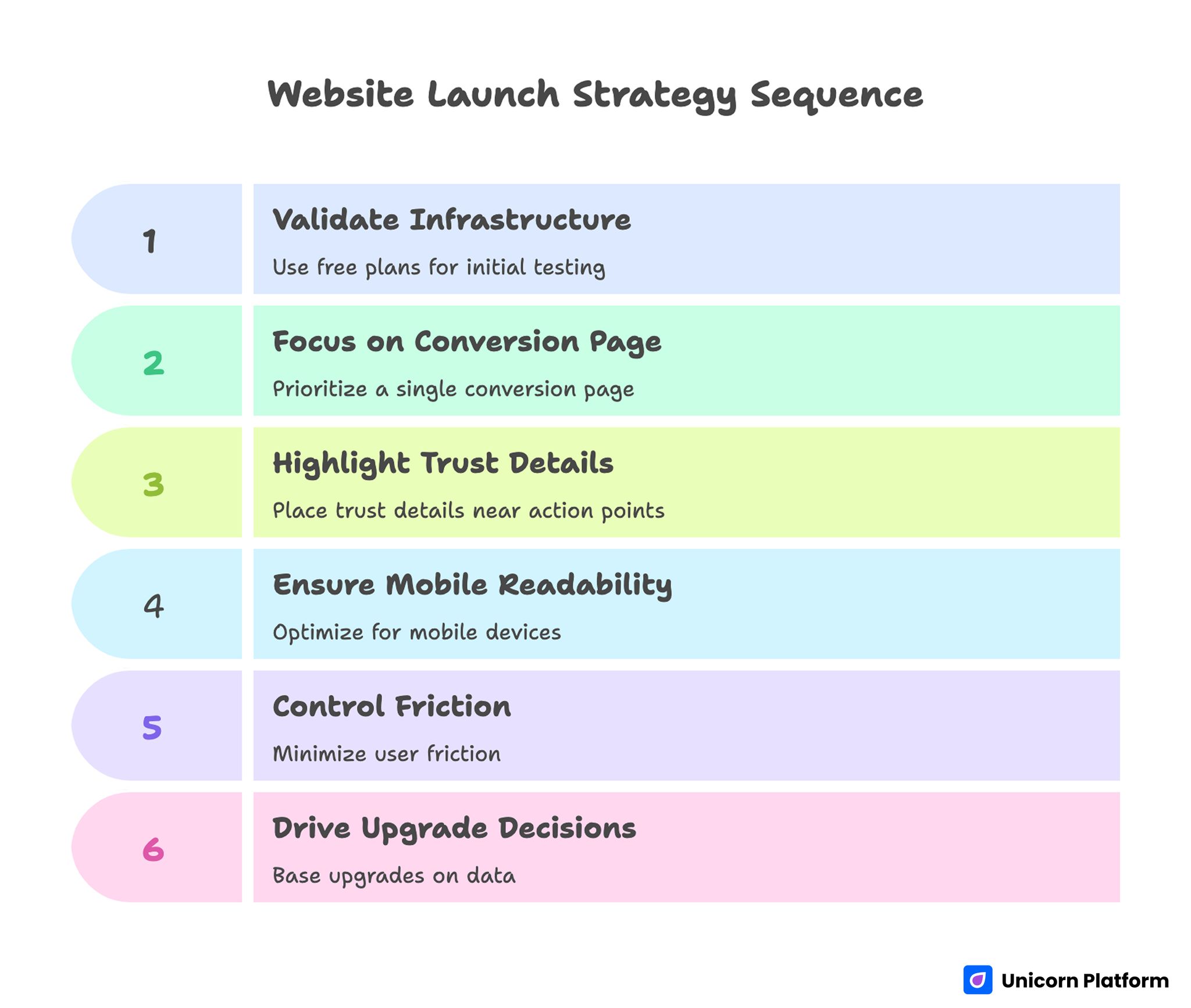
Website Launch Strategy Sequence
Best Free Website Platforms by Use Case
Best for landing pages
If the goal is one strong page rather than a full site, the best options are usually:
-
Unicorn Platform -
Carrd -
Framer -
Dorik
These work best because they keep the page-building workflow light and fast.
Best for startup sites
If you are building an early startup website, the strongest options are usually:
-
Unicorn Platform -
Framer -
Dorik -
Webflow
The right choice depends on whether you care most about speed, design polish, or long-term structure.
Best for portfolios and personal websites
Useful options here include:
-
Carrd -
Framer -
WordPress.com -
Wix
Best for local business websites
These platforms make the most sense when the site is mainly about being discoverable and credible online:
-
Wix -
Webnode -
SITE123 -
Jimdo
SEO Controls: What Matters on Free Plans
A free platform can still be useful for SEO if it gives you enough control over the basics.
What matters most:
- page titles and meta descriptions
- clean heading structure
- mobile-friendly output
- fast enough performance for real users
- clear internal linking and page structure
- ability to keep editing after the first publish
A platform does not need to be enterprise-grade to be useful. But if it makes even basic SEO edits annoying, it becomes harder to grow traffic later.
Limits of Free Plans: Where the Tradeoffs Start
This is the part people often underestimate.
The free version usually becomes limiting in one or more of these areas:
Custom domains
Many platforms let you build for free but keep you on a branded subdomain unless you upgrade.
Platform branding
Free plans often add visible platform branding. That may be fine for testing, but it weakens polish for serious launches.
Storage, bandwidth, or site count
Some free plans are generous. Others are useful only for a very small site or a short early-stage test.
Forms, integrations, or analytics
The page may look fine, but the business workflow can feel limited if forms, embeds, or tracking options are restricted.
SEO and publishing depth
Basic settings may exist, but the editing and governance experience often gets better on paid tiers.
Upgrade Triggers: When Free Stops Being Enough
A free website platform is usually worth upgrading when one of these becomes true:
- you need a custom domain
- you want to remove platform branding
- your site is no longer just a test
- you need stronger forms, analytics, or integrations
- you need more pages, more storage, or more traffic capacity
- you care about a more polished professional brand impression
That is why free plans are best treated as real launch tools for some use cases and as smart starting points for others.
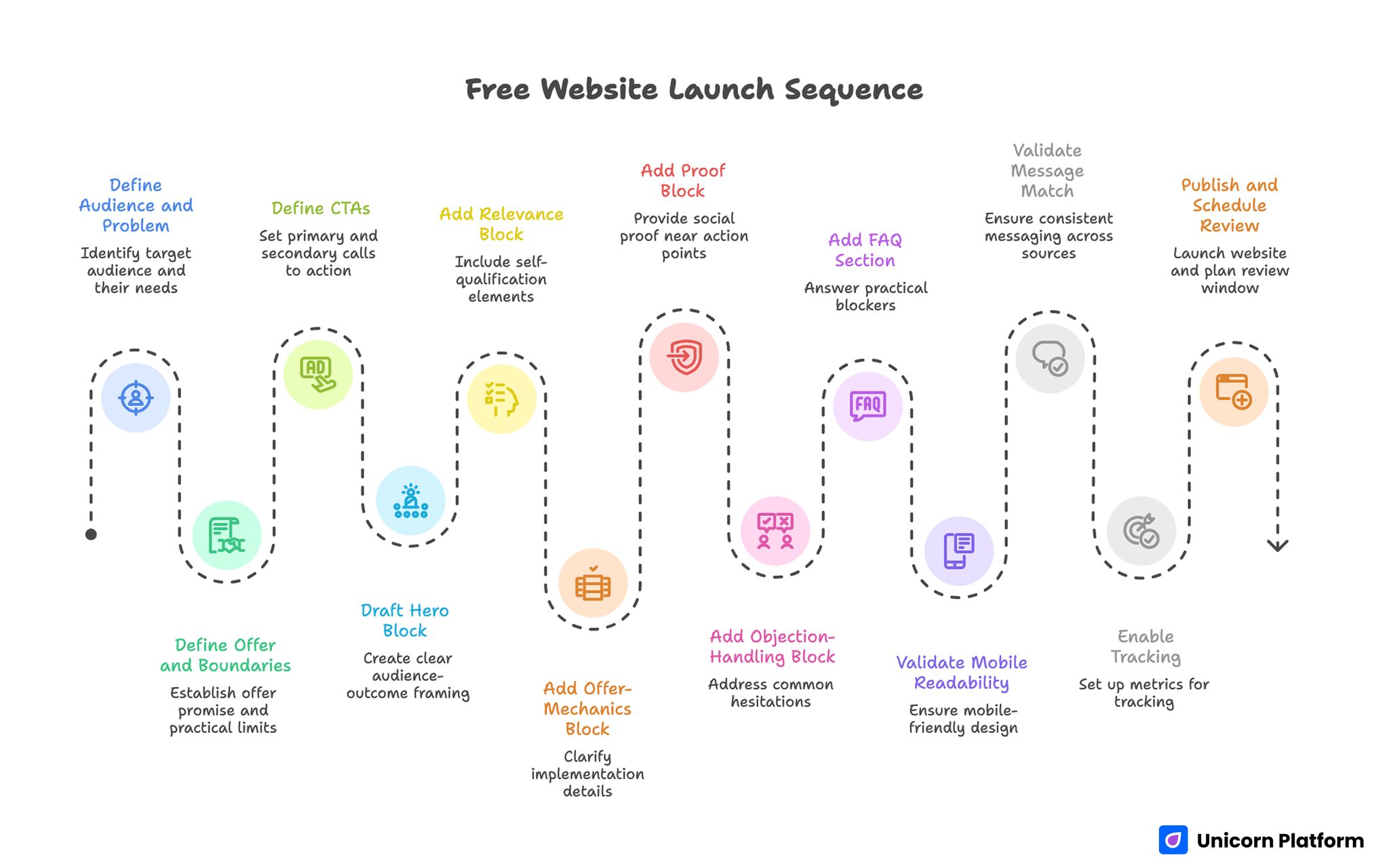
Free Website Launch Sequence
Common Mistakes When Choosing a Free Website Platform
Choosing based on templates alone
Templates matter, but workflow matters more. A nice starting design is not enough if editing becomes frustrating.
Ignoring the upgrade path
If you know you will want a custom domain soon, do not pretend the free version is the whole decision.
Choosing a platform that is too heavy
A complex platform can slow you down if you only need a one-page launch.
Choosing a platform that is too light
A very simple builder can feel fine on day one but frustrating once you need SEO structure, more pages, or a blog.
Confusing free with costless forever
The site may be free to build, but growth, polish, and brand control often change the equation.
How to Apply This in Unicorn Platform
If you are comparing free website platforms because you need to publish something practical quickly, Unicorn Platform makes the most sense when the site fits a startup-style workflow: landing page, waitlist, product homepage, directory, or simple multi-page site.
A useful decision shortcut is:
- choose Unicorn Platform if speed and startup patterns matter most
- choose Carrd if you need one very simple page
- choose WordPress.com if the site will be content-heavy
- choose Framer if visual polish is the main priority
- choose Wix or Webnode if you want a general-purpose local-business flow
If you want to narrow the shortlist further, best free AI website builders in 2026 is the closest follow-up. If your main need is a launch page rather than a full site, best AI landing page builders in 2026 is the better comparison.
FAQ: Best Free Website Platforms in 2026
What is the best free website platform overall?
There is no single best option for everyone, but Unicorn Platform, WordPress.com, Wix, Carrd, Framer, and Dorik are among the strongest depending on the use case.
Which free website platform is best for startups?
For many early startup sites, Unicorn Platform is one of the strongest choices because it is built around startup page patterns and quick publishing.
Which free website platform is best for one-page sites?
Carrd is one of the best options for pure one-page sites because it stays simple and fast.
Is WordPress.com a good free option?
Yes, especially if your site is content-heavy or likely to grow into a larger blog or publishing workflow.
Are free website platforms good enough for SEO?
They can be, if they give you enough control over titles, structure, mobile layout, and ongoing editing. The bigger issue is often how quickly the free plan becomes limiting.
Do I need to upgrade right away?
Not always. For testing, early launches, and simple sites, free plans can be enough. Upgrades usually matter more when you need a custom domain, remove branding, or expand the site.
Which free platform is best for local businesses?
Wix, Webnode, SITE123, and Jimdo are especially practical for local-business websites.
Which free platform is best for design quality?
Framer is one of the strongest options if design quality and visual control matter a lot.
What is the biggest mistake when choosing one?
The biggest mistake is focusing only on the first design instead of checking publishing limits, branding, and how easy the site will be to maintain later.
Can I build a real business website for free?
Yes, in many cases you can build a real site for free. The bigger question is whether the free plan is enough for the level of polish, branding, and control your business needs.
Final Takeaway
The best free website platforms in 2026 are not all trying to solve the same problem. Some are best for one-page launches. Some are better for startup sites. Some are stronger for blogs, portfolios, or local business websites.
That is why the smartest way to choose is to start with the site type, not the platform marketing. Once you know whether you need a landing page, startup homepage, portfolio, or content site, the right free platform becomes much easier to spot.