Table of Contents
- What Startup Founders Should Compare First
- The 9 Best Free Website Builders for Startups
- Best Free Website Builders for Different Startup Stages
- Common Mistakes Founders Make With Free Website Builders
- FAQ
Startups need a website builder that is fast, flexible, and cheap to start with, but not every free plan is startup-friendly. Some free builders are good enough for a waitlist or a one-page launch, while others become frustrating as soon as you need SEO control, better branding, or a teammate to help edit the site.
That is why founders should not compare free website builders the same way hobby sites or general small-business sites do. Startup websites usually have different jobs: launch a product page fast, validate a message, collect early demand, ship landing-page experiments, or publish a credible product website before the team has budget for a more complex stack.
This guide compares the best free website builders for startup landing pages, product sites, and early traction experiments. It focuses on what founders actually care about: speed, branding limits, SEO control, editing workflow, and the point where a free plan stops helping.
sbb-itb-bf47c9b
Quick Answer
If you only need the shortlist:
- Unicorn Platform is one of the best free website builders for startup landing pages, waitlists, and simple product sites.
- Carrd is one of the best free picks for a very fast one-page startup site.
- Dorik is a good fit if you want a startup-friendly no-code builder with more flexibility than the simplest tools.
- Framer is strong for design-first startups that still want a free way to launch early.
- WordPress.com is useful for startups that expect content and SEO to matter a lot over time.
- Wix is a practical all-around option if you want an easy builder with broad business-site coverage.
The right choice depends on what stage you are in. A prelaunch startup, a product-led SaaS, and a content-heavy startup will not want the same free builder.
What Startup Founders Should Compare First
Before looking at the tools, it helps to know what startup teams should judge them on.
1. Launch speed
Can you publish a clean landing page or product site in a day or two, or will the builder become a project on its own?
2. Branding limits
Does the free version add heavy platform branding, awkward subdomains, or restrictions that make the site feel less credible?
3. SEO control
Can you edit page titles, descriptions, structure, and basic search-facing settings without fighting the platform?
4. Team editing
If a founder, marketer, and designer all need to touch the site, is the workflow still manageable?
5. Upgrade risk
Does the free plan help you start well, or is it really just a teaser that forces a paid jump too early?
For startup teams, these five criteria usually matter more than huge feature lists.
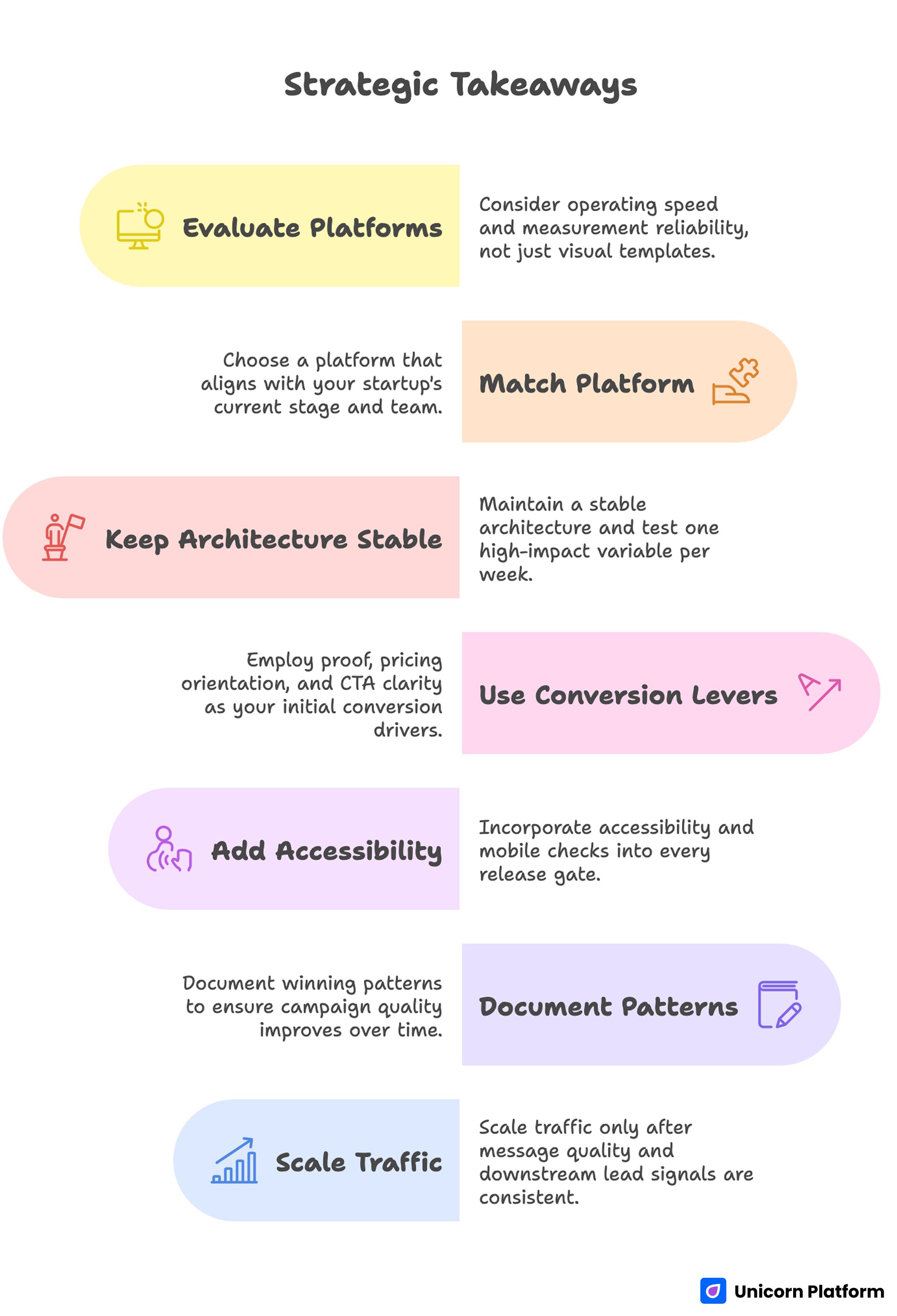
Strategic Takeaways on the Best Free Website Builders for Startups in 2026
Quick Comparison Table
| Platform | Best for | Startup fit on free plan | Main strength | Main limit to watch |
| Unicorn Platform | startup landing pages and waitlists | strong | startup-focused blocks and fast setup | deeper branding and publishing control improve on paid plans |
| Carrd | one-page MVP sites | strong for very simple launches | speed and simplicity | limited depth once you need a fuller site |
| Dorik | no-code startup websites | good | flexible builder with practical startup use cases | long-term governance improves on paid plans |
| Framer | polished launch sites | good for design-led teams | visual quality and modern layouts | free plan is better for starting than scaling |
| Wix | general startup and small business sites | fair to good | broad builder ecosystem | branding and domain limits show up quickly |
| WordPress.com | content-led startups | fair to good | stronger publishing and blog path | not the lightest option for pure launch pages |
| Webflow | structured product websites | fair for exploration | stronger long-term structure potential | heavier workflow for early teams |
| SITE123 | very simple startup pages | fair | fast guided setup | lower flexibility and more visible ceilings |
| Webnode | basic company sites | fair | easy setup for simple needs | limited room for more ambitious startup growth |
The 9 Best Free Website Builders for Startups
1. Unicorn Platform
Unicorn Platform is one of the most practical free website builders for startups because the default use cases already match founder needs. It is especially good for waitlists, SaaS homepages, directories, product launches, and simple startup websites that need to go live quickly.
Its biggest advantage is not just ease of use. It is that the structure already leans toward startup messaging instead of generic brochure-site logic. It is also a strong fit if you need a job board template for startups that can go live quickly and still support SEO pages around roles and company categories.
Best for
- waitlists
- SaaS launches
- product landing pages
- founder websites
- startup teams that want to ship quickly
Why it works for startups
- startup-friendly templates and sections
- fast no-code editing
- simple multi-page structure when needed
- easy to keep updating after launch
What to watch
- free usage is best for early launch needs, not every long-term publishing setup
- more advanced brand and publishing control improve on paid plans
2. Carrd
Carrd is still one of the best free choices when the startup only needs one page and needs it fast. For a prelaunch page, waitlist, simple founder profile, or lightweight product teaser, Carrd is often enough.
Its strength is focus. It does not try to be a huge website platform. That makes it a good option when simplicity is the actual goal.
Best for
- one-page startup sites
- founder profiles
- teaser pages
- simple waitlists
Why it works for startups
- very fast launch speed
- low learning curve
- clean responsive pages
- good when you want a single clear CTA
What to watch
- it becomes limiting once you need more content depth or more complex site structure
- larger product sites usually outgrow it
3. Dorik
Dorik is a strong middle-ground option for startups that want a no-code builder with more flexibility than the simplest tools. It works well for startup sites, landing pages, and small product websites that may need to grow beyond one page.
It is useful for founders who want speed but do not want the builder to feel too constrained right away.
Best for
- startup sites with a few pages
- landing pages with more structure
- teams that want no-code flexibility
- founders who want room to expand a bit later
Why it works for startups
- flexible block-based editing
- practical templates
- useful for both simple and slightly broader sites
- easier than heavier professional builders
What to watch
- long-term site governance is stronger once you move beyond the free tier
- not every startup needs its wider feature set on day one
4. Framer
Framer is one of the strongest free-start choices for startups that care a lot about visual quality. It works well for polished marketing sites, startup launches, and teams that want a sharper design system from the beginning.
For design-led founders, it can be a better fit than simpler builders.
Best for
- polished startup launches
- design-first product sites
- visually ambitious landing pages
- teams that care deeply about presentation
Why it works for startups
- strong design quality
- modern layout control
- useful for polished product storytelling
- serious-feeling free start
What to watch
- it is less beginner-simple than the most straightforward builders
- free is great for early launch, but growing teams often need more control later
5. Wix
Wix is a practical option for startups that want a broad builder with lots of templates and a familiar editing experience. It is less startup-specific than some other tools here, but it can still work well for early business websites and general company pages.
Best for
- general startup sites
- service-led startups
- founders making a first business site
- teams that want an easy all-in-one builder
Why it works for startups
- easy onboarding
- wide template selection
- lots of built-in options
- practical for several site types
What to watch
- visible platform branding on free can make the site feel less startup-polished
- some teams outgrow the general-purpose approach quickly
6. WordPress.com
WordPress.com is useful when the startup expects content, publishing, and SEO to matter over time. It is not the fastest builder for a quick one-page launch, but it can be stronger than lighter tools if the site will turn into a blog, knowledge base, or content-driven growth system.
Best for
- content-led startups
- newsletter and media products
- SEO-driven startup sites
- teams that expect their site to grow steadily
Why it works for startups
- stronger publishing path
- better fit for blogs and content operations
- more room to expand site depth over time
- familiar content workflow
What to watch
- less ideal than simpler tools for fast landing-page experiments
- the free version still has clear brand and control limits
7. Webflow
Webflow is often attractive to startups because it offers stronger structure and more long-term design control. On a free plan, though, it is often better as a way to explore or prototype than as the easiest true free answer for a founder who just needs to launch now.
Best for
- structured product websites
- teams that may scale into more custom design
- startups with design resources
- sites that need stronger long-term control
Why it works for startups
- strong layout and structure potential
- better long-term design system path
- useful for more deliberate product sites
- stronger ceiling than many simple builders
What to watch
- heavier learning curve than simpler startup builders
- often more useful as a growth-stage tool than a pure free launch tool
8. SITE123
SITE123 works when speed and simplicity matter more than flexibility. It is not the most advanced option here, but it can still be useful for a startup that needs a basic presence without much setup friction.
Best for
- very simple company pages
- startup microsites
- founders who want a guided builder
- basic early online presence
Why it works for startups
- fast setup
- low learning curve
- simple interface
- enough for basic startup pages
What to watch
- lower flexibility than stronger builders
- branding and customization ceilings show up quickly
9. Webnode
Webnode is another practical choice for simple startup websites, especially when the site is more informational than conversion-heavy. It is useful for basic company pages, lightweight local expansion, or a first pass at a business presence.
Best for
- simple startup company sites
- informational pages
- early service-led businesses
- teams that want very guided setup
Why it works for startups
- easy to understand
- low-friction setup
- functional for straightforward needs
- useful for simple presence pages
What to watch
- less flexible than stronger startup-focused tools
-
not ideal once you want more sophisticated positioning or conversion work
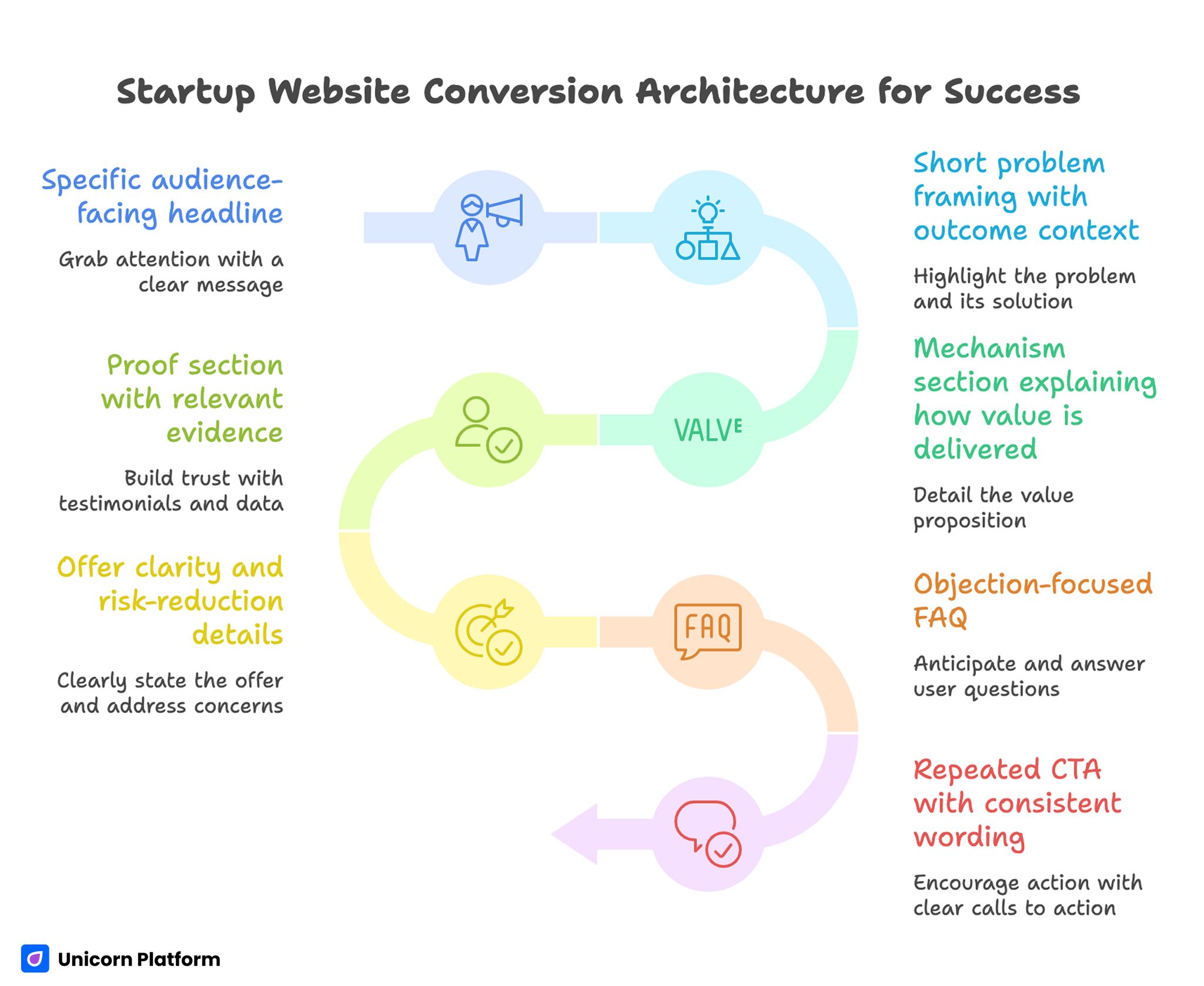
Startup Website Conversion Architecture for Success
Best Free Website Builders for Different Startup Stages
The best free builder changes depending on what your startup is trying to do.
Best for prelaunch waitlists
Best fits:
- Unicorn Platform
- Carrd
- Framer
Why:
- these help you publish quickly and make one core CTA clear
Best for startup landing pages
Best fits:
- Unicorn Platform
- Dorik
- Framer
Why:
- they balance speed with enough control to test messaging, sections, and proof
Best for product websites
Best fits:
- Unicorn Platform
- Webflow
- Dorik
Why:
- these are better when the site needs multiple pages or a stronger product narrative
Best for content-led startup sites
Best fits:
- WordPress.com
- Webflow
- Wix
Why:
- these are more practical if the site will grow beyond a launch page into a broader publishing system
SEO and Branding Limits Founders Should Watch
This is where many free website builder comparisons stay too generic. Startup teams usually hit the limits faster because credibility and search visibility matter early.
Branding limits
Common free-plan branding issues include:
- visible platform badges
- awkward subdomains
- weaker control over site appearance
- less polished first impression for investor, customer, or partner traffic
Not every early startup needs full brand control on day one. But if the site is customer-facing and trust-sensitive, these limits matter.
SEO limits
The main SEO questions are:
- can you edit page titles and descriptions easily?
- can you create a usable page structure?
- can the site grow cleanly when content expands?
- can you avoid making the site feel like a throwaway experiment?
If SEO is likely to matter in the next six to twelve months, choose a platform that does not make later improvement painful. This becomes even more important if your growth plan includes a User-Generated Content strategy, where users contribute content such as testimonials, directories, or community posts that expand your site over time.
When a Startup Should Upgrade From Free
Free is useful when the website is still proving a message, testing an offer, or collecting early demand. It stops being enough when the constraints start slowing the team down or weakening trust.
Common upgrade signals:
- the platform branding starts hurting credibility
- you need a custom domain and stronger brand control
- your site now needs more pages, more structure, or a better workflow
- you want stronger SEO control
- multiple teammates need to collaborate more reliably
- the site has moved from experiment to real acquisition asset
For many startups, the right move is not to avoid paid plans forever. It is to start on the right free platform so the first upgrade happens for growth reasons, not because the free setup was the wrong fit from the start.
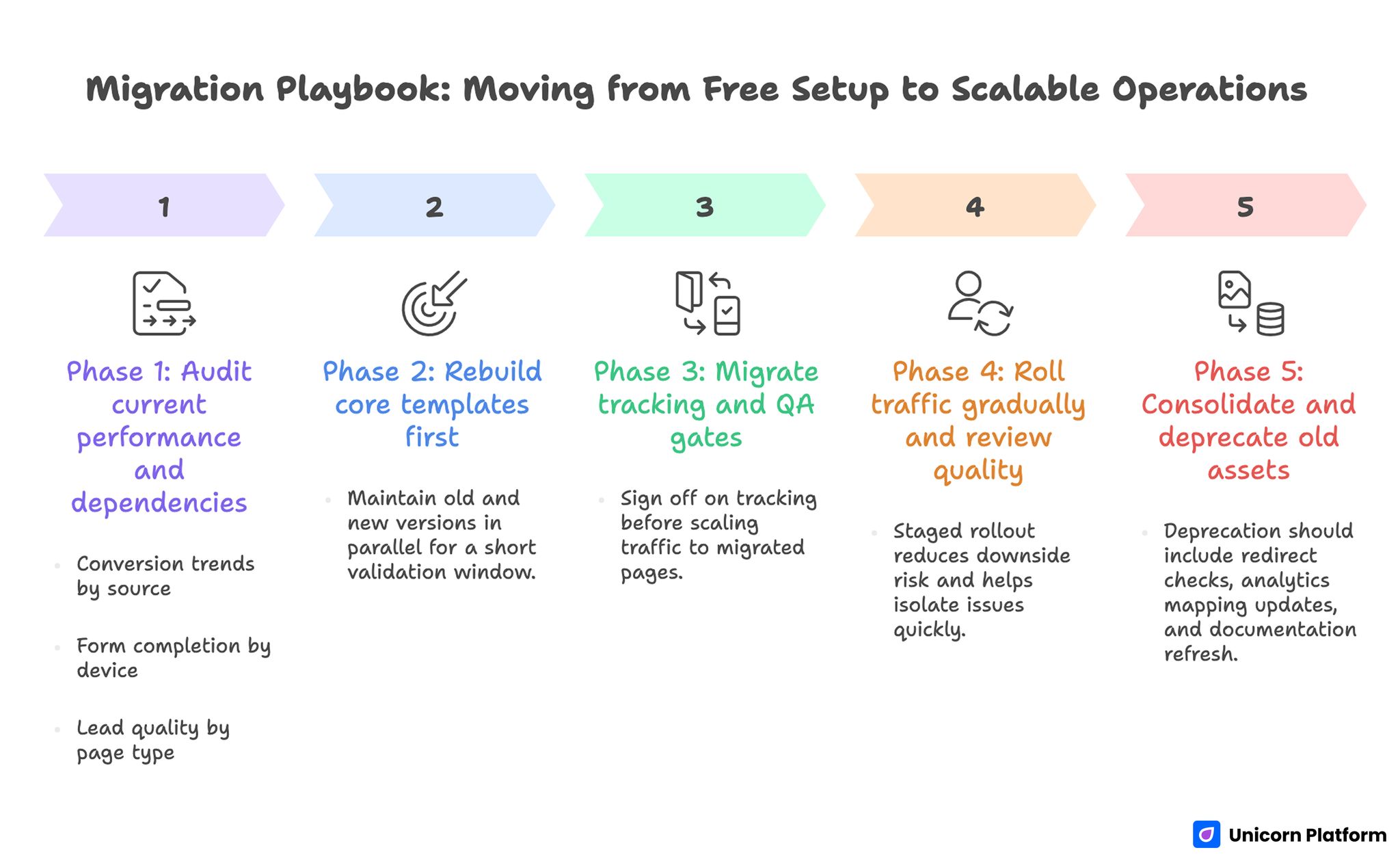
Migration Playbook: Moving from Free Setup to Scalable Operation
Common Mistakes Founders Make With Free Website Builders
Mistake 1: Choosing the prettiest free builder instead of the fastest usable one
Fix: choose based on the job the site needs to do in the next three months, not only how polished the editor looks.
Mistake 2: Ignoring brand and subdomain friction
Fix: think about who will see the site first. Investors, customers, partners, and early users do notice trust signals.
Mistake 3: Treating every startup site like a one-page launch
Fix: decide whether you are building a waitlist, a product site, or a content base. The right builder changes with the job.
Mistake 4: Waiting too long to upgrade
Fix: once the site becomes a real acquisition asset, move to the setup that supports growth instead of squeezing more life out of the wrong free plan.
Mistake 5: Picking a builder that one founder can use but the team cannot maintain
Fix: think about editing workflow early, especially if marketing and product will both touch the site.
How To Apply This in Unicorn Platform
If your startup mainly needs fast landing pages, waitlists, and simple product pages, Unicorn Platform is a practical place to start because the page structures already match common startup use cases.
A simple startup workflow looks like this:
- launch one homepage or landing page
- add one proof section and one clear CTA
- publish a second page only when the product story needs more depth
- keep testing messaging before adding complexity
If you want to compare free options more broadly, this guide on free website platforms in 2026 is a useful companion. If you are choosing between startup-focused builders more generally, this article on the best website builder for startups helps once you move beyond the free-only question.
FAQ: Best Free Website Builders for Startups in 2026
What is the best free website builder for startups?
It depends on the startup stage, but Unicorn Platform, Carrd, Dorik, and Framer are among the strongest options for startup-focused use cases.
Which free website builder is best for a startup landing page?
Unicorn Platform, Carrd, and Framer are strong options for fast startup landing pages.
Are free website builders good enough for startups?
Yes, for early validation, waitlists, and simple product pages. They become less ideal once branding, SEO, and collaboration needs grow.
Which free website builder is best for startup SEO?
WordPress.com and Webflow are often stronger for longer-term SEO growth, while startup-specific builders can be better for speed and focused launch pages.
What is the downside of using a free website builder for a startup?
The biggest downsides are branding restrictions, weaker domain control, and earlier growth ceilings.
Should a startup use a free website builder or pay from the start?
If the site is still validating an offer, free can be a smart start. If the website is already a core acquisition channel, paid may be the better move.
What is the best free builder for a startup waitlist?
Unicorn Platform and Carrd are especially practical for waitlists and simple prelaunch pages.
Can a startup launch on a free website builder and upgrade later?
Yes, and that is often the smartest path. The key is choosing a builder whose early workflow does not create unnecessary rework.
Which free website builder is best for a startup product site?
Unicorn Platform, Dorik, and Webflow are usually better fits when the startup needs more than a simple teaser page.
How should founders choose between free website builders?
Compare launch speed, branding limits, SEO control, team workflow, and the point where the free version starts slowing growth.
Final Takeaway
The best free website builders for startups are not the ones with the most features. They are the ones that help a startup launch quickly, look credible enough, and keep moving without immediate rework.
If your team needs a fast launch page, choose for speed and clarity. If your site will become a bigger content or product asset, choose for cleaner long-term growth. The important part is to match the builder to the startup stage instead of assuming every free website platform solves the same problem.

