Table of Contents
- How to Evaluate Personal Website Builders as a Beginner
- Building in Unicorn Platform: Practical Beginner Workflow
- 30-Day Beginner Launch Plan
- Common Mistakes Beginners Should Avoid
- FAQ
Most beginners think building a personal website is mainly a technical challenge. It usually is not. The bigger challenge is deciding what the site should say, who it should help, and what action visitors should take after reading it.
That is why many first websites launch late or perform poorly. People spend time comparing tools, fonts, and templates, but skip the strategic basics that actually drive trust and opportunity quality.
A strong beginner website can be simple. It needs clear positioning, relevant proof, readable structure, and one obvious next step. When those elements are in place, your builder choice becomes easier and your updates become faster.
This guide shows how beginners can choose the right personal website builder, launch a clean first version, and improve it in weekly cycles without technical overwhelm. The process is designed to be practical for solo creators and small teams with limited time.
If you want a practical baseline checklist before deeper strategy, these personal website setup tips are a useful companion and work well with the framework below.
sbb-itb-bf47c9b
Quick Strategic Takeaways
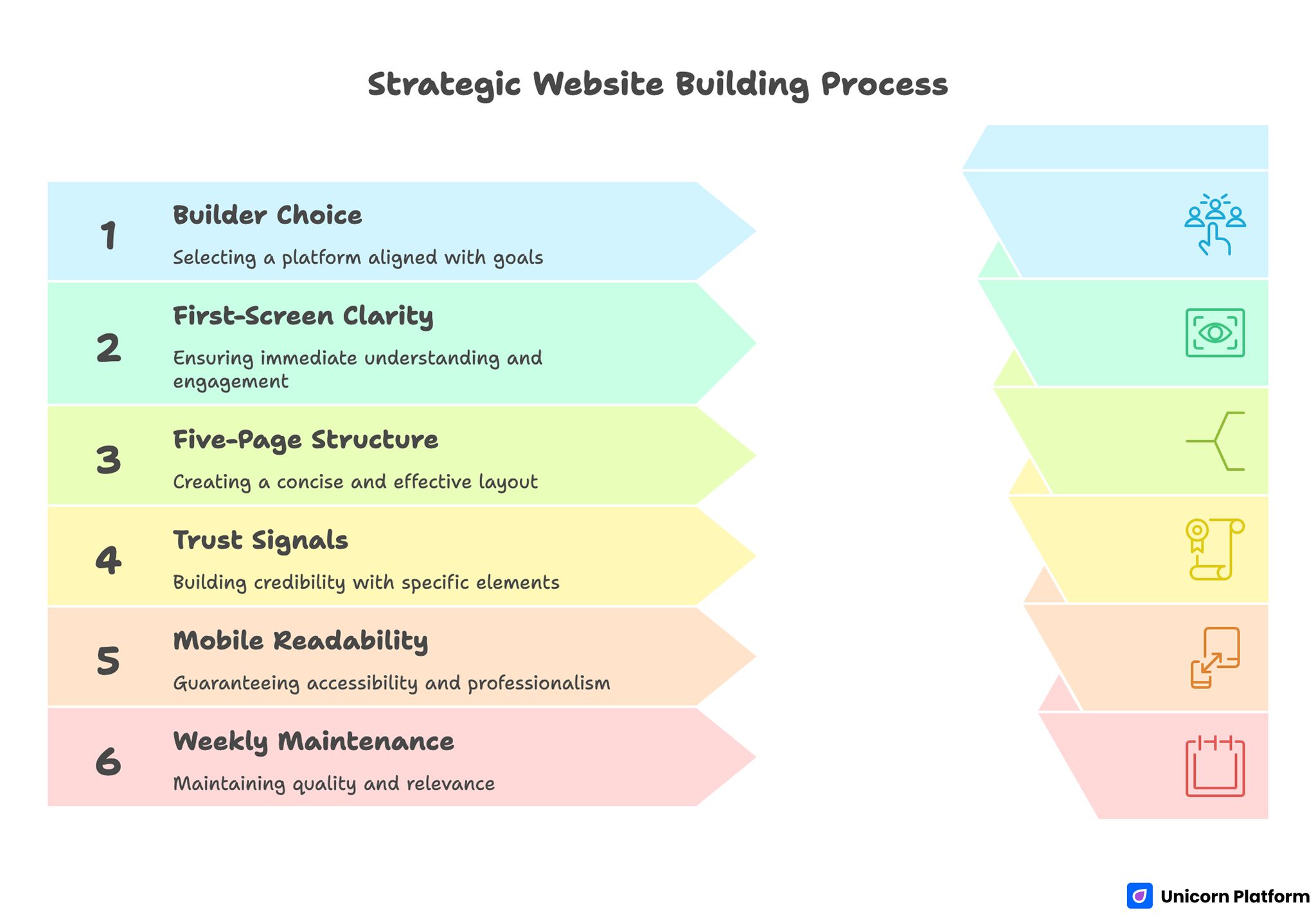
Strategic Website Building Process
- Builder choice should follow goals, not design trends.
- First-screen clarity is the most important conversion factor.
- A five-page starter structure is enough for most beginners.
- Trust signals should be specific and placed near action points.
- Mobile readability is a credibility requirement, not an optional polish.
- Weekly maintenance prevents quality drift and stale messaging.
Why Beginners Struggle With Personal Website Builders
Beginners usually face decision paralysis. Too many templates, too many features, and too little clarity about what matters first. For more insights into beginner website challenges and UX patterns, see Nielsen Norman Group – UX for Beginners
The result is predictable. Some people never publish. Others publish quickly but with unclear messaging, weak trust structure, and confusing CTAs.
A practical fix is to separate decisions into phases. First decide site objective and audience. Then choose structure. Then choose builder features that support that structure.
This approach removes unnecessary complexity and helps beginners ship faster with better quality. It also makes future updates easier because each decision has a clear purpose.
Defining Your Website Objective Before Choosing Tools
A personal website should have one primary job per version. Without that, every section competes with every other section and conversion quality drops.
Common primary goals include the most frequent outcomes beginners expect from a personal website. Choosing one of these early improves structure decisions throughout the build.
- getting consulting inquiries
- showcasing work for hiring opportunities
- building authority in a niche
- collecting subscribers for long-term audience growth
- creating a professional trust profile
Choose one primary goal and one priority audience. A beginner site can support multiple paths later, but focus is what makes the first version effective.
How to Evaluate Personal Website Builders as a Beginner
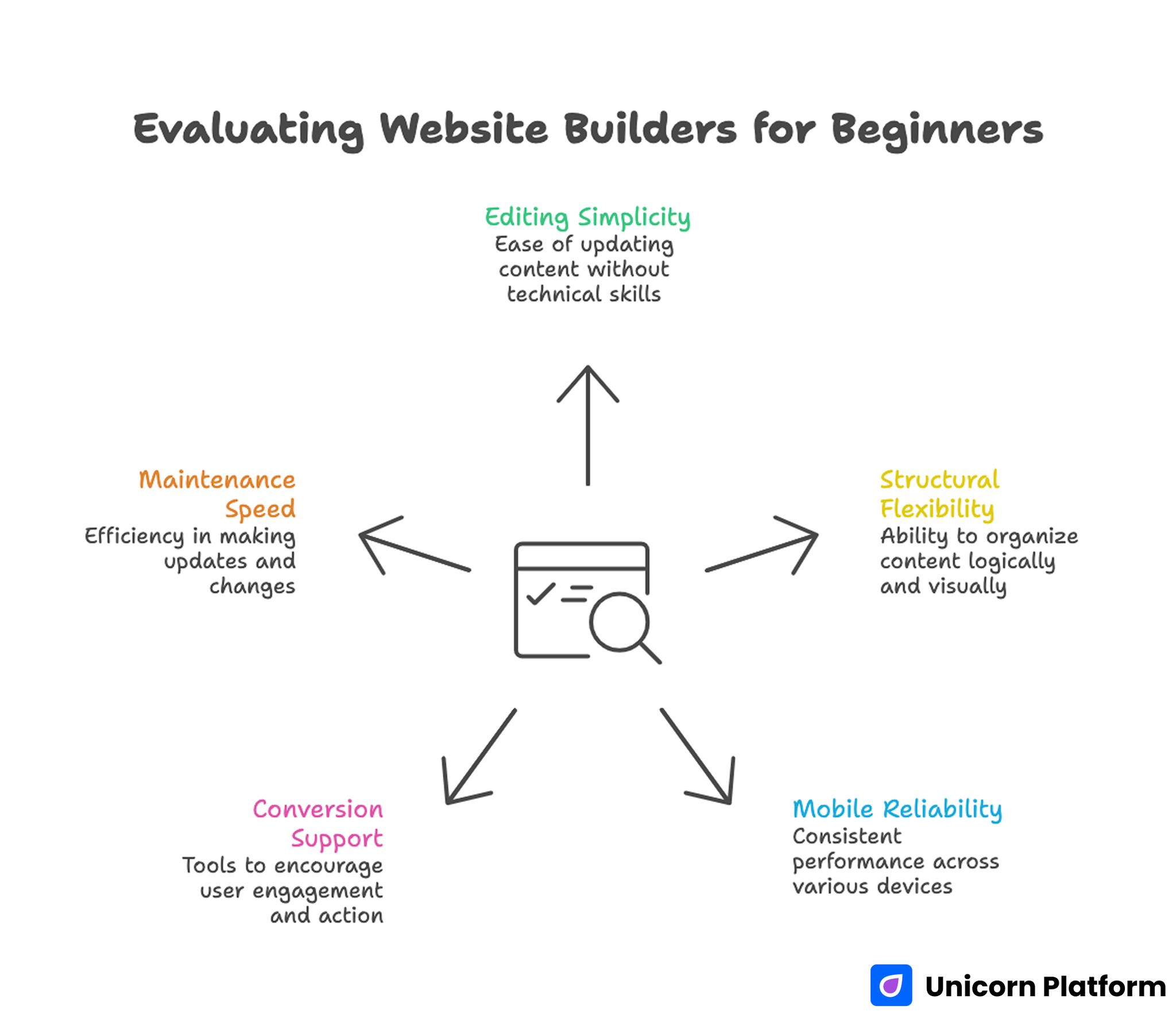
Evaluating Website Builders for Beginners
Most builder comparisons focus on feature volume. Beginners get better results by evaluating operational fit. For a detailed review of no-code website builders, check out Smashing Magazine.
Use these five criteria as your baseline evaluation framework. They help you avoid feature overload and keep selection decisions practical.
1. Editing simplicity
Can you update copy, proof, and CTA blocks without technical help? If basic edits feel slow, you will avoid optimization and your site will stagnate.
2. Structural flexibility
Can the builder support clear section hierarchy for identity, proof, and action flow? Visual customization is helpful, but structure quality matters more.
3. Mobile reliability
Your site must render cleanly on common devices without manual fixes each time you publish. Reliable mobile behavior protects trust during first impressions.
4. Conversion support
You need practical forms, CTA controls, and contact pathways that can be adjusted as your goals evolve. Conversion elements should be simple to modify as your audience and offers change.
5. Maintenance speed
Beginner success depends on consistency. A platform that supports quick weekly updates usually beats one with heavy setup overhead.
When beginners need speed and clear editing workflows, Unicorn Platform performs well because it combines clean section structure with low-friction iteration. This balance helps users improve quality without being blocked by technical overhead.
The Beginner Website Structure That Works
A first personal website does not need dozens of pages. In most cases, five pages are enough.
Home
Your homepage should answer three questions quickly: who you are, what you do, and what visitors should do next. If these answers are unclear, most visitors will leave before reaching deeper sections.
About
Use this page to provide relevant context, not autobiography volume. Explain your focus, your approach, and proof of capability.
Services or Focus
If you offer services, define scope, audience fit, and expected outcomes clearly. Service clarity directly improves inquiry relevance.
Work or Results
Show selected proof with concise context. A curated set of examples usually performs better than a complete archive.
Contact
Make engagement easy with clear purpose options and response expectations. A simple contact process reduces hesitation and improves submission quality.
For beginners validating quickly, a focused one-page personal website model can work well before expanding to full multi-page structure.
Homepage Design: What Beginners Should Prioritize
Homepage design should support decisions, not decoration. Visitors should understand relevance in seconds.
A practical homepage sequence helps beginners avoid layout chaos and decision overload. Use the structure below as a stable starting point before making visual experiments:
- identity headline with role and audience
- short value proposition with outcomes
- concise trust signal block
- selected proof highlights
- one dominant CTA
This sequence helps both fast scanners and deeper readers. It also gives beginners a repeatable framework for future updates.
Avoid adding large visual sections before messaging clarity is validated. Weak copy hidden behind polished design still converts poorly.
Writing Better Positioning as a Beginner
Positioning quality often determines whether visitors continue reading. Strong positioning reduces bounce and improves conversion readiness.
Weak positioning is broad and generic. Strong positioning is specific about audience, problem, and outcome.
Use this formula to create a first draft quickly. Then refine wording with real audience language:
- I help [audience]
- solve [problem]
- by [approach]
- so they can [result]
Example comparisons make the difference between vague and specific positioning easier to see. Use them as a rewrite pattern for your own headline:
Generic: "I help people improve their websites."
Specific: "I help early-stage consultants turn unclear personal websites into trust-focused pages that generate qualified inquiries."
Specificity increases trust because visitors can evaluate fit quickly. Clear fit language also filters out low-relevance traffic.
Trust Architecture for Beginner Personal Sites
Trust is not one testimonial block. It is the deliberate placement of evidence across the page.
Use three layers of trust to spread credibility across the full decision journey. This prevents proof from being isolated in one low-visibility area.
Fast trust
Place concise credibility signals near the first screen. Early reassurance keeps qualified visitors moving deeper into the page.
Context trust
Add proof where visitors evaluate whether your method actually works. Context-aligned proof usually converts better than generic praise.
Action trust
Near your primary CTA, reduce uncertainty with clear process and expectation language. This is where many high-intent visitors decide whether to continue.
This structure helps beginners avoid one common mistake: hiding all proof in one section that many visitors never reach. Distributed trust signals support faster and more confident decisions.
For professional positioning with stronger trust depth, this personal professional website guide is a useful reference.
Role-Specific Personal Website Patterns
Beginners often ask whether one template can fit all professions. The answer is yes for structure, but no for message emphasis.
Doctors and healthcare professionals
Emphasize empathy, qualification clarity, and patient guidance. Visitors need confidence in both expertise and communication quality.
Personal trainers and coaches
Emphasize transformation outcomes, program clarity, and booking flow. Strong result framing usually matters more than long biographies.
Consultants and freelancers
Emphasize niche focus, process clarity, and proof of outcomes. Clients want relevance and confidence in delivery.
These role-specific adjustments can be implemented quickly in Unicorn Platform by updating messaging and proof blocks while keeping the same underlying page architecture. This keeps the site coherent while improving relevance for different audiences.
Contact Flow Design That Improves Opportunity Quality
Many beginner sites lose conversion quality at the contact stage. Forms are either too generic or too long.
A better model is short and intent-based. Visitors should be able to complete the form quickly without extra friction.
Include the essentials only, then gather deeper context after first contact. This keeps the first step efficient:
- name and contact details
- inquiry type
- short context field
- expected response timeline
Intent-based options help users self-qualify and reduce low-fit messages. They also improve response prioritization for site owners.
If hosting and contact reliability are concerns, this personal website hosting guide can help you keep infrastructure simple while maintaining professional quality.
Mobile and Performance Standards for First Websites
First impressions often happen on mobile. If your site is hard to read or slow to load, trust drops before visitors reach your proof.
Use this baseline as a pre-launch quality gate for mobile performance. If any item fails, fix it before promotion:
- concise first-screen copy
- one clear mobile CTA above early scroll
- readable typography and spacing
- lightweight media assets
- frictionless contact interaction
Do mobile checks before promotion, not after. Early quality control protects both reputation and conversion efficiency.
SEO Essentials for Beginner Personal Websites
SEO for personal sites should focus on relevance and structure. You do not need advanced complexity to get early results.
Start with these fundamentals before testing advanced tactics. Solid basics create cleaner data for later optimization:
- clear page titles aligned to your role and audience
- logical heading hierarchy
- internal links between core pages
- optimized images with descriptive alt text
- clean URLs and fast loading behavior
These basics improve discoverability and reader experience at the same time. They are usually enough to create early momentum.
Building in Unicorn Platform: Practical Beginner Workflow
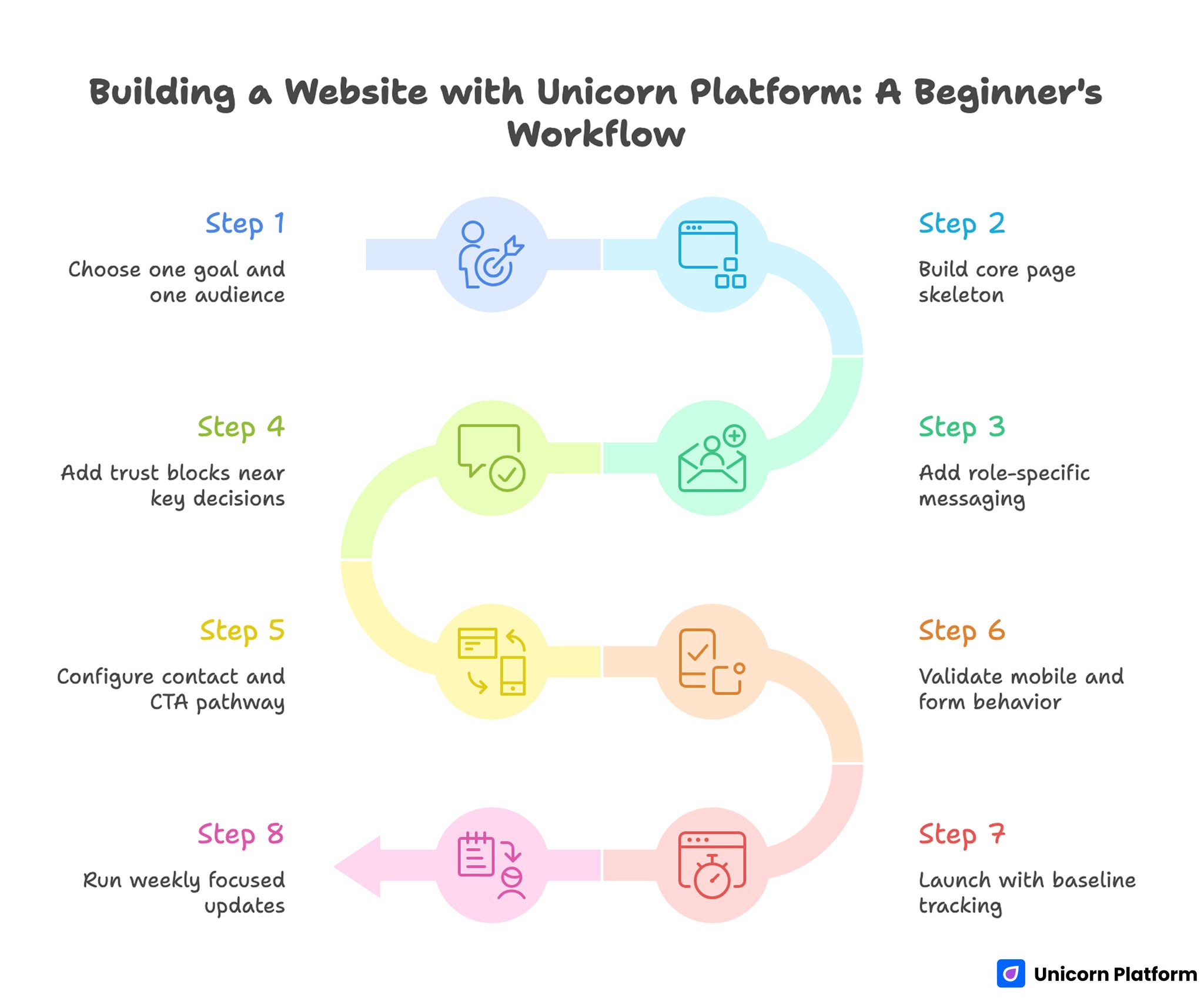
Building a Website with Unicorn Platform: A Beginner’s Workflow
Unicorn Platform is most useful when you follow a repeatable workflow instead of random edits. Consistent process quality is what makes no-code speed valuable.
Step 1: Choose one goal and one audience
Write these down before building sections. Explicit goals keep layout decisions focused.
Step 2: Build core page skeleton
Create homepage, About, proof, and contact structure before visual customization. Structure should guide style, not the other way around.
Step 3: Add role-specific messaging
Replace generic template copy with audience-focused positioning and outcomes. Template defaults should only be a draft, not your final message.
Step 4: Add trust blocks near key decisions
Place concise credibility signals near first-screen and CTA regions. Trust is most useful when it appears at decision points.
Step 5: Configure contact and CTA pathway
Ensure one primary action path is obvious and operational. Visitors should not have to guess where to click next.
Step 6: Validate mobile and form behavior
Test on real devices and complete the full contact journey. End-to-end checks reveal friction that desktop previews often miss.
Step 7: Launch with baseline tracking
Track top pages, CTA clicks, and contact quality notes. These metrics show whether your message is attracting the right audience.
Step 8: Run weekly focused updates
Improve one high-impact element per cycle and document results. Focused iterations are easier to evaluate and scale.
30-Day Beginner Launch Plan
Week 1: Foundation
Define positioning, choose structure, and publish core pages with clear baseline messaging. This gives you a clean starting point for every later test.
Week 2: Trust and proof
Add stronger credibility context and replace generic claims with specific evidence. Proof upgrades usually improve trust faster than visual redesigns.
Week 3: Conversion flow
Improve CTA language and contact form clarity. Remove competing action paths.
Week 4: Discoverability and polish
Apply SEO basics, refine mobile readability, and update top-entry pages based on behavior. Prioritize the pages that already receive meaningful visits.
This sequence gives beginners momentum without unnecessary complexity. It also reduces decision fatigue during the first month.
60-Day Growth Framework for First Personal Websites
Days 1-20: Stabilize message quality
Improve first-screen clarity and role-specific value proposition across core pages. Message alignment at this stage usually improves both traffic quality and conversion quality.
Days 21-40: Expand trust depth
Upgrade proof sections with stronger examples and clearer context around outcomes. Replace abstract claims with practical details.
Days 41-60: Improve opportunity quality
Test CTA wording and contact pathways based on inquiry fit, not only submission volume. Better-fit inquiries are a stronger success signal than raw form counts.
This phased model helps beginners evolve from basic presence to reliable opportunity engine. Progress remains manageable because each phase has a clear objective.
Monthly Review Metrics That Matter
Do not evaluate your site by traffic alone. Track quality signals that reflect real outcomes.
Use this monthly set as a lightweight review dashboard. It is enough to support strategic decisions without heavy analytics complexity:
- top landing pages by qualified visits
- CTA click behavior by page
- contact form conversion quality
- returning visitor trend
- message-fit feedback from inquiries
These signals help you prioritize high-impact updates instead of redesigning randomly. Data-backed prioritization keeps effort focused.
Common Mistakes Beginners Should Avoid
Mistake 1: Choosing builders by visual style alone
Aesthetic-first decisions often ignore workflow fit. Choose tools by edit speed, structure quality, and maintenance ease.
Mistake 2: Generic homepage messaging
Vague copy reduces trust quickly. Rewrite first-screen text around audience and outcome clarity.
Mistake 3: Weak trust specificity
General claims are easy to ignore. Use short evidence tied to real outcomes and roles.
Mistake 4: Too many equal CTAs
Competing actions create hesitation. Keep one dominant action path and use secondary paths carefully.
Mistake 5: No update cadence
Unmaintained sites become outdated fast. Run weekly maintenance and monthly strategic review.
Mistake 6: Skipping mobile validation
Desktop-only checks miss critical friction. Validate all core pages and forms on real mobile devices.
Mistake 7: No documentation
Without a change log, teams repeat weak edits. Record updates, intent, and results to improve decision quality.
FAQ: Personal Website Builders for Beginners
What is the best personal website builder for beginners?
The best builder is the one that lets you publish and update quickly while keeping clear structure and mobile reliability. Operational fit usually matters more than feature volume.
How many pages should my first personal website have?
Five core pages are enough for most beginners: Home, About, Focus or Services, Proof or Work, and Contact. Additional pages can be added later when demand is clear.
Should I build one page or multiple pages first?
If speed is your top priority, start with one focused page and expand once your message and CTA are validated. This helps you learn quickly before scaling structure.
What should I put on my homepage first?
Start with a clear identity statement, audience-focused value proposition, and one primary CTA supported by concise proof. This combination gives visitors immediate orientation.
How do I make my personal site look trustworthy?
Use specific outcomes, relevant credentials, and clear process language near decision points. Trust comes from clarity and evidence.
How often should I update a beginner personal website?
A weekly light update and monthly strategic review is a practical baseline. Consistency is more important than large occasional redesigns.
What is the biggest beginner mistake with CTAs?
Using too many equal-priority actions. One dominant CTA usually improves decision clarity and conversion quality.
Do I need SEO for a personal website?
Yes, but start simple. Clear titles, headings, internal links, and performance basics are enough for early gains.
How do I improve inquiry quality from my website?
Strengthen positioning specificity, improve trust relevance, and use intent-based contact pathways. These three levers usually improve inquiry quality fastest.
Can no-code tools handle professional personal websites?
Yes, when no-code speed is combined with clear structure, strong messaging, and consistent optimization discipline. Tool simplicity becomes an advantage only when process quality is maintained.
Final Takeaway
Beginners do not need complicated systems to build effective personal websites. They need clear structure, specific messaging, relevant trust signals, and a repeatable update rhythm.
With Unicorn Platform, you can launch quickly and improve continuously without technical overhead. When your workflow combines clarity and iteration, your first personal website can become a reliable asset for long-term opportunity growth.