If you need a software company website template, the fastest way to choose well is to match the layout to the kind of software you sell. A workflow product, an infrastructure tool, and an analytics platform can all be software companies, but they do not need the same homepage story, the same trust cues, or the same call to action.
That is why this page compares Unicorn options by product category instead of treating them like three visual variations. We reviewed the live templates on July 15, 2026 and looked at the exact hero promise, CTA mix, proof structure, and category signals already visible on each page.
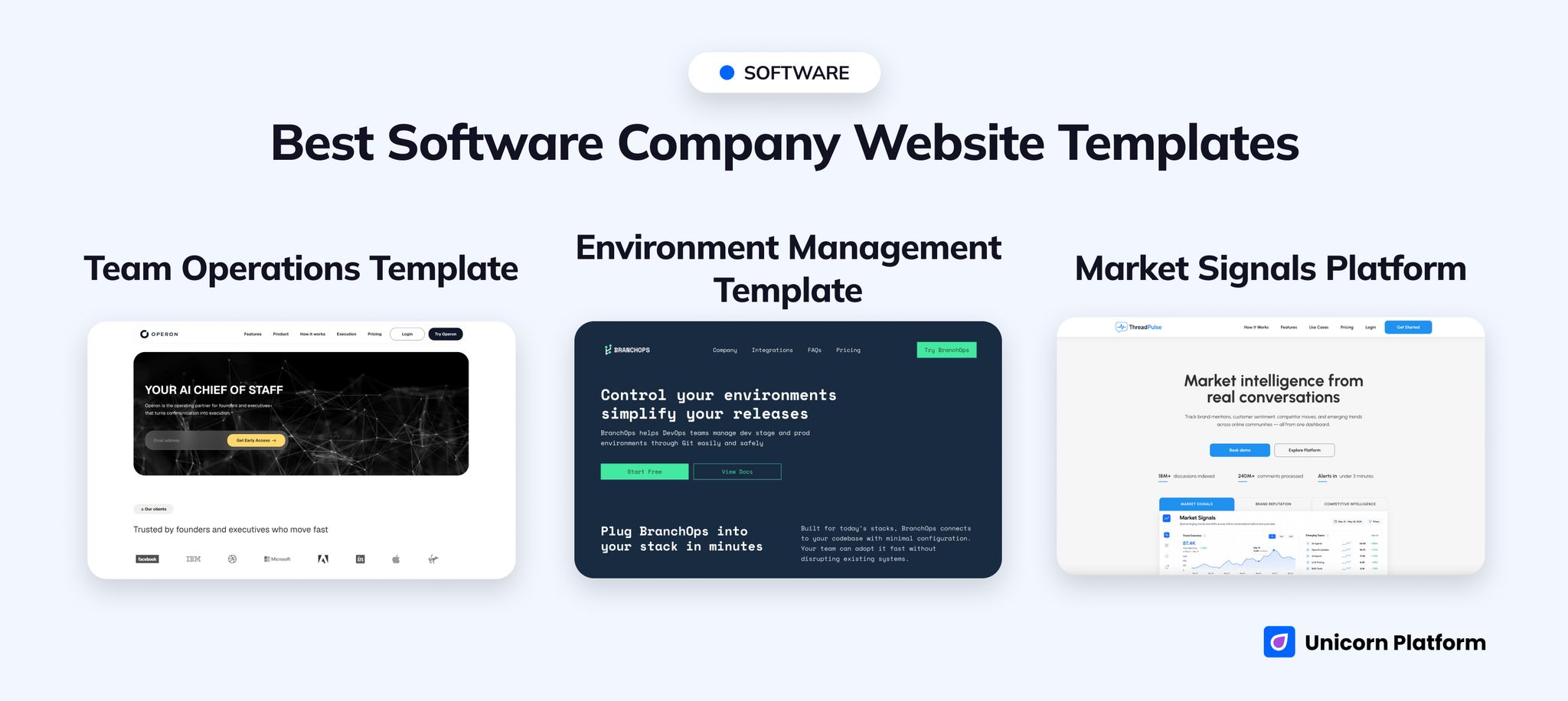
Gallery view of Unicorn software company templates covering operations software, DevOps products, and analytics platforms
Quick Answer
The best overall choice for most B2B software teams is Team Operations Template.
It is the strongest all-around pick because the live page already behaves like a serious software homepage. It opens on Your AI Chief of Staff, includes navigation for Features, Product, How it works, Execution, and Pricing, and backs the promise with founder and operator credibility before it asks for Get Early Access.
Choose another template only if your software category is narrower:
-
Choose
Environment Management Templateif your product is closer to platform tooling, infrastructure, release management, or a technical product with docs and demo expectations. -
Choose
Market Signals Platformif your software is built around analytics, intelligence, monitoring, reputation, or market signals.
If you want the shortest rule: start with the page that already matches how buyers evaluate your product. That will save more time than choosing a layout for style and rebuilding the entire story later.
sbb-itb-bf47c9b
Who This Page Is For
This guide is for founders, marketers, and software teams that already know they need a real homepage structure, but have not chosen the right template shape yet.
It is most useful when you are deciding between:
- a trust-heavy B2B software homepage
- a technical platform or DevOps-style product page
- an analytics or intelligence software homepage
- a broader software website template that still needs category fit
If you mainly need messaging strategy, stakeholder sequencing, or company-page architecture, that is a different job than this page. Here, the goal is simpler: choose the best starting template before you spend time rewriting sections that were built for the wrong product category.
At a Glance: Best Picks by Scenario
Best overall for B2B software
Team Operations Template
Best for infrastructure and platform products
Environment Management Template
Best for analytics and intelligence software
Market Signals Platform
How We Evaluated These Templates
We reviewed these pages the way a software team would review a homepage before launch: what the first screen promises, how much proof the layout supports, whether the CTA fits self-serve or demo-led buying, and how clearly the page matches a specific software category.
The main questions were:
- Does the page feel like a real software company site, not only a startup landing page?
- Is the trust model strong enough for B2B software buyers?
- Does the layout support pricing, proof, product explanation, and next-step clarity?
- Is the product category obvious from the structure, not just the headline?
- How much rewriting would a real team need before the template fits the offer?
That matters because a software website template should reduce structural work. If the page already matches your product story and CTA motion, launch gets much easier.
The 3 Unicorn Picks
1. Team Operations Template
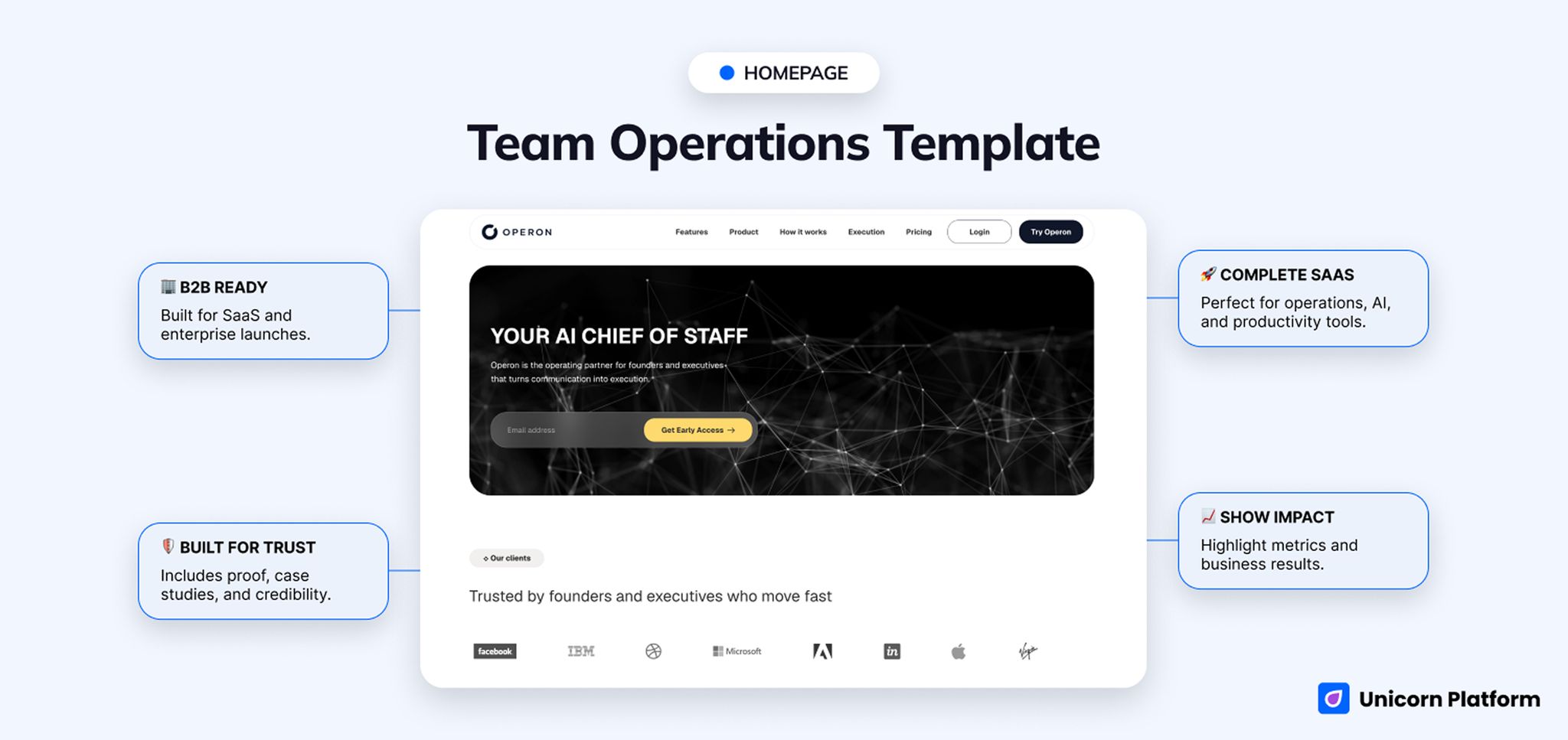
B2B software homepage for an AI chief-of-staff product with navigation, trust proof, pricing, and early-access
- Best for: operations software, AI productivity software, workflow tools, executive software, project-management-style launches
- Style: modern, executive, trust-heavy, B2B product-led
- CTA style: get early access, try product, view case study
- Strongest section: trust and executive-proof layer plus measurable impact metrics
- First customization priority: rewrite the AI chief-of-staff positioning into your exact product category and replace the executive proof with your own
- Biggest limitation: the current positioning is very specific, so a very different product category will need a meaningful hero rewrite
The first screen alone explains why this template is the safest default. Your AI Chief of Staff is a very specific promise, then the page immediately moves into trust-heavy language such as Trusted by founders and executives who move fast. A few screens later you see named operator-style testimonials, a workflow section called The Complete Workflow from Context to Execution, and product blocks like Daily Focus, Decision Tracking, Team Alignment, and Executive Briefing.
That structure is already doing the hard work that many B2B software teams need. It can carry a business-outcome story, it can support proof, and it has enough page depth for pricing and case-study style evaluation. If your product sells through workflow clarity and trust, this is the easiest one to turn into a believable homepage.
It is also the closest match in the set when your launch leans toward a project management website template or an AI operations assistant. The page is already built around coordination, execution, and visibility for leadership.
The cost is specificity. A technical platform or analytics product can still use this template, but both will spend real effort undoing the operations-heavy frame before the page feels native to the category.
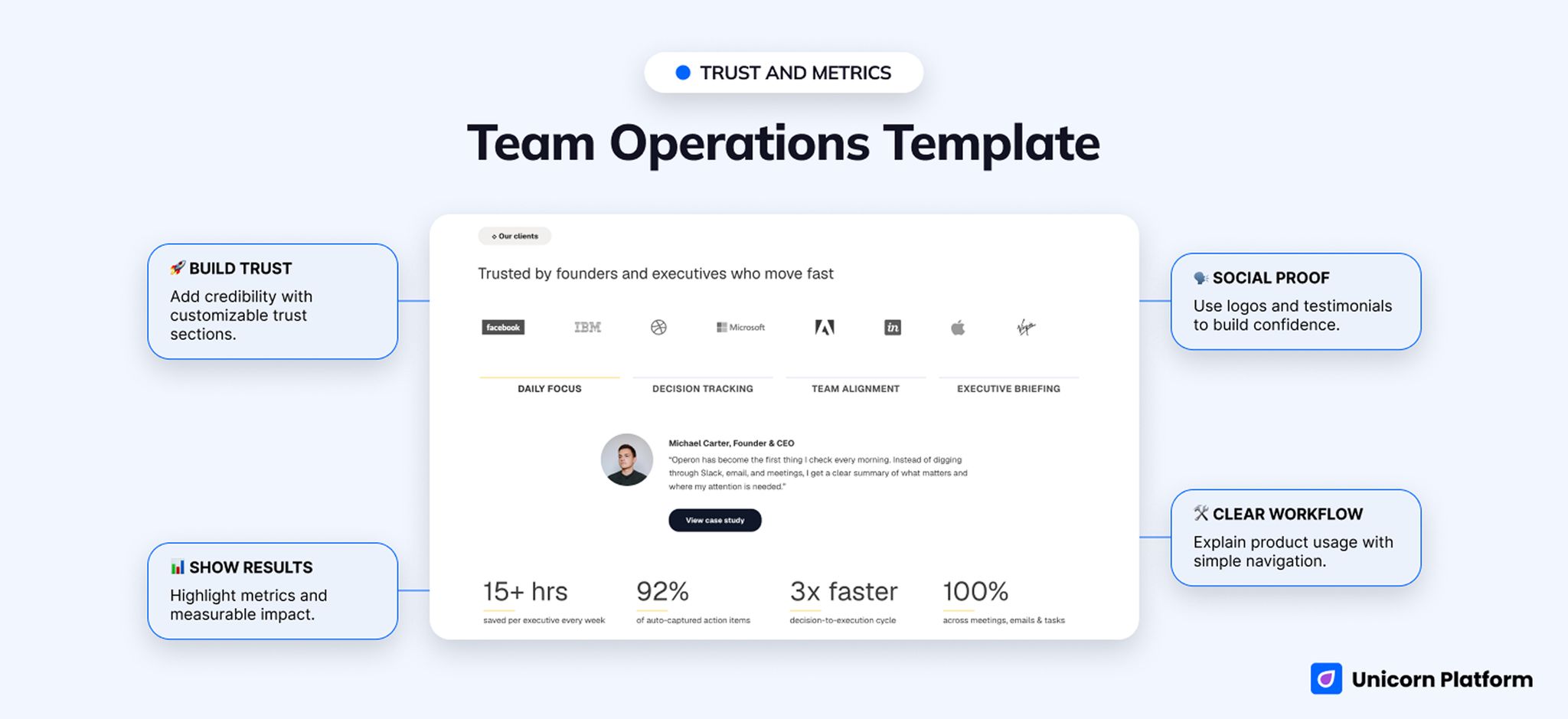
Testimonial and impact-metrics section on a B2B operations software homepage
2. Environment Management Template
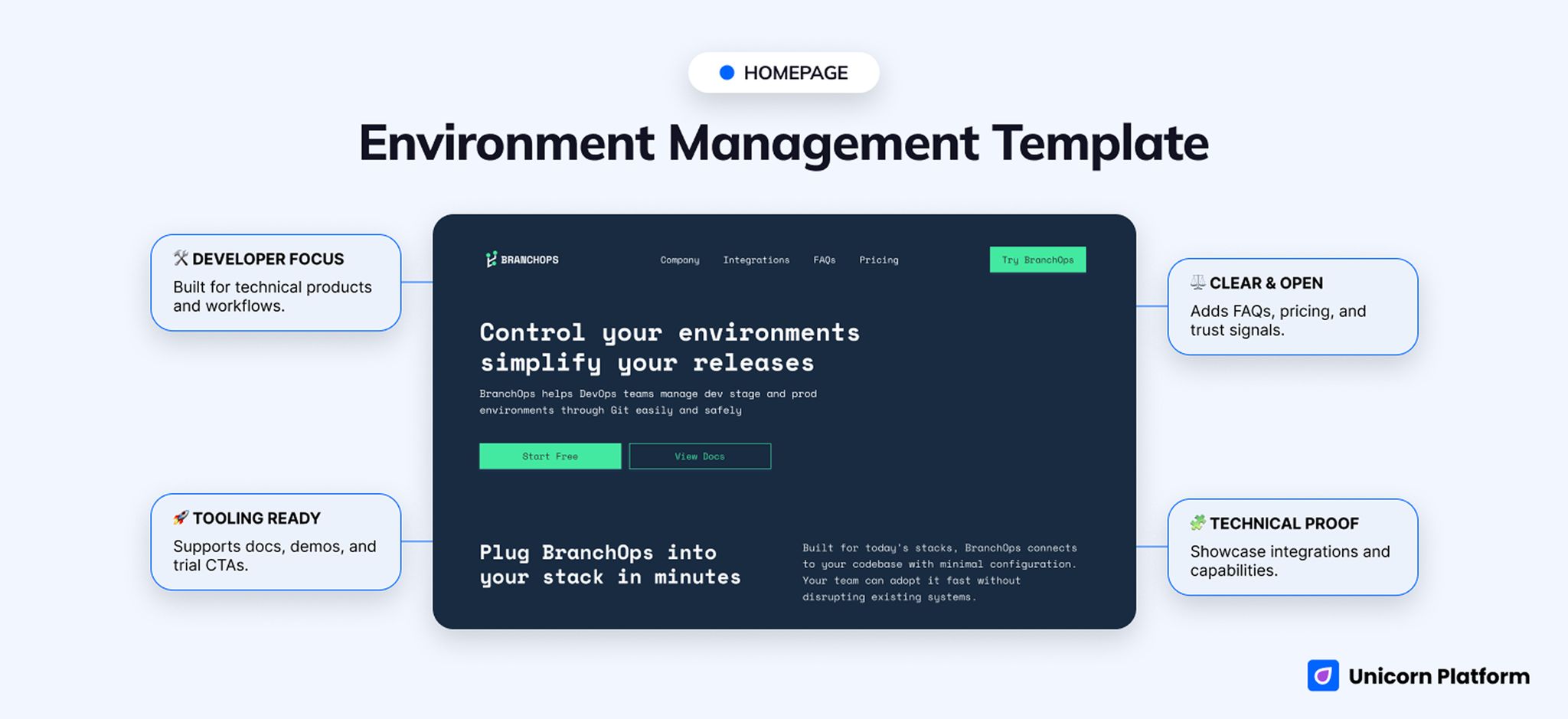
Technical software homepage for environment management with docs CTA, pricing, FAQs, code examples, and demo options
- Best for: environment management, DevOps tools, release tooling, infrastructure software, platform products
- Style: technical, product-focused, documentation-friendly, developer-aware
- CTA style: start free, view docs, start free trial, book a demo
- Strongest section: integrations and code-driven technical proof
- First customization priority: replace the BranchOps product language, code examples, and rollout narrative with your own technical workflow
- Biggest limitation: too technical for broader non-technical software categories
The live page opens with Control your environments simplify your releases, which already tells you this is not trying to be a broad startup homepage. The navigation reinforces that immediately with Integrations, FAQs, and Pricing, while the CTAs mix Start Free, View Docs, Start Free Trial, and Book a demo.
Below that, the template keeps stacking technical signals: Plug BranchOps into your stack in minutes, Safe and Automated Environment Workflows, Git Native Control, Environment Sync, Safe Rollouts, and language-specific code snippets. That is exactly the sort of page structure technical buyers expect when they are evaluating release tooling, infrastructure software, or a platform product.
This is why it is the best fit for DevOps platforms, environment-management tools, and technical software that must prove implementation credibility early. The page is already comfortable showing docs-adjacent cues, setup logic, and product detail without collapsing into a generic marketing surface.
For broader non-technical software, though, the engineering frame can become a liability. If the product does not benefit from code, rollout, or Git-centered trust cues, the template may feel too specialized from the start.
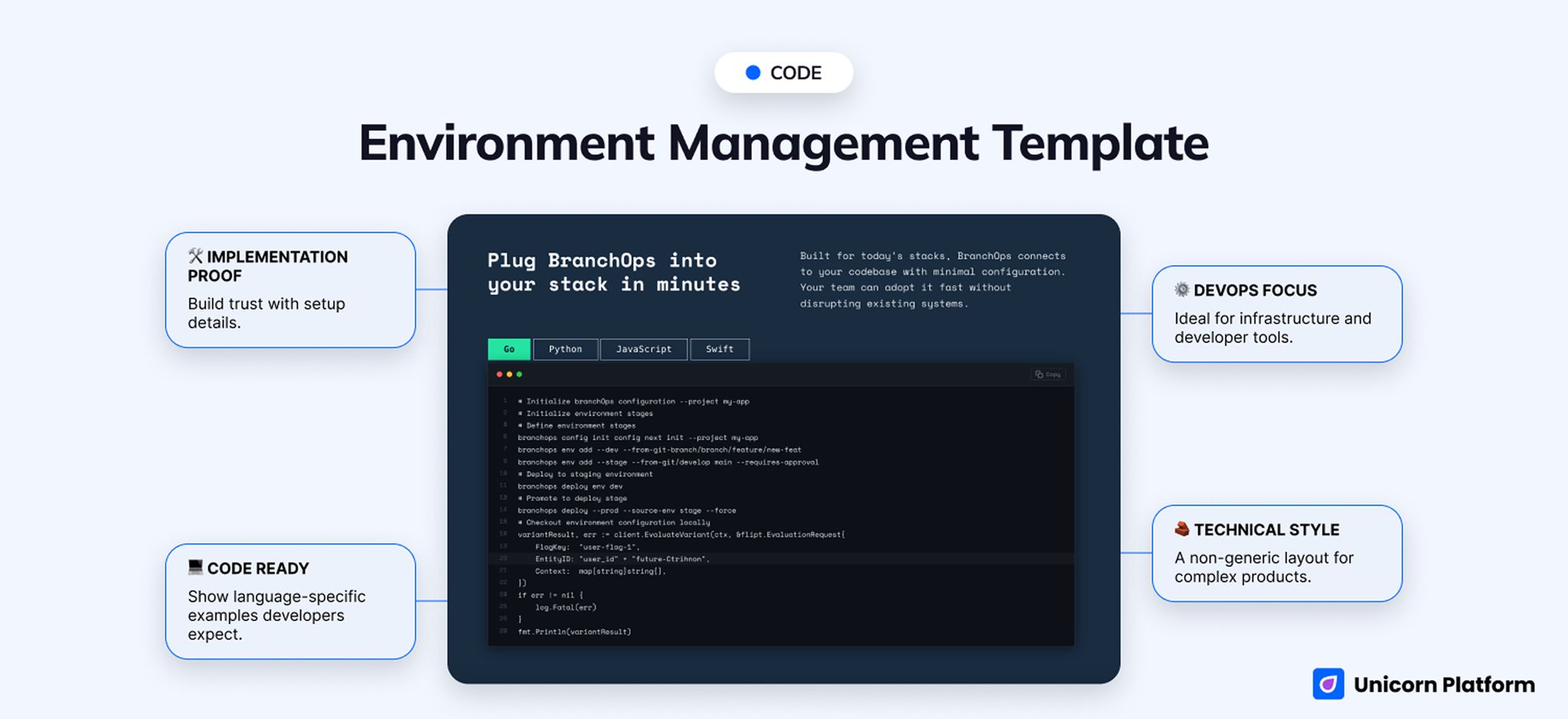
Code examples and documentation-style calls to action on a technical software website template
3. Market Signals Platform
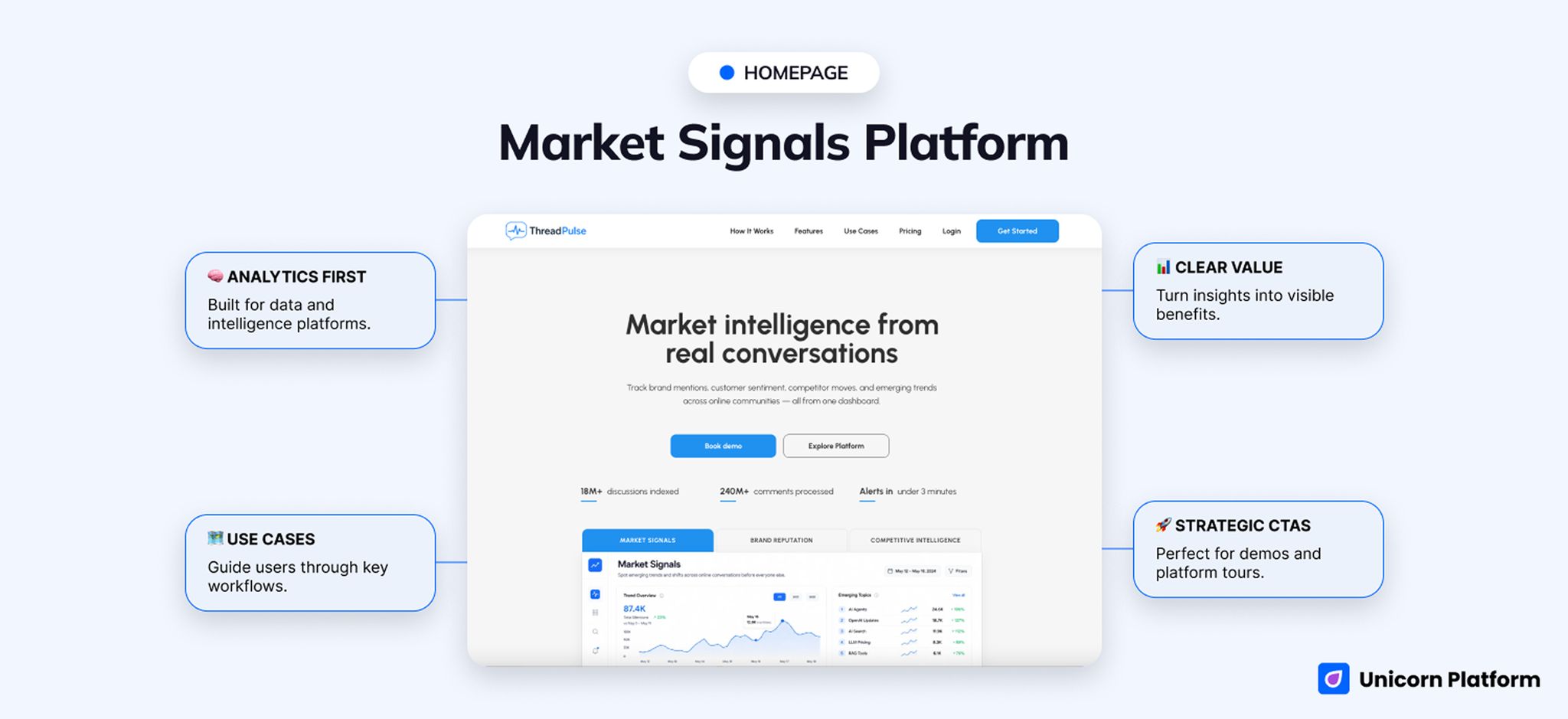
Analytics software homepage with market intelligence messaging, use-case cards, pricing, and product-demo calls to action
- Best for: analytics tools, market intelligence platforms, monitoring software, brand-reputation products, signal-tracking products
- Style: strategic, product-led, intelligence-focused, use-case rich
- CTA style: book demo, get started, explore platform
- Strongest section: use-case routing across market signals, reputation, growth, and workflow intelligence
- First customization priority: tighten the use-case set to your exact analytics product and replace the ThreadPulse-specific language
- Biggest limitation: less executive-proof-heavy than Team Operations and less technical-proof-heavy than Environment Management
The live hero says Market intelligence from real conversations, and almost every section underneath it stays loyal to that idea. You immediately see route-by-team signals like PR & Communications, Brands, and Growth Teams, then product tracks such as Market Signals, Reputation Pulse, Growth Intelligence, and Automated Workflows.
That routing makes the page especially useful for analytics, monitoring, reputation, and insight products. The structure is not trying to prove operational rigor like Team Operations or technical implementation depth like Environment Management. It is trying to show how raw signal becomes something a team can act on.
This is the strongest choice when the product story depends on interpretation, visibility, or cross-team intelligence. CTAs like Get Started, Book demo, and Explore Platform also fit that mid-funnel software motion well.
The weaker point is trust style. This template has strong category clarity, but it does not naturally carry the same executive-proof weight as Team Operations or the same technical proof load as Environment Management.
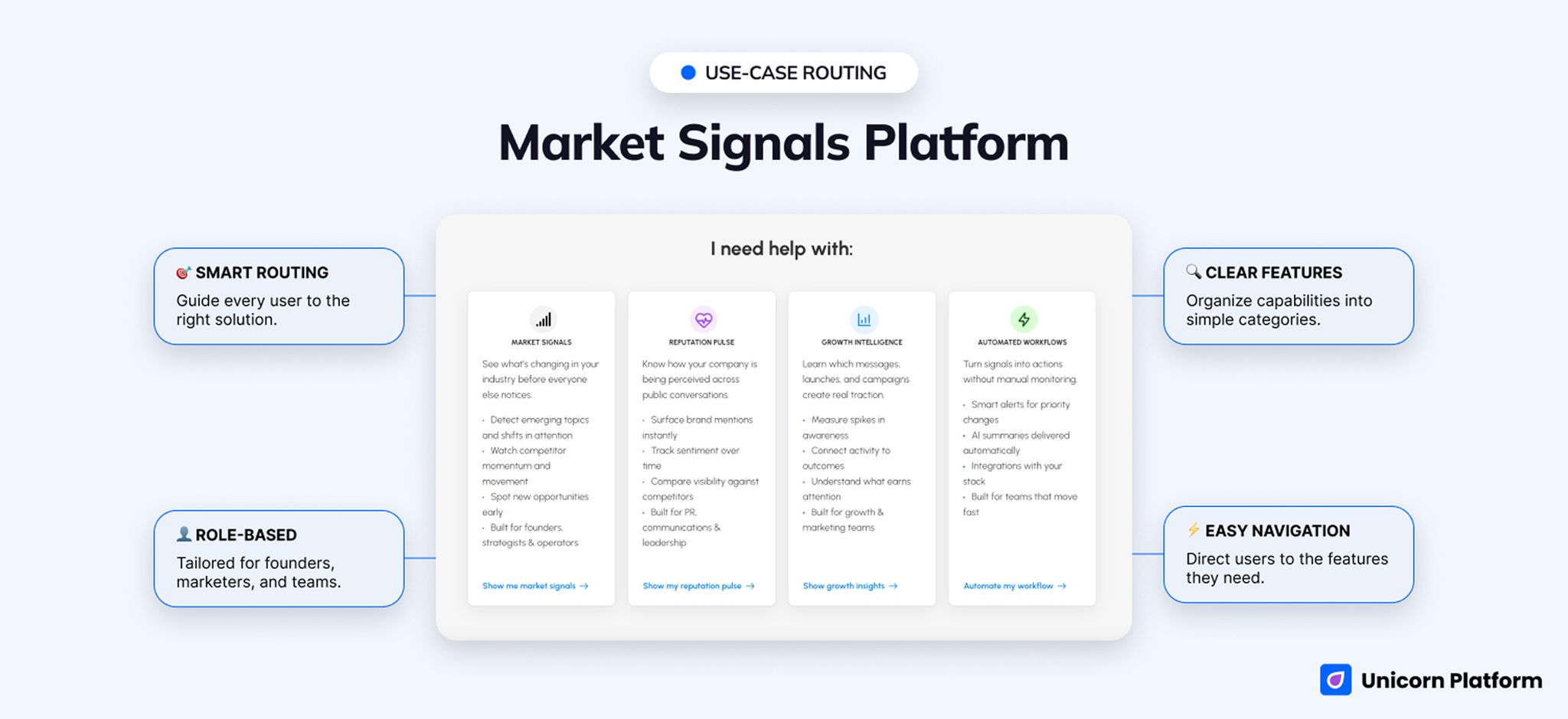
Use-case cards and signal-intelligence sections on an analytics software homepage
Side-by-Side Comparison Table
| Template | Best for | Style | Strongest section | Notable gap | Launch speed |
|---|---|---|---|---|---|
| Team Operations Template | Operations software and AI productivity tools | Executive, trust-heavy, B2B product-led | Testimonials, metrics, workflow story | Needs a real category rewrite for non-operations products | Fast |
| Environment Management Template | Infrastructure, DevOps, and platform products | Technical, documentation-friendly, developer-aware | Integrations, code examples, docs/demo structure | Too technical for broader non-technical software categories | Medium-fast |
| Market Signals Platform | Analytics, monitoring, and intelligence software | Strategic, intelligence-focused, use-case rich | Use-case routing and signal story | Lighter on executive trust and deep technical proof | Fast |
Best for Specific Software Categories
Best for operations software
Choose Team Operations Template.
It already supports business execution, decision tracking, and team alignment language, which makes it the closest fit for workflow and operations products.
Best for analytics and market-intelligence tools
Choose Market Signals Platform.
It does the best job of showing how insight becomes action, especially when the product needs multiple use-case routes for founders, growth teams, or communications leaders.
Best for infrastructure or platform software
Choose Environment Management Template.
It is the only one of the three that already feels comfortable with technical implementation, docs, code, and demo-led evaluation.
Best for broader B2B SaaS launches
Choose Team Operations Template first, then compare it against the broader SaaS templates page if your product is less category-specific and more self-serve.
What a Strong Software Company Website Template Needs
A strong software company website template should do four jobs well:
- explain the product category quickly
- show why the product is credible
- support the right CTA motion for the buying stage
- give the team enough structure to add proof without rebuilding the page
That is why software company pages often need more than a generic startup or SaaS layout. Buyers usually want clearer category fit, more trust cues, and better evidence that the product can work in a real operating environment.
When a More General SaaS Template Is Enough
A broader saas website template is often enough when the product is self-serve, category-simple, and closer to a standard startup software launch than to a niche B2B workflow or technical platform story.
If your product does not need strong executive proof, technical documentation cues, or multi-team routing, the broader SaaS cluster may give you more variety with less category-specific rewriting. Use this deeper software company page strategy guide only after you have chosen the right page shape, not before.
The simplest rule is this: if your visitors need a more specific trust model than a typical saas website template provides, start with the software-company-specific template instead.
What to Customize First Before Launch
No matter which page you choose, start with the parts that change fit and trust the fastest.
- Rewrite the hero so it names the product category clearly.
- Replace the proof layer with your actual customer, operator, or technical credibility.
- Align the CTA with the real buying motion: self-serve, demo, docs, or early access.
- Tighten feature sections so they describe outcomes, not just capabilities.
- Remove any sections that anchor the page to the wrong software category.
When This Type of Template Is the Wrong Fit
These templates are not the best starting point when:
- you need a lightweight one-screen product launch page
- the page is really a docs portal or API reference
- your product is creator-first or portfolio-like rather than B2B software
- your buyers need a full comparison or procurement page instead of a homepage template
- the software category is still too vague to choose the right trust model
In those cases, a more general SaaS page, a documentation-specific page, or a narrower product page will usually save more time.
Why Build This in Unicorn Platform
Unicorn Platform is a good fit for this kind of page because it lets teams move from category fit to live page quickly. That matters when positioning changes, proof evolves, or the team wants to test a more technical versus more executive-trust-heavy version without rebuilding from zero.
It is especially useful when the company already knows its product category but does not want to hand-build every section for pricing, proof, use cases, and CTA flow. The right template gets the structure in place first, then the team can customize the message instead of inventing the page architecture from scratch.
FAQ
Which Unicorn template is best when I need the homepage to feel credible fast?
Team Operations Template is the strongest default. The combination of Your AI Chief of Staff, executive-trust framing, named testimonials, pricing, and workflow sections gives it the most complete B2B software feel in the set.
Which software template is best for technical products?
Environment Management Template is the clearest fit when buyers expect code, docs, setup logic, or demo paths. The live page already includes View Docs, language snippets, integrations, and rollout-specific trust cues.
Which option is strongest for analytics or intelligence software?
Market Signals Platform is the best match when the homepage needs to organize the product around insight, reputation, monitoring, or market visibility. The team-based routing on the live page is doing useful category work before you rewrite anything.
When is a broader SaaS template enough?
Use a broader SaaS route when the product is self-serve, category-simple, and does not need unusually strong executive proof or technical implementation cues. If trust style is a major part of the sale, these software-specific templates are safer.
Can I still use Team Operations Template for another software category?
Yes, but only if the product still sells through workflow, business execution, and operator trust. If the product is more engineering-heavy or more insight-heavy, the other two templates will usually require less rewriting.
Final CTA
If your product needs to look like a serious software company from day one, choose the trust model before you choose the style. Start with Team Operations Template for executive credibility and workflow proof, Environment Management Template for technical evaluation, or Market Signals Platform for insight-led software. That is much faster than picking the wrong page shape and rewriting the entire story later.
