Table of Contents
- The Real Limit: How Many GPUs Can Your PC Run Effectively?
- A Practical Decision Framework: 1 GPU vs 2+ GPUs
- Common Multi-GPU Mistakes
- FAQ
The technical answer is simple: a PC can host multiple graphics cards if the motherboard, power supply, case space, thermals, and software stack all support them. The practical answer is harder: most builders should not install multiple GPUs unless the workload clearly benefits.
That gap between technical possibility and practical value is where many builds fail. Teams spend budget on additional cards but get limited real output because the bottleneck is somewhere else: lane bandwidth, cooling, memory limits, workload design, or application support.
For Unicorn Platform users writing hardware content, this topic performs well when it gives readers a decision framework instead of generic listicles. This guide focuses on that framework: when multi-GPU is useful, where it breaks, and how to choose a setup that actually improves outcomes.
sbb-itb-bf47c9b
Key Takeaways
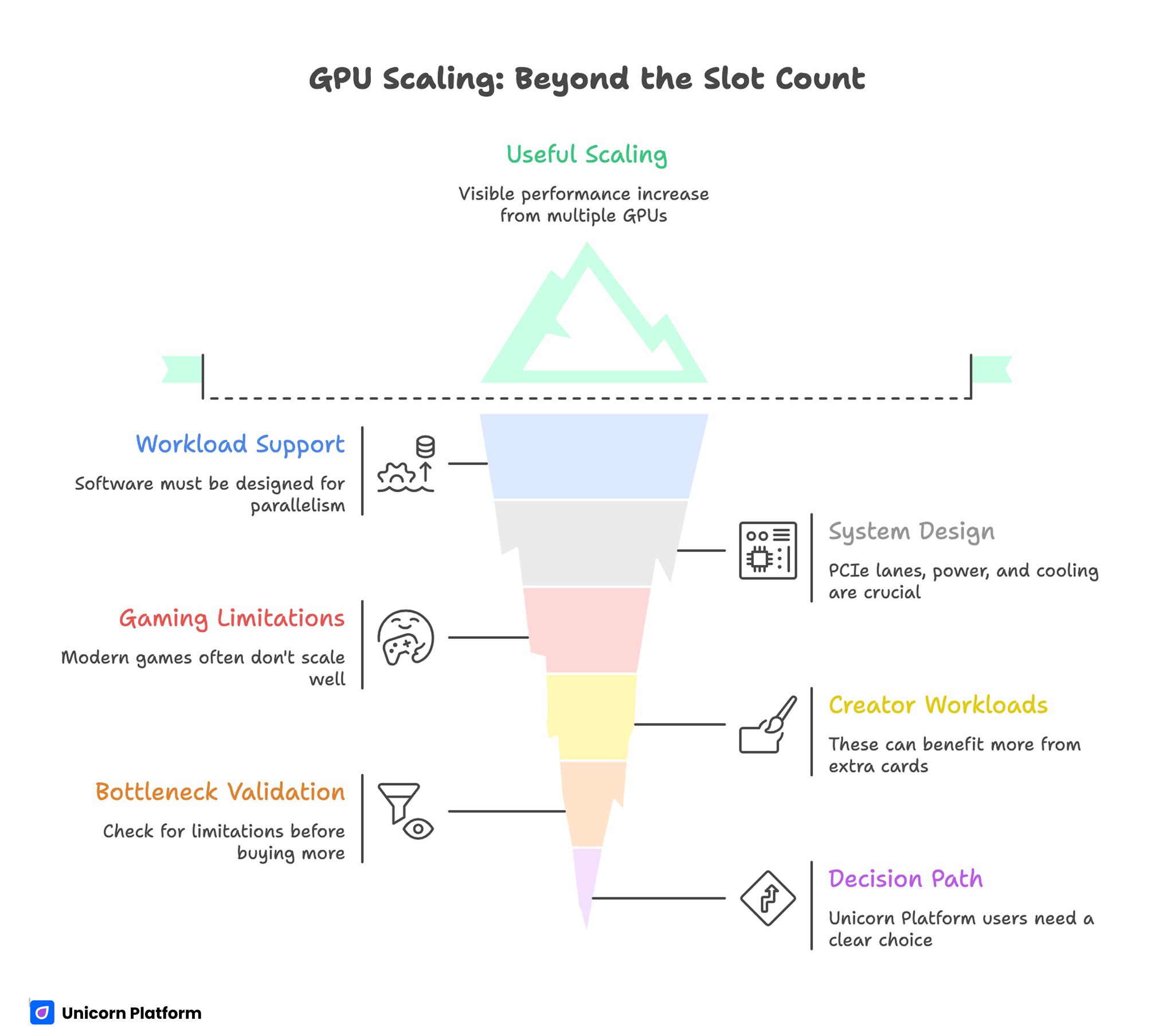
GPU Scaling: Beyond the Slot Count
- A PC can physically host multiple GPUs, but useful scaling depends on workload support and system design.
- PCIe lanes, power delivery, cooling, and software compatibility decide real performance, not slot count alone.
- Gaming scaling is often limited in modern titles; creator and compute workloads can gain more from extra cards when pipelines support parallelism.
- Two midrange cards are not automatically better than one stronger modern card.
- Always validate expected gain against bottlenecks before buying additional hardware.
- Unicorn Platform users should present this topic as a decision path: keep single GPU, move to dual GPU, or move to dedicated compute architecture.
The Real Limit: How Many GPUs Can Your PC Run Effectively?
A motherboard might show multiple PCIe slots, but that is only the starting point. Effective GPU count depends on five constraints working together.
1) PCIe lane availability
Each GPU needs bandwidth. If the platform cannot supply enough lanes, cards may run at lower lane widths and lose performance in bandwidth-sensitive tasks. Consumer platforms often split lanes aggressively with each added device.
2) Physical layout and spacing
Many cards are large and thick. Even if slots exist on paper, adjacent cards can restrict airflow and create thermal contention. Tight spacing can turn a dual-card system into a throttling system.
3) Power delivery headroom
Multi-GPU rigs need stable power under sustained load, not just peak rating on spec sheets. Add adequate margin for transient spikes, CPU load, storage, cooling devices, and future expansion.
4) Thermal capacity
Heat density rises quickly with each card. Case airflow, fan curve strategy, ambient temperature, and cooler design determine whether cards hold boost clocks or spend sessions throttled.
5) Workload/software scaling
If your application does not scale across multiple GPUs, extra cards produce cost and heat without meaningful output gains. Software behavior is often the decisive factor.
When Multi-GPU Makes Sense
Multi-GPU can work well in specific scenarios with parallel-friendly pipelines.
Local AI or batch inference workloads
If tasks can be split cleanly across devices, multiple GPUs can increase throughput and queue capacity. Gains depend on orchestration quality and data movement efficiency.
Rendering and compute pipelines
Some rendering workflows and compute tasks benefit from additional cards, especially when jobs are independent and scheduler overhead is low.
Mixed workstation usage
In some setups, one GPU handles display/interactive tasks while another card handles heavy compute in the background. This can improve responsiveness for specific operations.
The common pattern: multi-GPU helps when workloads are parallelizable and operationally controlled.
When a Single Strong GPU Is Better
For many users, one stronger modern GPU is the higher-value path.
Mainstream gaming
Modern game support for explicit multi-GPU scaling is limited compared with earlier eras. Driver complexity and inconsistent game behavior can reduce real value from additional cards.
Simpler maintenance and fewer failure points
Single-GPU systems are easier to cool, easier to tune, and easier to troubleshoot. That matters for teams with limited hardware-ops bandwidth.
Better power and noise profile
One efficient high-performance card often delivers a cleaner balance of speed, acoustics, and power usage than multiple older or lower-tier cards.
If your target is predictable output with lower operational overhead, single-GPU often wins.
Multi-GPU Bottlenecks That Kill Expected Gains
Many disappointing builds fail for predictable reasons.
Lane downshift under load
Adding devices can reduce effective lane width per GPU. For some workloads, this limits scaling even before thermal limits appear.
CPU-side dispatch overhead
If preprocessing and dispatch pipelines cannot feed GPUs consistently, devices sit underutilized. Additional cards then increase idle cost instead of output.
VRAM constraints and duplication
Some workflows cannot pool memory the way users expect. Effective memory behavior may remain constrained despite multiple cards.
Thermal saturation
Cards that run hot reduce boost stability and performance consistency. In sustained workloads, thermal saturation can erase theoretical scaling gains.
Driver and application friction
Configuration instability, inconsistent updates, and app-level scaling limits can consume engineering time faster than throughput improves.
A Practical Decision Framework: 1 GPU vs 2+ GPUs
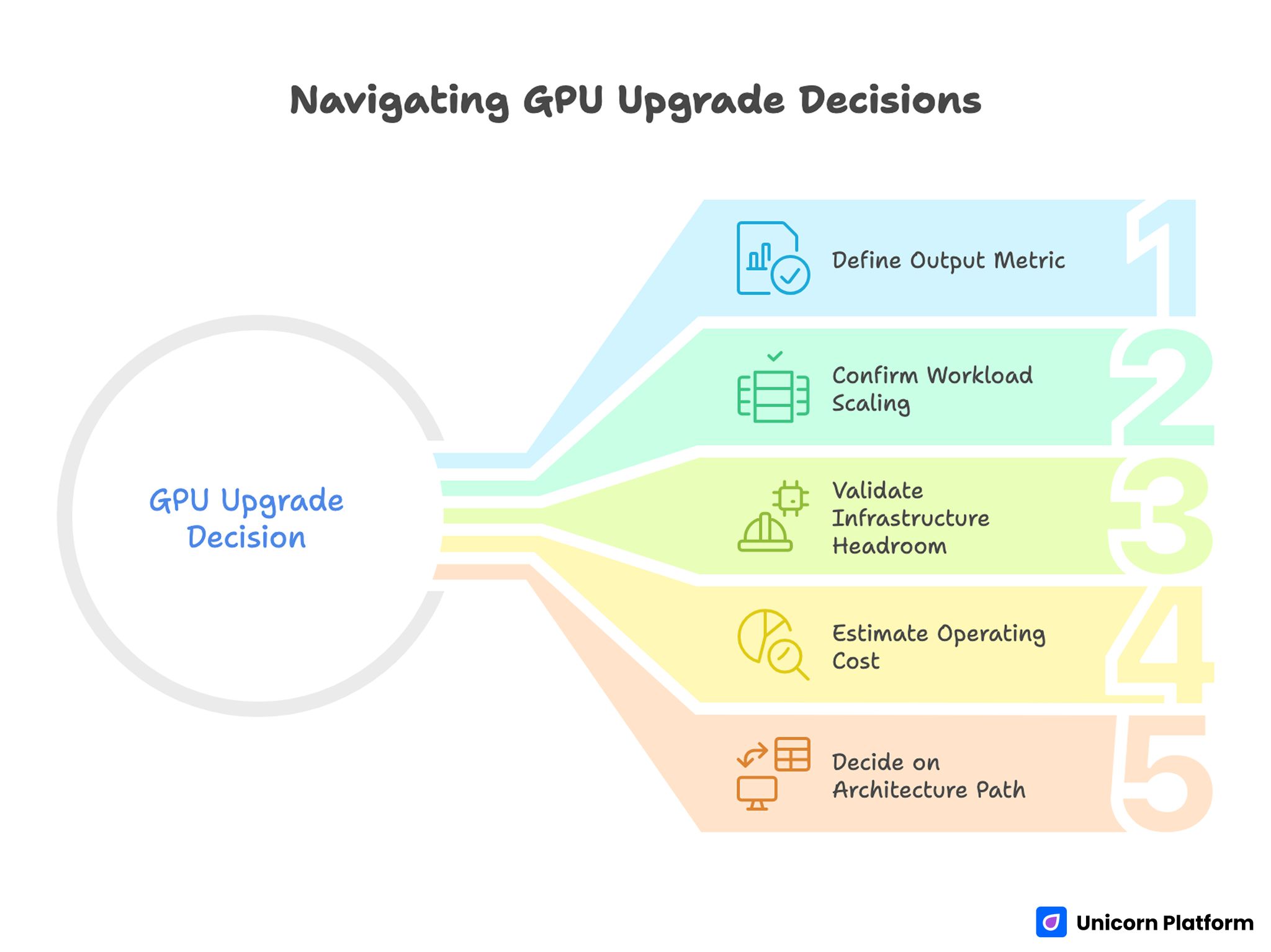
Navigating GPU Upgrade Decisions
Use this before spending budget.
Step 1: Define your output metric
Pick one primary metric: FPS stability, render time, jobs/hour, or latency target. Without one metric, hardware decisions drift toward guesswork.
Step 2: Confirm workload scaling behavior
Benchmark your real task pipeline with repeatable runs. Do not decide from synthetic numbers alone.
Step 3: Validate infrastructure headroom
Check lane budget, PSU capacity, case airflow, and motherboard spacing before adding hardware.
Step 4: Estimate operating cost
Include power, thermal management, setup complexity, and ongoing troubleshooting time.
Step 5: Decide on architecture path
- Keep one stronger card when simplicity and predictable performance matter most.
- Add a second card only when measured scaling is strong and thermal/power budgets are healthy.
- Move to dedicated compute nodes when desktop constraints dominate.
This framework prevents expensive upgrades that look powerful but underperform in daily work.
Build Planning Checklist Before Adding Another GPU
Use this checklist for pre-purchase validation.
Hardware checks
- Motherboard slot configuration and lane map
- PSU quality and sustained load margin
- Case clearance and airflow plan
- Cooling strategy for stacked cards
Software checks
- Application-level multi-GPU support status
- Driver stability expectations for your stack
- Scheduler/tooling readiness for parallel jobs
Operational checks
- Monitoring plan for thermals and utilization
- Rollback path if scaling disappoints
- Ownership for tuning and maintenance
If any of these checks fail, postpone expansion and fix the weak area first.
How to Apply This in Unicorn Platform
For Unicorn Platform users, this topic should be published as a decision guide, not just a spec explanation.
Start your page with a short "right setup" block that helps readers pick one of three paths:
- Single high-performance GPU
- Dual-GPU workstation
- Dedicated compute architecture
Then map each path to clear conditions, costs, and expected outcomes. Readers should understand what to do next in under one minute.
A practical page structure in Unicorn Platform:
- Fast decision block near the top
- Constraint section (lanes, power, thermals, software)
- Workload-specific recommendation section
- Troubleshooting section for common scaling failures
- FAQ and final action guidance
If your team updates this content regularly, keep one owner for monthly revisions and one deeper quarterly review. Monthly updates should refresh recommendation logic and known compatibility issues. Quarterly reviews should re-check the full decision framework and performance assumptions.
This approach keeps the page useful for founders, developers, and technical buyers who need practical choices, not only theory.
Common Multi-GPU Mistakes
Buying extra cards before measuring current bottlenecks
If your current pipeline is already lane-limited, thermal-limited, or dispatch-limited, additional cards often increase complexity without equivalent gains.
Sizing PSU to nameplate minimums
Low margin power planning creates instability risk under sustained load and transient spikes.
Ignoring case airflow dynamics
Close card spacing without airflow redesign leads to throttling and unstable clocks.
Assuming all workloads scale equally
Scaling behavior is workload-specific. Some tasks gain strongly; others gain little.
No rollback strategy
Without a rollback plan, teams may spend weeks maintaining a setup that never met target outcomes.
60-Day Validation Plan for Multi-GPU Upgrades
If you are considering expansion, run this phased validation.
Days 1-20: Baseline and profiling
Measure single-GPU output in your real workflow. Record utilization, thermals, and queue behavior under representative load.
Days 21-40: Pilot scaling test
Run controlled dual-GPU tests using the same workloads. Compare output gains against thermal rise and operational overhead.
Days 41-60: Decision and production path
If scaling is strong and stable, finalize architecture and monitoring. If scaling is weak or unstable, return to single-GPU optimization or redesign the compute path.
This reduces risk and keeps hardware investment tied to measurable outcomes.
FAQ
How many graphics cards can a standard PC support?
Many systems can physically host more than one card, but useful count depends on PCIe lanes, power, cooling, and software scaling.
Is dual-GPU still worth it for gaming?
In many modern gaming scenarios, value is limited compared with one stronger current-generation card.
Do extra GPUs always improve rendering speed?
Not always. Gains depend on application support, workload split, and thermal stability.
What is the most common multi-GPU bottleneck?
Lane bandwidth and cooling constraints are frequent causes of disappointing scaling.
Can I mix different GPU models?
Some workflows allow mixed configurations, but stability and scaling behavior can vary. Validate with your exact stack.
How important is PSU headroom in multi-GPU builds?
It is critical. Stable sustained delivery and transient margin strongly affect reliability.
Should I upgrade CPU before adding another GPU?
If dispatch and preprocessing are already CPU-bound, CPU improvements may unlock better results than adding cards.
What is the safest way to evaluate multi-GPU value?
Run repeatable workload tests with clear output metrics and compare gains against cost and complexity.
How can Unicorn Platform users present this clearly?
Lead with a keep/add/architect decision block, then explain constraints and workflows that justify each path.
What if scaling gain is small after adding a second card?
Revert to the single-GPU path and optimize bottlenecks first. Expansion should follow measured need, not assumptions.
Final Takeaway
A PC can host multiple GPUs, but real value comes from architecture fit, not slot count. The best setup is the one that improves your target output with stable operations and manageable complexity.
For Unicorn Platform users, this topic works best as a decision-first guide with clear paths and update-ready recommendations. That keeps the page genuinely useful and interesting for technical readers making real build choices.