Table of Contents
- What the ChatGPT Website Actually Is
- How ChatGPT Works on Mobile vs Web
- What You Can Do With the ChatGPT Website
- Common Mistakes When Using the ChatGPT Website
- FAQ
The ChatGPT website is the browser-based version of ChatGPT where people can ask questions, draft content, summarize material, brainstorm ideas, and work through everyday tasks without installing a complex tool stack first. For most users, it is the easiest place to start because it turns AI from an abstract concept into a practical interface you can use immediately.
That broad convenience is also why this topic gets confusing fast. Some people search for the ChatGPT website because they want to know what it is, whether it is free, and how to access it. Other people search because they want to use ChatGPT inside a more specific workflow such as writing content, researching, coding, or building a website. Those are related needs, but they are not the same need.
This guide focuses on the first one. It explains what the ChatGPT website actually is, how to access it on the web and on mobile, what it can help with, where its limitations still matter, and how to use it more effectively without expecting magic from it.
If your real goal is using ChatGPT inside a site-building workflow, that deserves its own separate process. In that case, the better next read is this guide on how to build a website with ChatGPT.
sbb-itb-bf47c9b
Quick Answer
- The ChatGPT website is the web interface for using ChatGPT in a browser.
- People use it for writing, summarizing, brainstorming, research preparation, task planning, and many other text-based workflows.
- It works best when you give clear instructions, enough context, and a defined output format.
- It is useful on both web and mobile, but the experience can differ depending on what you are trying to do.
- Free usage is enough for many casual tasks, but heavier and more operational use usually pushes people toward paid access.
- The ChatGPT website can speed up work, but it still needs human review for accuracy, judgment, brand voice, and final publishing decisions.
What the ChatGPT Website Actually Is
The simplest way to describe the ChatGPT website is this: it is the place where you interact with ChatGPT through a conversation interface in your browser. You type a request, add context if needed, and receive a response that you can refine, expand, shorten, rewrite, or continue.
For many users, that conversation model is the core shift. Instead of working through separate search, draft, edit, and outline tools first, they begin with a prompt and use the interaction to move the work forward. That can make the website feel flexible because the same interface can be used for many different tasks. This conversational model is similar to how modern chatbots operate across different digital products.
But the website is not the same thing as a finished workflow. It is an interface for generating and refining output. It still depends on the quality of your instructions, the clarity of your goal, the source material you provide, and the editorial or operational review that happens after the first draft.
That is why it helps to think of the ChatGPT website as a working environment, not a one-click answer engine. It is often most useful when you know what job you are trying to complete and what kind of output you want back.
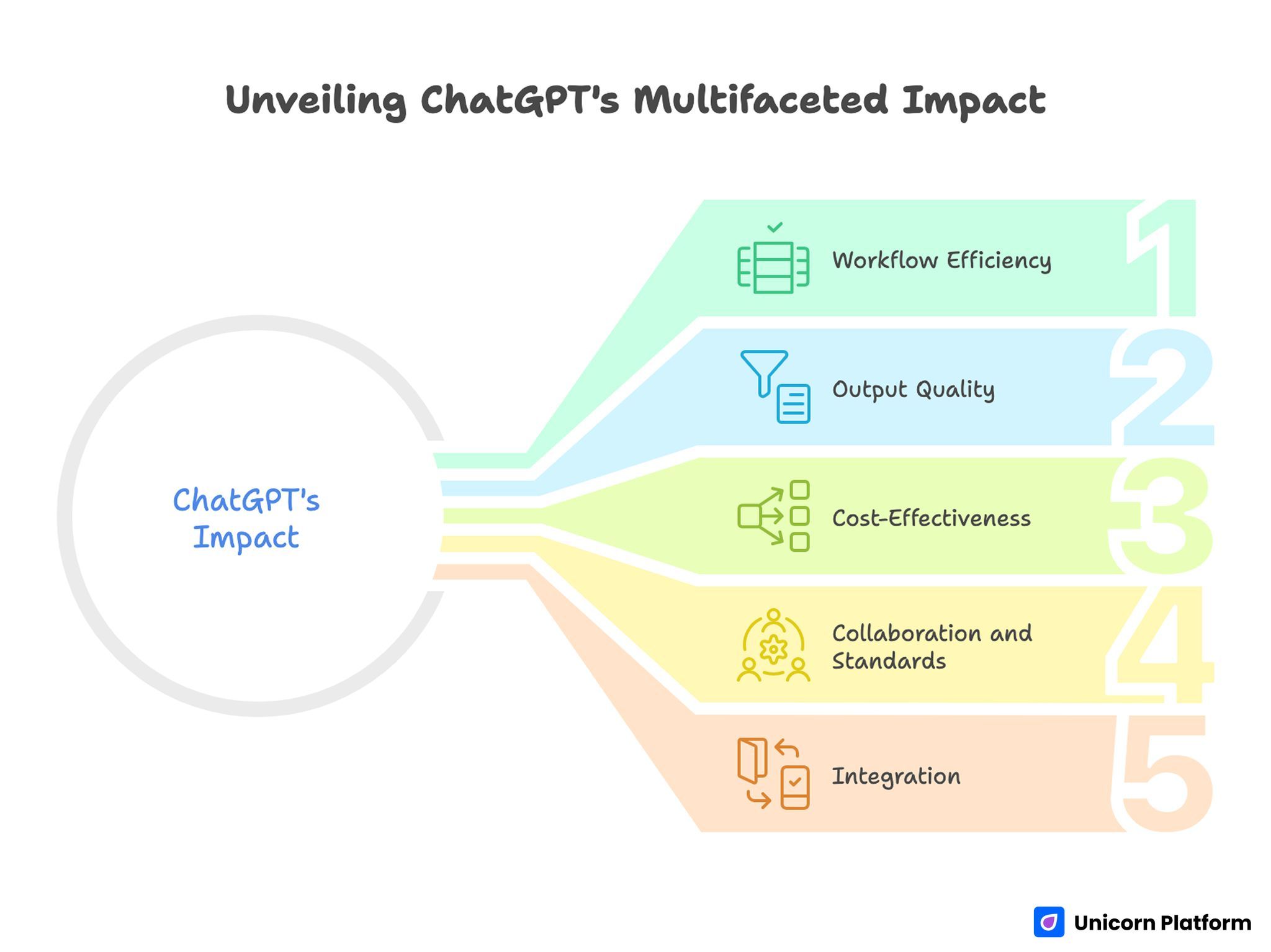
Unveiling ChatGPT’s Multifaceted Impact
How to Access ChatGPT on the Web
For most people, the web version is the fastest way to start. You open the website in a browser, sign in, and begin using the interface directly.
The practical setup is usually straightforward, but a few details matter.
Browser access
Web access is ideal when you are doing longer tasks such as:
- drafting or rewriting content
- pasting source material for summarization
- comparing multiple versions of output
- refining prompts over several rounds
- working with a larger screen for editing and review
The browser version is generally the best choice when you need room to think, compare, and edit. That matters because the real value of the ChatGPT website often comes from iteration, not just from the first response.
Account setup and workspace expectations
A good setup starts with realistic expectations. The website can help you move faster, but it does not remove the need for quality control. Before using it in any serious workflow, it helps to decide:
- what kind of tasks you will use it for
- what kind of information you should not paste into it
- what counts as a first draft versus a final answer
- who reviews the output before it becomes public
That matters even for solo operators. The more you use ChatGPT for live work, the more important it becomes to separate exploration from final publishing.
How ChatGPT Works on Mobile vs Web
Both web and mobile access can be useful, but they are usually useful in different ways.
When web is better
Web is usually better for:
- long prompts
- editing and comparison
- structured writing
- detailed research preparation
- copying output into documents, sheets, or CMS workflows
If your task involves multiple sections, several revisions, or a lot of pasted context, the browser experience is usually easier to manage.
When mobile is better
Mobile is usually better for:
- quick questions
- short drafts
- idea capture on the go
- rapid follow-up questions
- lightweight task support during meetings or travel
The main limitation is not that mobile is weak. The limitation is that complex editing, comparison, and long prompt construction are usually less comfortable on a phone.
Practical rule
If the task is operational, short, or reactive, mobile can be enough. If the task is strategic, editorial, or multi-step, the web version is usually the better environment.
Free vs Paid Usage: What Changes in Practice
A lot of people searching for the ChatGPT website are really asking a second question underneath the first one: is the free version enough, or will I hit limits quickly?
The answer depends less on curiosity and more on workload.
When free usage is often enough
Free usage is often enough when you are:
- testing the interface for the first time
- asking short questions
- drafting rough ideas
- summarizing small amounts of material
- experimenting with prompts before making AI part of your regular workflow
At this stage, the main goal is not scale. The goal is understanding whether the interface fits your habits and whether it genuinely saves time.
When paid access becomes more practical
Paid access becomes more relevant when:
- AI becomes part of daily work
- you need more consistency across sessions
- you rely on it for repeated editorial or operational tasks
- you want fewer interruptions and more serious workflow support
- the value of speed is clearly higher than the subscription cost
The important decision is not emotional. It is operational. If AI is only a curiosity tool, free usage may be enough. If it becomes part of how you ship work, then reliability and workflow fit matter more.
The useful decision rule
Do not upgrade because AI feels exciting. Upgrade when the website is already saving enough time that stronger access makes practical sense.
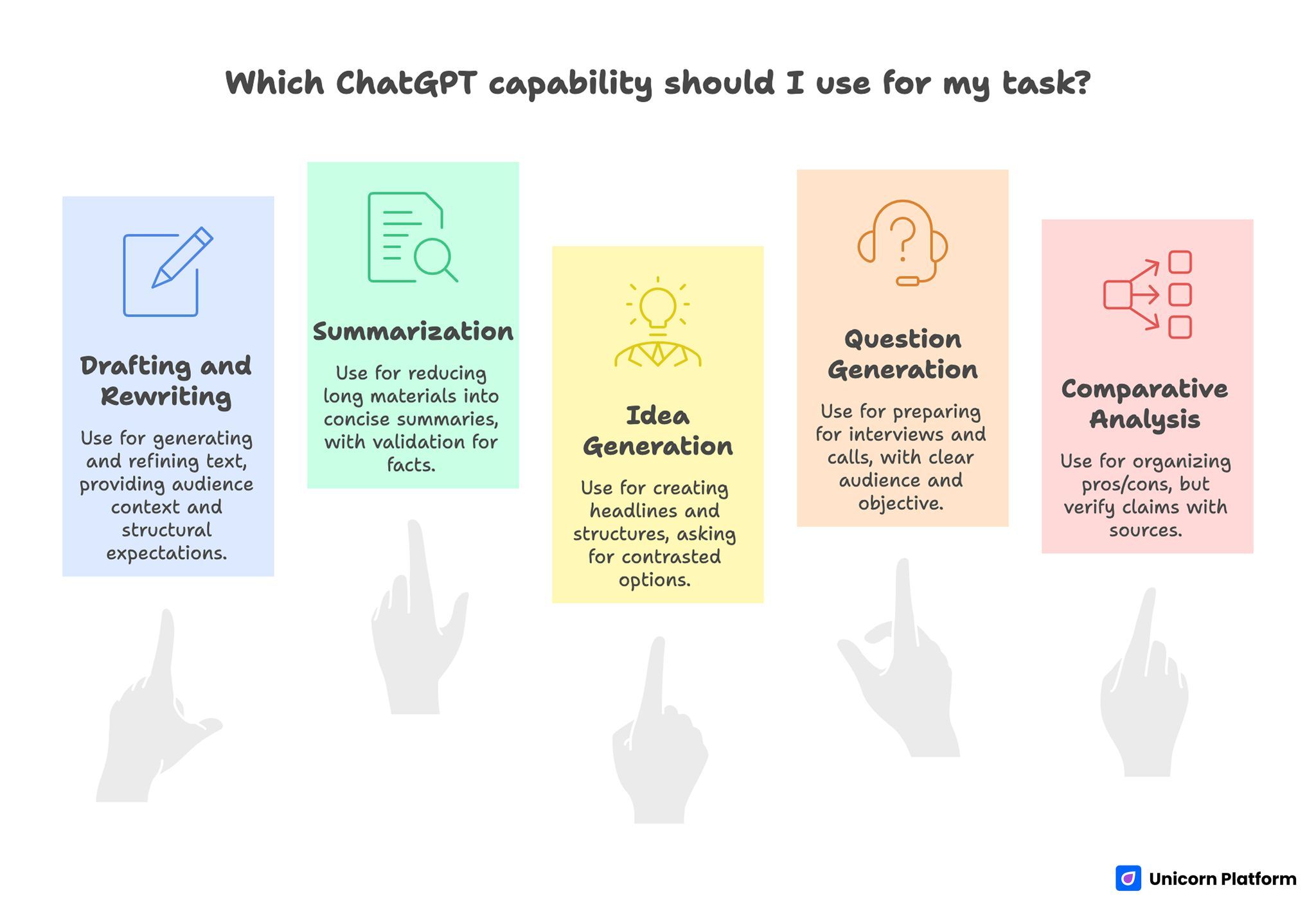
Which ChatGPT’s Capability should I Use for my Task?
What You Can Do With the ChatGPT Website
The ChatGPT website feels broad because it can support many kinds of work. The trick is understanding which jobs it handles well.
Drafting and rewriting
One of the strongest uses is turning rough ideas into cleaner written output. That includes:
- article outlines
- email drafts
- summaries
- landing page copy
- product descriptions
- FAQ sections
- rewrite passes for tone and clarity
Many teams now rely on AI output for weekly content production, supported by data such as these AI in workplace statistics. The biggest advantage here is speed. For additional rewriting workflows, tools like ArticleRewriter can complement AI-generated drafts.Instead of staring at a blank page, you can move into revision mode faster.
Summarization and condensation
The website is also useful when you already have material and need to reduce it into something more manageable. That can include:
- meeting notes
- transcripts
- long articles
- research notes
- customer feedback clusters
- messy internal drafts
If you need alternative approaches, tools like MyPaperHelp summarizer can support similar content reduction tasks. The key is still review. Summaries can be helpful, but they should not be treated as automatically complete or automatically accurate.
Brainstorming and idea generation
ChatGPT can be useful for exploring options when you want:
- headline directions
- content angles
- feature positioning
- audience questions
- CTA ideas
- brand-message alternatives
This is often where the conversation format shines. You can ask for a list, narrow it down, ask for stronger options, then request a version tailored to a specific audience.
Research preparation
The ChatGPT website is not a replacement for source verification, but it can help prepare research by:
- organizing questions
- creating comparison criteria
- identifying missing assumptions
- turning a topic into a cleaner briefing structure
That is especially useful when you need to move from a vague topic to a research plan quickly.
Workflow support
Many people eventually use the website as a thinking partner for repeat work. That can include:
- turning goals into checklists
- converting notes into plans
- drafting response options
- creating templates
- identifying weak logic in an argument or structure
Many teams also integrate AI into broader workflows to streamline repetitive tasks and improve efficiency. That does not mean the website replaces judgment. For example, teams working with financial management solutions often use AI to structure internal processes and reporting drafts. It means it can make judgment easier to apply because the first pass happens faster.
What the ChatGPT Website Cannot Do Reliably On Its Own
This is where many teams lose time. They assume that if the output sounds polished, the work is finished. It is not.
The ChatGPT website still has clear limits.
It does not replace factual verification
If the task depends on precise facts, regulations, prices, timelines, product claims, or current events, the answer still needs checking. A fluent answer is not the same thing as a verified answer.
It does not replace strategic judgment
The website can help generate options, but it does not understand your business context the way your team does. It does not know your internal politics, brand risk, product reality, or customer nuance unless you provide that context carefully.
It does not automatically preserve your voice
Without enough guidance, the output can become generic. It may sound clean while still feeling like anyone could have written it. That is one reason human editing still matters so much for public-facing content.
It does not fully replace builders, editors, or publishing tools
This is especially important for Unicorn users. ChatGPT can help plan, draft, and refine content, but it does not replace the actual page-building and publishing workflow. It supports the workflow. It is not the full workflow.
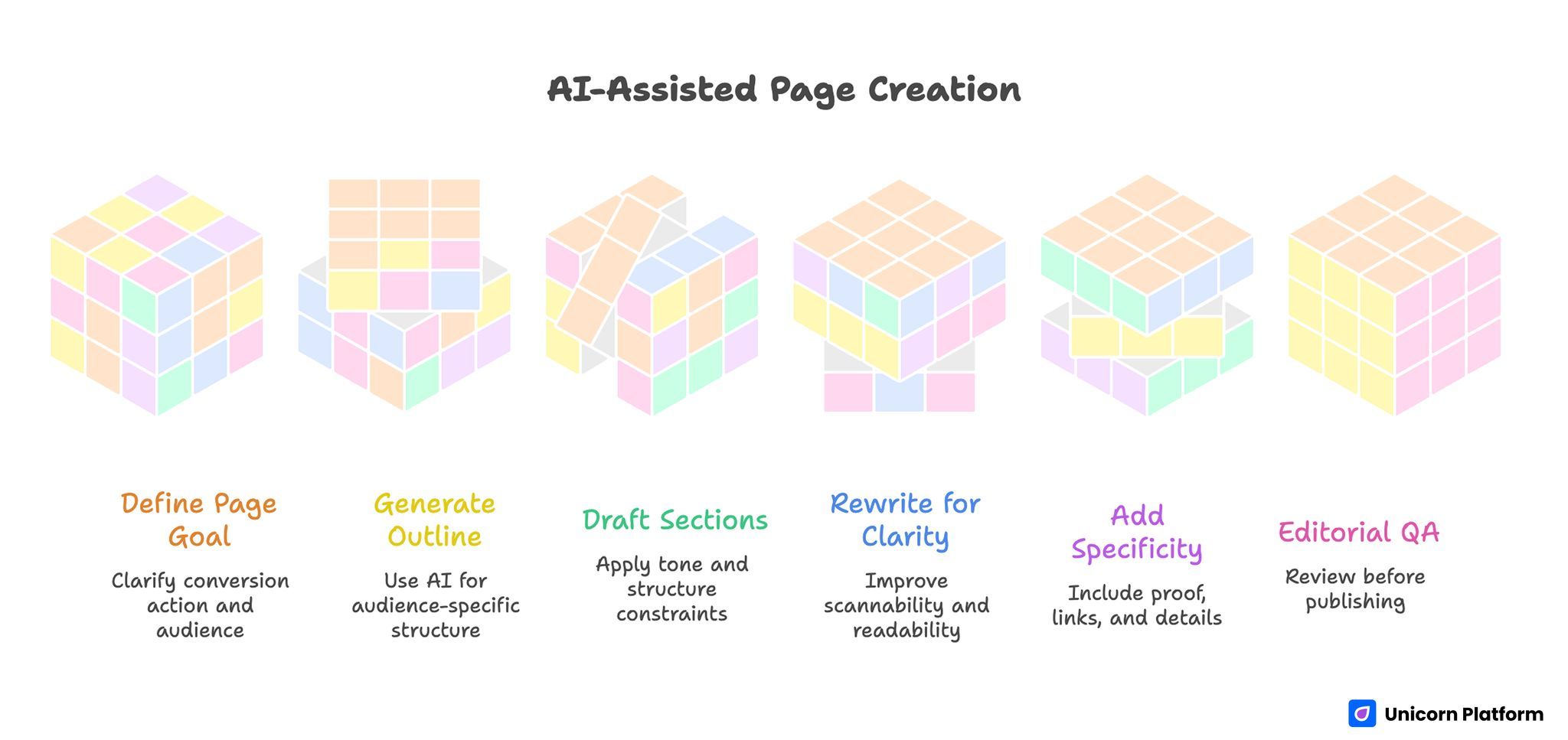
AI-Assisted Page Creation
Common Mistakes When Using the ChatGPT Website
The fastest way to get weak results is to treat the website like a magic box.
Mistake 1: asking for too much in one prompt
When a request tries to do everything at once, the output usually becomes generic. It is often better to break work into stages:
- clarify goal
- define audience
- define output format
- request draft
- revise for quality
Mistake 2: giving too little context
A vague prompt creates vague output. If you want better answers, explain:
- who the audience is
- what the task is
- what the output should look like
- what to avoid
- what success looks like
Mistake 3: publishing first drafts too quickly
This is one of the most expensive mistakes. The first answer can be useful, but it is usually not the final answer. Strong output often comes from one or two rounds of refinement, not zero.
Mistake 4: ignoring limitations
If a task needs accuracy, legal safety, current-market detail, or brand precision, you still need review. The more important the output, the less reasonable it is to skip that step.
When to Use the ChatGPT Website vs a Website-Building Workflow
This is where the topic cluster becomes cleaner.
Use the ChatGPT website when you need to:
- understand the product
- test how it works
- ask questions
- draft and refine text
- brainstorm ideas
- summarize material
- get unstuck on a writing or planning problem
Use a dedicated website-building workflow when you need to:
- plan a page structure
- draft homepage and section copy
- build a landing page
- publish content into a live site
- move from ideas into a real page that can convert visitors
If that is your goal, this separate Unicorn guide on how to build a website with ChatGPT is the better next step because it focuses on prompts, page planning, and implementation.
How Unicorn Platform Users Can Apply This
For Unicorn Platform users, the best role for the ChatGPT website is usually upstream.
It is useful before the page is built because it can help with:
- headline ideas
- section ordering
- feature explanation drafts
- FAQ generation
- CTA variants
- About page drafts
- audience-specific rewrite passes
Then Unicorn Platform becomes the place where that output turns into a real page with layout, sections, forms, visuals, and publishing control.
That division of labor is healthier than trying to force one tool to do everything. ChatGPT helps you think, draft, and refine. Unicorn Platform helps you structure, publish, and launch.
A practical workflow looks like this:
- Use ChatGPT to create a first outline.
- Ask it for headline and section variants.
- Refine copy for a specific audience.
- Move the best material into Unicorn Platform.
- Edit for clarity, proof, and conversion before publishing.
That is where the website becomes genuinely useful: not as a full publishing replacement, but as a strong draft and decision-support layer. For deeper context on trust and AI content workflows, this guide on building high-trust AI news coverage in 2026 is also useful.
FAQ: Chat GPT Website
Is the ChatGPT website free to use?
There is generally a free entry point, but usage depth, limits, and advanced capabilities can differ depending on account type and plan level. The practical question is whether the free level is enough for your real workflow.
Do I need to install anything to use the ChatGPT website?
No. The core web experience is browser-based, which is one reason it is such an accessible starting point.
Can I use ChatGPT on my phone too?
Yes. Mobile access can be useful for quick tasks, but longer editorial or planning work is usually easier on the web.
Is the ChatGPT website the same as using ChatGPT in a product workflow?
Not exactly. The website is the interface. A product workflow is how you use that interface inside a larger process such as research, content, support, or website building.
Is ChatGPT good for writing first drafts?
Yes, often very good. But first drafts still need human review for accuracy, voice, structure, and judgment.
Can the ChatGPT website replace Google?
Not in a full or literal sense. It can help interpret, summarize, and structure information, but source checking is still necessary when accuracy matters.
Can I trust everything ChatGPT tells me?
No. It can be useful and fast, but important factual claims should still be verified against reliable sources.
What is the biggest mistake beginners make?
Treating the first answer as the finished answer. Better results usually come from clearer prompts and one or two rounds of refinement.
Is the ChatGPT website good for teams?
It can be, especially for drafting, outlining, and idea generation. But the value depends on process discipline, review standards, and how clearly the team defines what AI should and should not handle.
When should I use a separate guide about building a website with ChatGPT?
Use the broader explainer first if you are learning the product. Use the website-building guide when your goal is to turn AI output into actual pages, content structure, and launch workflow.
Final Takeaway
The ChatGPT website is best understood as a flexible working interface for thinking, drafting, summarizing, and refining, not as a magic replacement for judgment, builders, or publishing systems. In practice, its biggest advantage is improving time management by reducing the effort needed for first drafts and iteration. It is powerful because it reduces friction and accelerates first drafts. It becomes truly valuable when you use it inside a clear workflow instead of asking it to do every job at once.
If your goal is to understand what ChatGPT is, how to access it, and how to use it productively, the website is the right starting point. If your goal is to turn that capability into a live site workflow, the next step is not more theory. The next step is a practical build process.

