Table of Contents
- Why Teams Choose No-Code Over Traditional Build Cycles
- Strategy Before Template: The Decisions That Matter Most
- 30-Day Optimization Plan
- Common Mistakes and Fast Fixes
- FAQ
Landing pages are easier to launch than ever, but strong performance is still rare. Many teams publish quickly, yet conversion remains low because the page looks modern but fails to guide decisions clearly.
A stunning landing page is not defined by effects, gradients, or animation alone. It is defined by how quickly users understand value, trust the offer, and know what to do next.
That is why no-code execution needs structure. The tool can remove development friction, but the strategy still has to be precise: clear page intent, focused message hierarchy, and disciplined post-launch improvement.
This guide gives you that system from start to scale. You will learn how to choose the right builder, design pages that feel premium without looking generic, and run optimization loops that improve results every week.
sbb-itb-bf47c9b
Key Takeaways
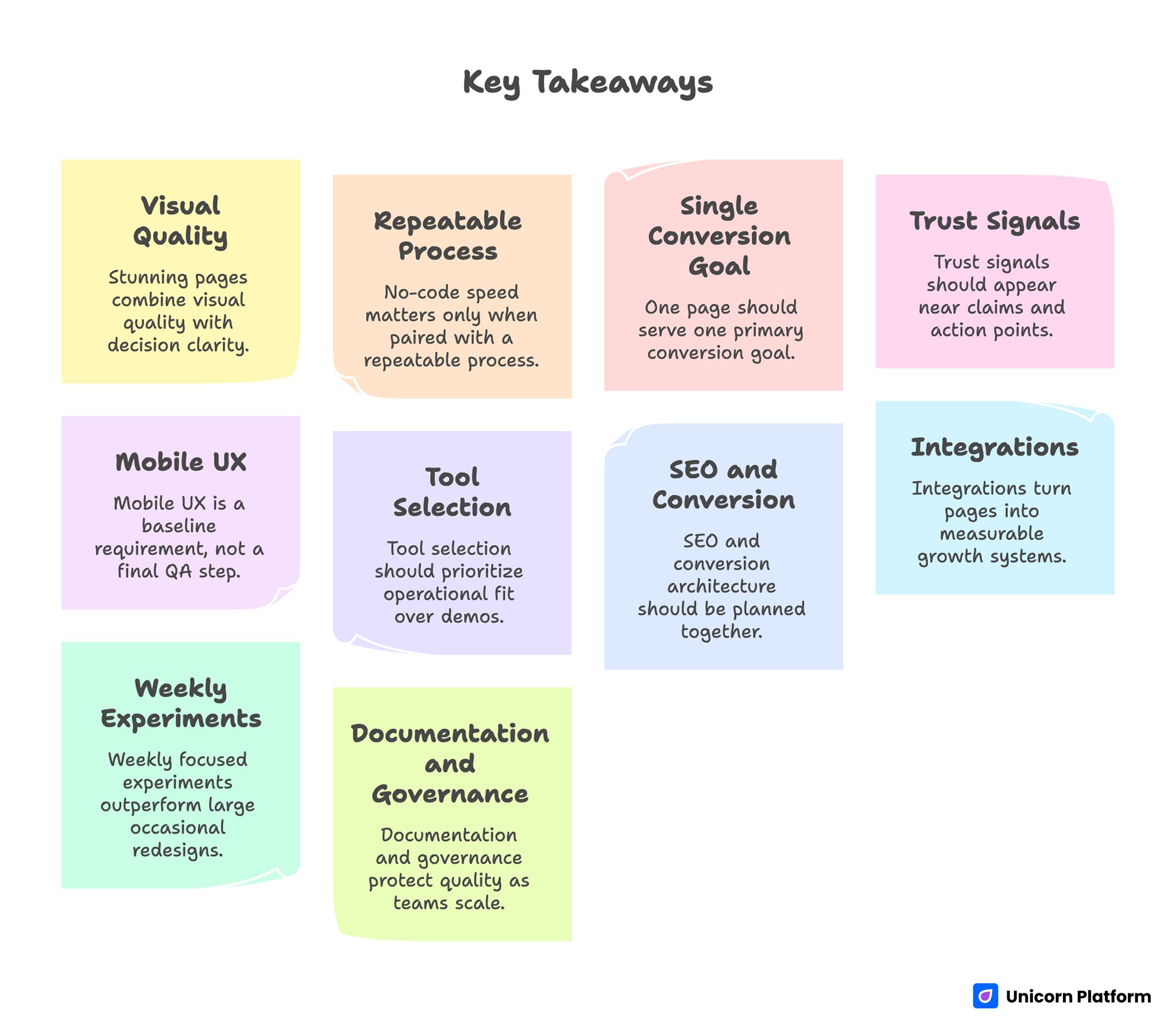
Key Takeaways for Building High-Converting No-Code Landing Pages
- Stunning pages combine visual quality with decision clarity.
- No-code speed matters only when paired with a repeatable process.
- One page should serve one primary conversion goal.
- Trust signals should appear near claims and action points.
- Mobile UX is a baseline requirement, not a final QA step.
- Tool selection should prioritize operational fit over demos.
- SEO and conversion architecture should be planned together.
- Integrations turn pages into measurable growth systems.
- Weekly focused experiments outperform large occasional redesigns.
- Documentation and governance protect quality as teams scale.
What Makes a Landing Page Truly Stunning
Users rarely decide based on visual polish alone. They decide when three conditions are met: the promise is relevant, the page feels credible, and the next step is obvious. Research shows that clear value messaging and credible design significantly boost user engagement Harvard Business Review.
Visual quality helps with first impression, but structure determines whether users stay long enough to act. If sections are noisy, proof is buried, or CTA hierarchy is unclear, even beautiful pages underperform.
A practical definition of stunning in 2026 includes:
- immediate value comprehension
- consistent visual rhythm
- context-rich trust proof
- low-friction conversion path
When these four elements work together, pages look better and convert better at the same time.
Who Should Use No-Code Landing Page Builders
No-code landing workflows are not only for beginners. They are ideal for teams that need fast publishing and fast iteration across campaigns.
Common high-fit use cases include:
- startup teams validating positioning
- service businesses running lead-generation campaigns
- creators launching webinars and audience offers
- ecommerce teams testing targeted acquisition pages
- agencies building repeatable client landing systems
The shared need is operational speed with controlled quality. No-code tools are strongest where message changes frequently and testing cadence is high.
Why Teams Choose No-Code Over Traditional Build Cycles
Traditional coding still has value for complex applications, but for most marketing landing pages, development-heavy workflows create unnecessary delay.
No-code advantages are practical:
- faster time to launch
- lower dependency on engineering queues
- easier iteration by growth teams
- lower cost of testing
- simpler collaboration between marketing and product stakeholders
These benefits become meaningful only when pages are built with a clear framework. Speed without structure creates volume, not performance.
Research from the MIT Sloan Management Review highlights that no‑code platforms can accelerate digital transformation by empowering business teams to build and modify digital solutions without heavy reliance on IT resources, resulting in faster time‑to‑value and improved adaptability to market shifts.
Strategy Before Template: The Decisions That Matter Most
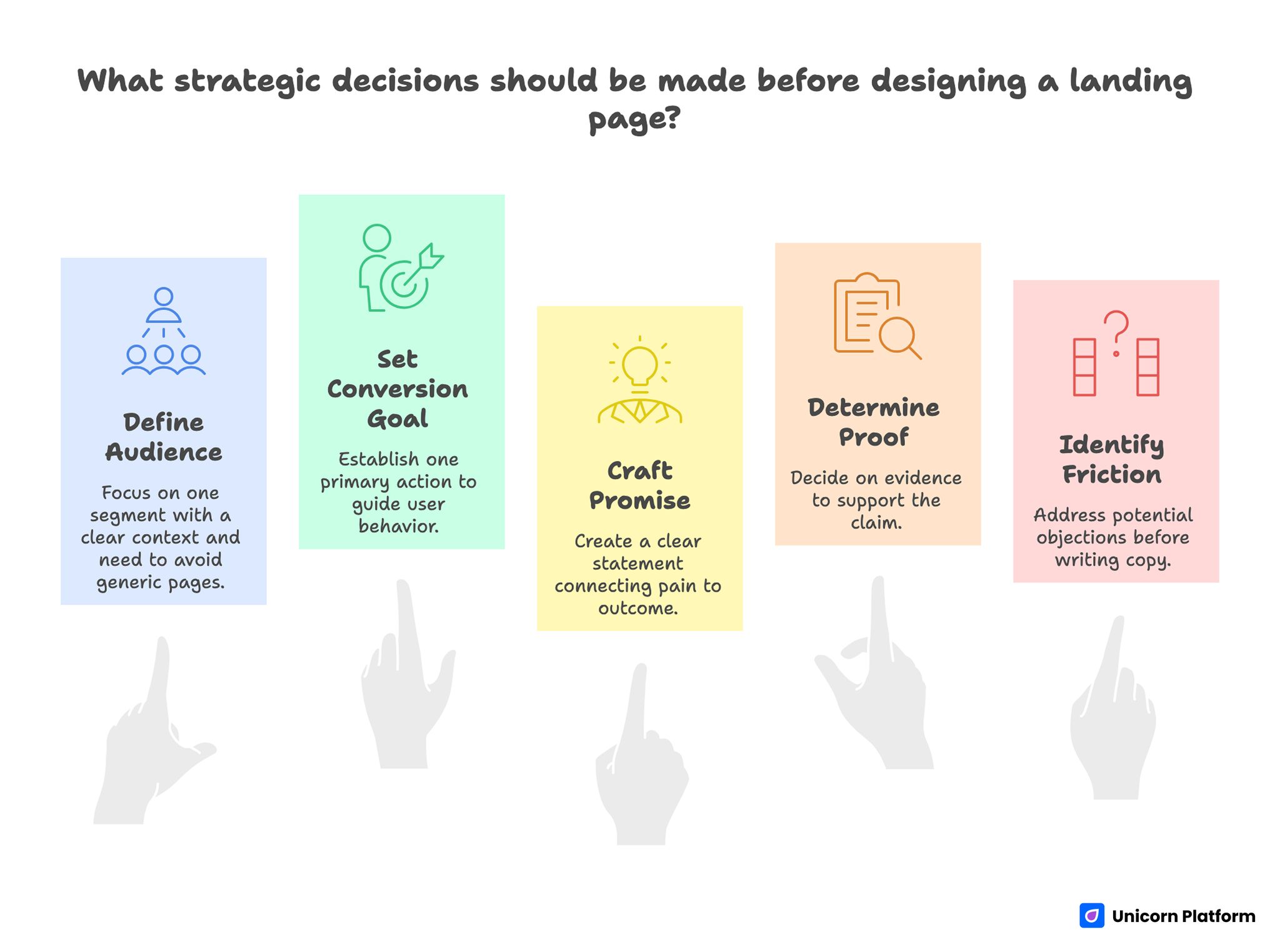
Strategy Before Template: The Decisions That Matter Most
Most weak pages start with template browsing instead of strategic planning. A better process starts with five decisions before design work begins.
Decision 1: Define one audience segment
Do not build for everyone at once. Choose one audience with one clear context and one urgent need.
Decision 2: Define one conversion goal
Set one primary action per page: signup, lead form, trial start, booking, or purchase path. Secondary actions can exist, but they should not compete with the main conversion objective.
Decision 3: Define the promise
Write one clear statement that connects audience pain to practical outcome. Keep this promise specific and testable.
Decision 4: Define proof requirements
Decide what evidence supports your main claim: customer outcomes, testimonials, process transparency, usage stats, or policy reassurance.
Decision 5: Define friction points
Identify likely objections before writing full copy. Common blockers include unclear value, trust concerns, effort anxiety, and pricing uncertainty.
These decisions prevent generic pages and make template customization much faster.
How to Choose the Right Builder Without Guesswork
Builder comparisons often focus on surface design. Long-term performance depends more on operational capabilities.
Use a weighted scorecard with these categories:
- editing speed for non-technical users
- template quality for conversion-first layouts
- mobile responsiveness controls
- SEO metadata and structure controls
- integration support for analytics and CRM
- collaboration and publishing reliability
- long-term maintainability
Run one live pilot page before committing. Real workflows reveal limitations that demo galleries never show.
Teams evaluating no-code options can use build your custom website without coding as a practical benchmark for feature-depth and workflow fit.
Conversion Architecture for No-Code Landing Pages
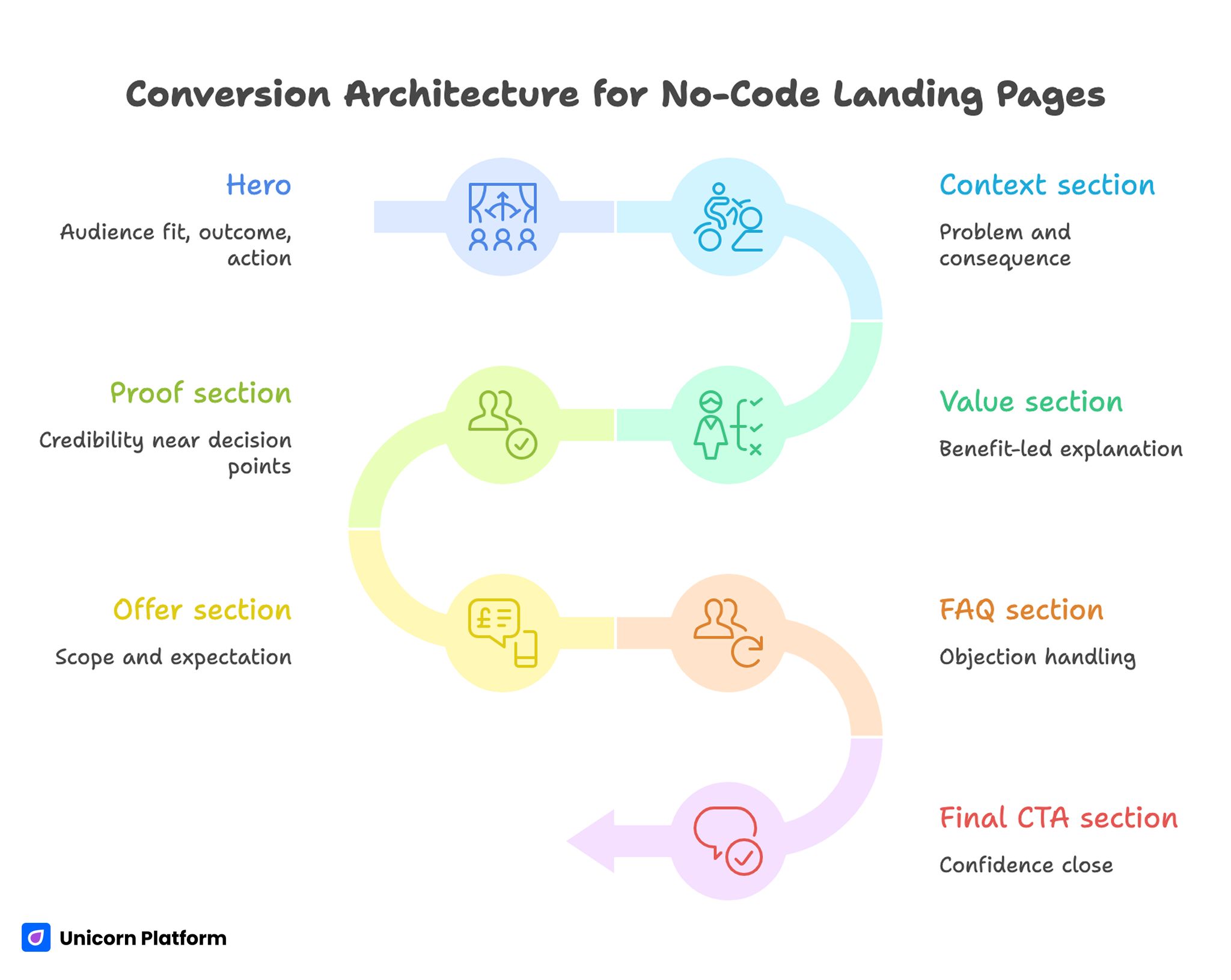
Conversion Architecture for No-Code Landing Pages
A repeatable section architecture keeps performance consistent across campaigns. You can adapt this sequence for most offers.
For a deeper blueprint, align this model with a step-by-step guide to a high-converting landing page structure.
Hero: audience fit, outcome, action
The first screen should answer: who this is for, what result users get, and what action comes next. Avoid multi-claim headlines that dilute clarity.
Context section: problem and consequence
Show the current friction users experience and why solving it matters now. Keep this concrete rather than abstract.
Value section: benefit-led explanation
Explain outcomes first, then support them with feature mechanics. Users process benefits faster than capability lists.
Proof section: credibility near decision points
Place testimonials, case snippets, or trust cues close to value claims and CTA areas. Proof should validate specific promises.
Offer section: scope and expectation
Clarify what users get, how it works, and what the next step requires. Hidden details reduce conversion quality.
FAQ section: objection handling
Address common blockers directly with concise answers. This section frequently recovers high-intent users before exit.
Final CTA section: confidence close
Restate the value proposition with one clear action and one reassurance element.
Visual Design System for Non-Coders
Strong design systems reduce rework and improve consistency across pages.
Define standards for:
- heading scale and spacing
- paragraph width and rhythm
- card components for proof and benefits
- CTA style hierarchy
- color contrast usage
- section background treatment
Consistency makes pages feel professional and avoids the "template collage" look. It also helps multiple contributors edit pages without style drift.
Limit decorative complexity. Clean hierarchy and balanced whitespace usually outperform over-stylized effects in conversion contexts.
Copywriting Framework That Improves Clarity
No-code tools accelerate production, but copy quality still drives outcomes.
Use a four-part copy model:
- Problem: what friction exists now
- Promise: what outcome users can expect
- Proof: why that claim is credible
- Path: what action to take
Avoid vague phrases like "innovative solutions" or "next-level experience." Replace them with practical outcomes users can evaluate quickly.
Example:
Weak: "Create a better digital presence in minutes."
Strong: "Launch a conversion-ready landing page this week, test your messaging quickly, and improve lead quality without developer bottlenecks."
Specific language reduces uncertainty. Reduced uncertainty improves conversion intent.
Mobile-First Execution Standards
Landing pages are frequently evaluated on mobile first, even in B2B contexts. A desktop-perfect page can still fail if mobile experience is weak.
Key mobile standards:
- headline readable within first view
- CTA visible without excessive scroll
- tap targets with comfortable spacing
- media optimized for speed and clarity
- forms with minimal initial fields
Validate on real devices and mixed network conditions. Browser emulation is useful but not enough for reliable launch QA.
Mobile readiness should be treated as a primary quality gate, not a final check.
SEO for No-Code Landing Pages
SEO and conversion do not conflict when structure is intentional.
Plan each page around one clear primary intent and add semantic coverage for related decision questions. Keep heading hierarchy clean and avoid forced keyword repetition.
Core SEO rules for no-code pages:
- aligned title, H1, and first-screen promise
- intent-driven meta descriptions
- semantic subheadings that match user questions
- optimized image sizes and formats
- internal links that help progression
Use behavior data and search data together. If sections attract traffic but fail to convert, adjust message fit before adding new traffic sources.
According to the Unbounce Conversion Benchmark Report, focused landing pages with strong relevance and optimized design convert at a median rate of 6.6% across industries, offering a real performance benchmark for teams measuring post‑launch success
For practical post-launch diagnostics, apply the workflow from user behavior tips to optimize landing pages to identify where users lose confidence.
Integrations That Create Real Business Value
A landing page should be connected to an action system, not treated as a static endpoint.
At minimum, integrate:
- analytics for event-level behavior
- CRM for lead ownership and routing
- email automation for follow-up sequences
- scheduling tools where consultation is the goal
- payment systems where direct conversion is required
Define event naming and source-tagging standards before launch. Consistent tracking improves decision speed and reduces reporting confusion.
Without integration discipline, teams see traffic but cannot diagnose conversion quality reliably.
Launch Workflow for Fast, High-Quality Delivery
A practical seven-day workflow helps non-coders ship quickly without skipping critical steps.
Day 1: Strategy lock
Define audience, promise, conversion goal, and trust evidence requirements.
Day 2: Architecture draft
Build section sequence and CTA path before visual refinement.
Day 3: Copy draft
Write hero, value sections, proof context, and FAQ answers.
Day 4: Visual system setup
Apply typography, spacing, component styles, and media assets.
Day 5: Integration setup
Connect forms, analytics, CRM, and follow-up automations.
Day 6: QA and device testing
Validate mobile behavior, link paths, event firing, and speed.
Day 7: Publish and baseline review
Launch controlled traffic and capture baseline conversion metrics.
This workflow balances speed and reliability for small teams.
30-Day Optimization Plan
After launch, run a focused monthly optimization cycle.
Week 1: Baseline analysis
Measure first-screen engagement, CTA click rate, form starts, and completion quality by source.
Week 2: Message tests
Test one headline variation and one CTA wording variation.
Week 3: Trust and proof tests
Test proof placement and proof specificity.
Week 4: Friction reduction
Simplify forms and adjust section ordering where drop-off is highest.
Keep changes isolated enough to interpret impact. Multiple major changes at once reduce learning quality.
60-Day and 90-Day Scaling Model
By day 60, teams usually know which messaging patterns and modules perform best. Scale should be based on those validated patterns.
Days 31-60:
- create one segment-specific variant
- compare source-level conversion quality
- standardize winning module patterns
Days 61-90:
- expand to additional audience variant pages
- refine handoff quality from page to follow-up flow
- optimize downstream quality metrics, not only top-line conversion
Use a shared experiment log containing hypothesis, change, metric, and result. This documentation turns isolated wins into repeatable process.
Governance: Keeping Quality High as Team Output Grows
No-code teams often slow down when more contributors join because standards become inconsistent. A lightweight governance model prevents that.
Assign clear roles:
- content owner for message quality
- analytics owner for measurement integrity
- launch owner for QA compliance
Hold a weekly review with fixed questions:
- Which channels changed most this week?
- Which section caused the largest conversion friction?
- Which single change should ship next?
- Which metric confirms success?
This system keeps iteration evidence-based and reduces random redesign cycles.
90-Day Operating Model for Landing Page Programs
Many teams improve their first landing page but fail to scale because they treat optimization as disconnected edits. A stronger model is a 90-day system where each month has a different objective and a clear output.
The first 30 days should focus on baseline quality. Confirm first-screen relevance, validate tracking integrity, and isolate the biggest confidence break in the action path. During this period, avoid broad redesigns and prioritize one major hypothesis at a time so the signal remains clear.
Days 31 to 60 should focus on section-level refinement. Improve proof placement, strengthen offer clarity, and reduce form friction while keeping core structure stable. This is often where the largest conversion-quality gains appear because user intent is already present but confidence is still incomplete.
Days 61 to 90 should focus on controlled scaling. Expand winning modules into one or two audience-specific variants without rebuilding everything from scratch. Keep architecture stable and only change what drives relevance: promise framing, proof context, and CTA language.
A disciplined operating model also needs boundaries. Keep experiment scope tight, define one success metric per test, and log every change with its outcome. Tight boundaries reduce noise and help teams learn faster.
At the end of each 90-day cycle, publish a short playbook of validated modules, failed experiments, and open hypotheses. This documentation turns no-code speed into long-term operational advantage.
Quarterly Maintenance Cadence
Landing pages that perform in one quarter can drift in the next if they are not maintained. Offers change, objections evolve, and traffic mix shifts across channels. A quarterly maintenance pass protects conversion quality by updating the parts that users evaluate first.
Use a simple review sequence each quarter. Revalidate first-screen relevance against current campaigns, refresh proof blocks so outcomes stay credible, and audit form friction based on recent user behavior. Then review integration reliability to make sure every event and follow-up path still works after tool or workflow changes.
This cadence is especially useful for small teams because it prevents silent performance decay. Instead of waiting for a major drop in results, you keep the page aligned with current demand and maintain a stable baseline for future experiments.
That stability gives every new experiment cleaner signal quality.
Common Mistakes and Fast Fixes
1. Visual-first, strategy-last workflow
Fix: lock audience, outcome, and CTA before template work.
2. One page trying to serve all audiences
Fix: create segment variants using shared structure.
3. Too many primary actions
Fix: keep one dominant CTA and demote secondary actions.
4. Trust cues buried below the fold
Fix: place proof near key claims and action points.
5. Mobile QA done too late
Fix: test on real devices from early draft stage.
6. Weak integration and event naming
Fix: define event taxonomy before launch.
7. Launch-and-forget mindset
Fix: run weekly focused experiments and log outcomes.
FAQ: Building Stunning Landing Pages Without Coding
Can non-coders build landing pages that look premium and convert well?
Yes. Strategy, structure, and iteration discipline matter more than coding background for most landing page use cases.
How long should a no-code landing page be?
Length should match decision complexity. Keep sections scannable and focused on action and objection resolution.
Do I need a separate landing page for each campaign?
When audience intent differs meaningfully, dedicated variants usually improve performance.
What is the first thing to optimize after launch?
Start with first-screen clarity and CTA message fit, then move to trust placement and form friction.
How many testimonials should I use?
Use a small set of relevant, specific testimonials with clear context rather than a large generic set.
Should I prioritize design or copy first?
Prioritize strategy and copy direction first, then build design around that message architecture.
Are free plans enough to start?
For early validation, often yes. Upgrade when advanced integrations, branding controls, or scale features become necessary.
How often should I update landing pages?
A weekly review cycle with focused improvements usually outperforms infrequent large redesigns.
What metrics matter in the first month?
Track first-screen engagement, CTA progression, form completion, and conversion quality by source.
What is the fastest win for weak conversion?
Improve headline relevance and move trust evidence closer to the action path.
Final Takeaway
You can build stunning landing pages without coding and still produce strong business outcomes. The key is not visual effects alone. The key is a reliable system: clear strategy, conversion structure, trust-first design, and measurable iteration.
No-code tools give teams speed. Discipline turns that speed into compounding performance. Build with intent, test with rigor, and improve each release based on real user behavior.