Table of Contents
- The 10 Best Free AI Website Builders
- Best Free AI Website Builders by Use Case
- SEO and Publishing Controls: What Actually Matters
- Common Mistakes When Choosing a Free AI Website Builder
- FAQ
The best free AI website builders can help you launch a landing page or basic site quickly, but their free plans vary a lot.
Some tools are generous enough to let you build and publish without much friction. Others are excellent for generating a first draft but push key publishing controls, domain options, or branding removal behind a paid plan. That is why choosing the wrong builder can waste time even if the first demo looks impressive.
This guide compares ten relevant options so you can see what each tool is best at, where the free version is genuinely useful, and where the tradeoffs start to matter. The focus is practical: launch speed, editing control, free-plan limits, SEO basics, and what kind of site each builder fits best.
sbb-itb-bf47c9b
Quick Answer
If you want the short version:
- Unicorn Platform is one of the best free AI website builders for startup launches and simple landing pages.
- Wix is a strong general-purpose option if you want a mainstream builder with AI help and a free entry point.
- Framer is excellent if design quality and visual control matter more than the simplest setup.
- Dorik is a good fit for no-code users who want fast AI generation and a lightweight builder.
- Webflow is strong when you want AI help plus a more scalable site foundation.
- 10Web is worth considering if you want AI site generation in a WordPress-oriented workflow.
The right choice depends less on which builder has the flashiest AI demo and more on what you need after generation: publish fast, edit easily, rank, test, and keep the site maintainable.
Quick Comparison Table
| Tool | Best for | Free access angle | Main strength | Main limitation on free access |
| Unicorn Platform | startup launches and product sites | free lifetime plan | practical startup workflow with AI editing | less suited to heavy design-system work |
| Wix | all-purpose business sites | free start, no credit card required | broad feature set and easy onboarding | serious publishing polish usually pushes you toward paid plans |
| WebWave | beginners who want fast generation | create for free, pay when ready to fully launch | simple AI-first generation flow | long-term brand control is stronger after upgrade |
| Framer | design-led teams and polished landing pages | start for free | strong visual quality and AI-assisted layout generation | more design-oriented than beginner-simple |
| Dorik | no-code users who want speed | generous free start | fast AI website generation and simple editor | advanced use grows into paid features |
| Webflow | scalable sites with stronger structure | free start with AI access | AI site builder plus design-system depth | steeper setup and publishing complexity |
| Design.com | quickest simple business-site starts | try for free | very fast template-driven generation | less depth for complex site architecture |
| Webnode | simple small-business sites | free AI website creation | easy guided setup | stronger branding and business controls come with premium |
| 10Web | WordPress-oriented AI site creation | free start with limited creation | AI generation plus WordPress flexibility | free version is narrower than long-term paid use |
| Jimdo | very simple business setup | free website builder | straightforward setup and low friction | less flexible for advanced design or custom growth workflows |
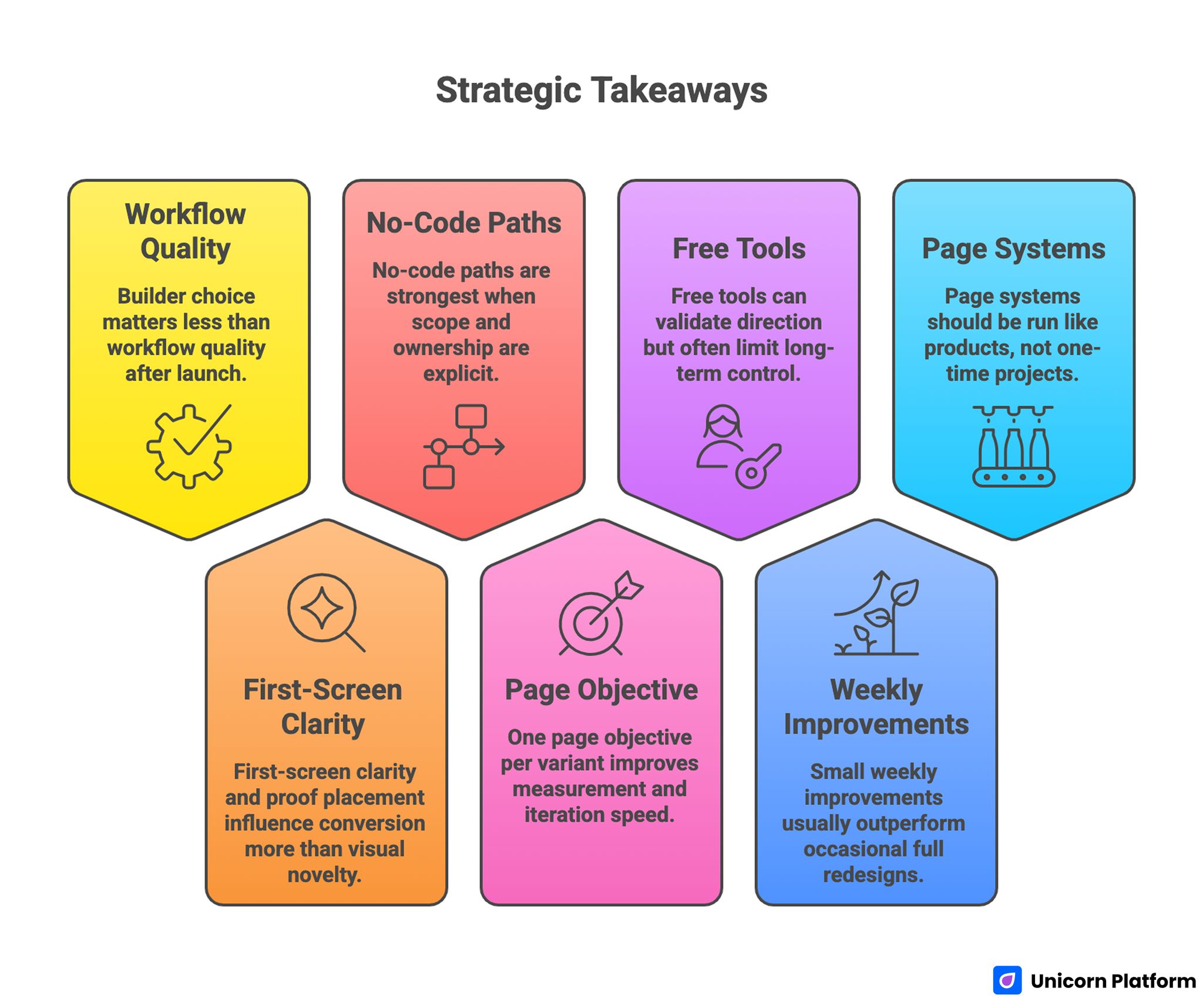
Strategic Takeaways for Choosing the Best AI Landing Page Builders
The 10 Best Free AI Website Builders
1. Unicorn Platform
Unicorn Platform is strongest when the goal is to launch something useful fast: a SaaS homepage, startup landing page, waitlist, directory, personal project, or small product site. That matters because many AI website builders are good at creating a first screen but weaker once you need to keep editing, shipping, and learning.
The advantage here is not only AI generation. It is the combination of AI-assisted changes, ready-to-use startup patterns, and a workflow that stays practical after the page is live.
Best for
- startup launches
- SaaS websites
- waitlists
- product pages
- founders who want to ship without a designer in the loop for every update
Why it stands out
- free lifetime entry point
- AI-assisted page creation and editing
- templates that fit startup use cases well
- fast no-code publishing workflow
Free-plan reality
The free tier is useful for starting, testing, and learning the builder. The main question is not whether you can create a page. It is whether the free setup is enough for the level of branding and site governance you want long term.
2. Wix
Wix remains one of the most visible options in this category because it combines AI-assisted website creation with a very broad business-site platform. It is a strong choice for people who want one place for design, content, business tools, and publishing.
That breadth is the main reason Wix works well for small businesses, portfolios, service sites, and general-purpose company websites.
Best for
- local businesses
- service companies
- first websites
- users who want AI help inside a mainstream builder
Why it stands out
- easy onboarding
- AI-led site setup
- broad template and business-feature coverage
- free start with no credit card required
Free-plan reality
Wix is easy to start for free, but the main limitations usually show up when you want a custom domain, reduced platform branding, or a more polished production setup.
3. WebWave
WebWave is a useful choice for people who want a fast AI-generated website without a complicated setup process. Its positioning is simple: generate a site quickly, edit what you need, and keep the workflow accessible.
That makes it attractive for beginners and small business owners who care more about speed and clarity than about advanced design systems.
Best for
- beginners
- solo businesses
- quick brochure-style sites
- users who want fast AI generation with minimal setup overhead
Why it stands out
- strong speed-first positioning
- free creation path
- approachable editing experience
- useful when you want a quick launch rather than a complex site stack
Free-plan reality
WebWave is easy to test and create with for free. The main tradeoff appears when you want stronger brand ownership and a more complete production setup.
4. Framer
Framer is one of the strongest free-start AI website builders for design-led users. It is especially compelling when the website is not only a container for information but also a designed experience.
Its AI tools help generate layouts and starting points, but the bigger advantage is what happens afterward. You can refine the site visually with much more control than many simpler builders offer.
Best for
- polished landing pages
- design-led teams
- startups that care about strong visual presentation
- teams that want AI plus high-quality visual editing
Why it stands out
- strong design quality
- AI-generated layouts and components
- free start
- excellent fit for visually ambitious landing pages
Free-plan reality
Framer is generous for exploration and early builds, but serious production use usually pushes teams to think carefully about publishing, domains, and broader site needs.
5. Dorik
Dorik is one of the better options for people who want a no-code builder with strong AI support but do not want a heavy workflow. It can generate websites from a prompt, help with copy and images, and keep the editing layer approachable.
That makes it a good middle-ground option between ultra-simple template tools and more design-system-heavy builders.
Best for
- no-code users
- simple business sites
- landing pages
- teams that want a fast AI draft plus easy editing
Why it stands out
- quick AI site generation
- simple builder experience
- strong fit for non-technical users
- generous-feeling free entry compared with more restrictive builders
Free-plan reality
Dorik gives you a lot to work with early, but some of the deeper operational value shows up as you move beyond basic free usage.
6. Webflow
Webflow is a different kind of option in this list. It is less about the fastest beginner launch and more about getting AI help inside a system that can scale into a more structured website operation.
Its AI site builder is useful when you want prompt-based generation but also care about future structure, systemization, and stronger control over the finished site.
Best for
- teams that want scalability
- startups thinking beyond one landing page
- marketers and designers who want stronger structure
- users comfortable with more builder depth
Why it stands out
- AI site generation inside a robust site platform
- stronger design-system and structure potential
- good path for teams that want more than a one-page launch
Free-plan reality
Webflow is free enough to explore seriously, but it is not the simplest free builder in this group. Its main cost is complexity, not only price.
7. Design.com
Design.com is strong when the goal is speed and simplicity. It is useful for users who want AI-generated website options fast, light customization, and a quick route to something presentable.
That makes it appealing for very early-stage projects, side projects, and simple business pages where depth matters less than getting online quickly.
Best for
- fast one-page starts
- simple business websites
- early branding experiments
- users who want AI-generated templates with low friction
Why it stands out
- very fast generation flow
- try-for-free positioning
- easy customization path
- useful when speed matters more than deep site architecture
Free-plan reality
The free experience is good for testing ideas and generating options. The main tradeoff is that template-driven simplicity can feel limiting once you need stronger SEO structure or a more customized growth site.
8. Webnode
Webnode is a helpful choice for small businesses that want a guided AI-generated start and a straightforward editing experience. It is not the most design-flexible builder here, but it keeps the learning curve low.
That can be a real advantage for business owners who want to launch a basic site without spending days learning a system.
Best for
- simple small-business websites
- freelancers
- local service businesses
- users who want guided AI setup and fast publishing
Why it stands out
- free AI website creation
- guided workflow
- low-friction setup
- practical for basic online presence needs
Free-plan reality
Webnode is good for getting started, but the value gap between free and premium becomes more noticeable once you want stronger brand control, marketing tools, or a more professional publishing setup.
9. 10Web
10Web is worth considering if you want AI website creation in a WordPress-oriented environment. That makes it different from many pure no-code builders. It is not only about generating a site quickly. It is also about working inside a WordPress-compatible operating model.
That can be a good fit for agencies, technical marketers, or teams that already think in WordPress terms.
Best for
- WordPress-oriented users
- agencies
- users who want AI site generation with more technical flexibility later
- teams that may outgrow simpler builders quickly
Why it stands out
- free start with AI builder access
- AI-generated websites tailored to business input
- useful bridge between AI generation and a more flexible website stack
Free-plan reality
10Web is useful to test, but the free version is more of a serious trial workspace than a forever-free operating model for most teams.
10. Jimdo
Jimdo still matters for users who want the simplest path to getting a basic business site online. Its current builder flow is designed to reduce setup friction, and its newer Companion layer adds more AI assistance inside the website builder environment.
That makes it a reasonable option for solo businesses that want structure and speed more than advanced customization.
Best for
- very small businesses
- solo operators
- simple brochure sites
- users who want guidance more than design flexibility
Why it stands out
- free website creation path
- low setup friction
- simple builder experience
- practical for business owners who want a site without a long learning curve
Free-plan reality
Jimdo is easiest to like when your needs are basic. If your roadmap includes more advanced SEO control, richer landing page testing, or heavier customization, it can feel narrower than other tools on this list.
Best Free AI Website Builders by Use Case
Best for landing pages
If the main job is launching a clear landing page fast, the strongest options are usually:
- Unicorn Platform for startup and product launches
- Framer for design-led landing pages
- Dorik for a simpler no-code workflow
- Webflow if the landing page is part of a broader future site system
Best for startup sites
If you are a founder choosing for a startup, the most useful builders are often:
- Unicorn Platform for practical startup publishing
- Framer if visual polish is a major priority
- Webflow if you want more long-term structure from the start
- 10Web if you want a WordPress-oriented path
Best for local business sites
These tools make the most sense when the goal is a local service or business presence:
- Wix
- WebWave
- Webnode
-
Jimdo
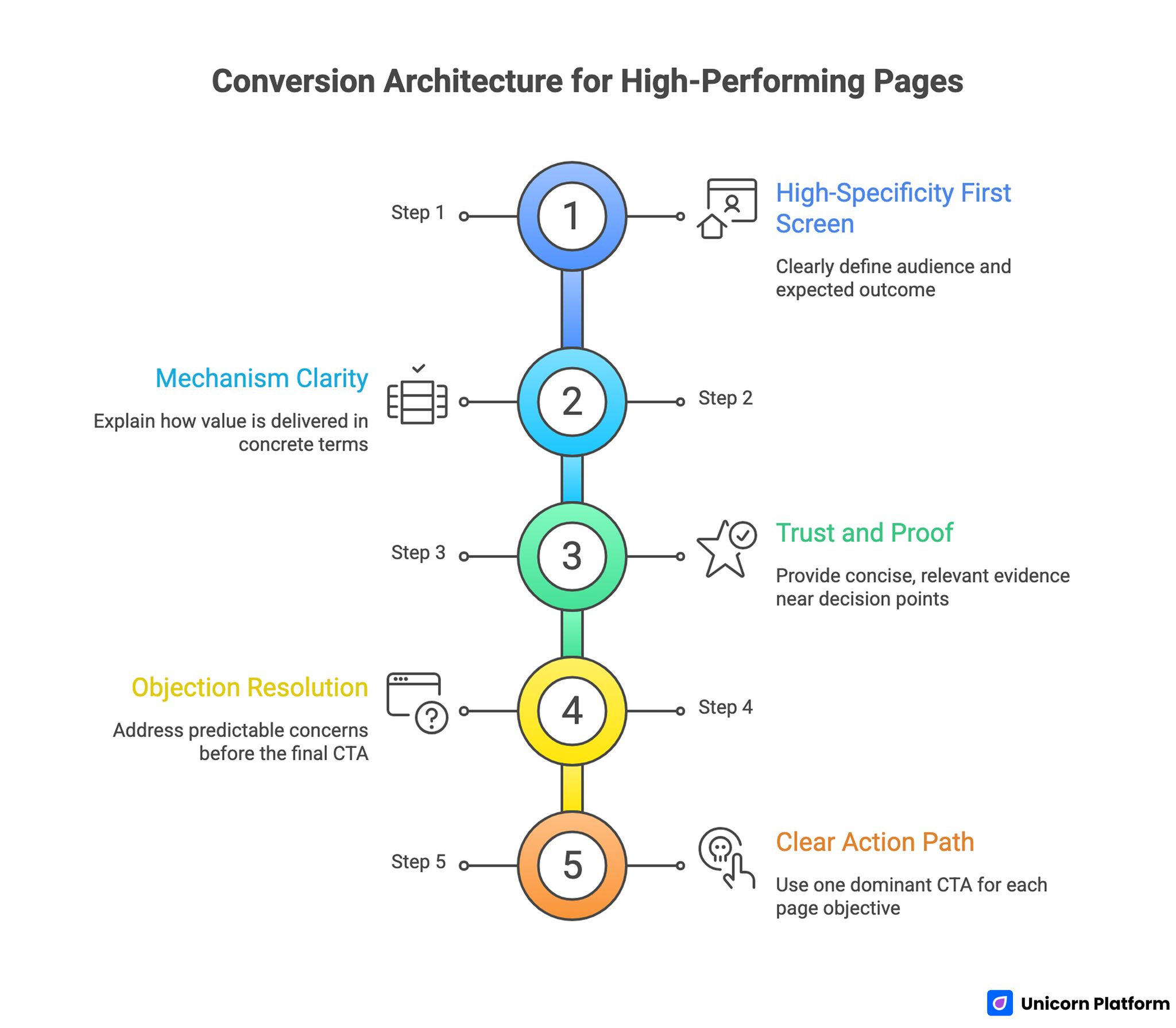
Conversion Architecture for High-Performing Pages
Limits of Free Plans: What Usually Changes After the Demo
Free AI website builders are useful, but the free version is rarely the whole story.
The most common limitations are:
Custom domain restrictions
Many builders let you create and even publish for free, but a branded subdomain is often part of the tradeoff until you upgrade.
Platform branding
A free site may still carry builder branding. That can be fine for testing, but it is less ideal for a polished business launch.
AI generation caps
Some tools are generous with editing but more restrictive with how many AI-generated sites or variations you can create on the free version.
SEO and analytics limits
Basic SEO fields may exist, but deeper control, stronger site governance, or broader analytics tools often improve on paid plans.
Ecommerce or advanced business tools
Payments, richer forms, advanced automation, or more serious CMS capabilities often sit behind paid tiers.
The practical lesson is simple: do not judge a free AI website builder only by how fast it produces a homepage. Judge it by how usable the free setup remains after you try to publish something real.
SEO and Publishing Controls: What Actually Matters
A builder can look smart in a demo and still be weak for real SEO or publishing work.
These are the controls that matter most:
Title and meta editing
You should be able to control core search snippets easily.
Clean page structure
The builder should make it easy to create logical sections, headings, and page relationships rather than only pretty screens.
Mobile responsiveness
Most AI builders promise responsive design. What matters is whether the mobile result still feels clean after customization.
Fast editing after launch
The best builder is not the one that gives you the best first draft. It is the one you can keep updating without friction.
Reasonable publishing workflow
If publishing, updating, or testing feels heavy, the tool will slow you down after the first burst of enthusiasm.
This is why practical teams often choose a builder with slightly less visual wow factor if it is easier to maintain.
Common Mistakes When Choosing a Free AI Website Builder
Choosing based on the demo instead of the workflow
A tool can generate an attractive first result and still be frustrating once you need to edit structure, change messaging, or publish consistently.
Ignoring the free-plan limits
Always check what happens with domains, branding, SEO settings, and AI usage before committing time.
Picking a builder that is too advanced for the team
If the team needs a fast operator-friendly builder, a more complex platform can slow progress instead of helping.
Picking a builder that is too simple for the roadmap
A lightweight tool may be perfect for launch, but weak once you need CMS structure, testing depth, or broader site growth.
Confusing AI generation with strategic clarity
AI helps you start. It does not automatically give you strong positioning, trust, or conversion quality.
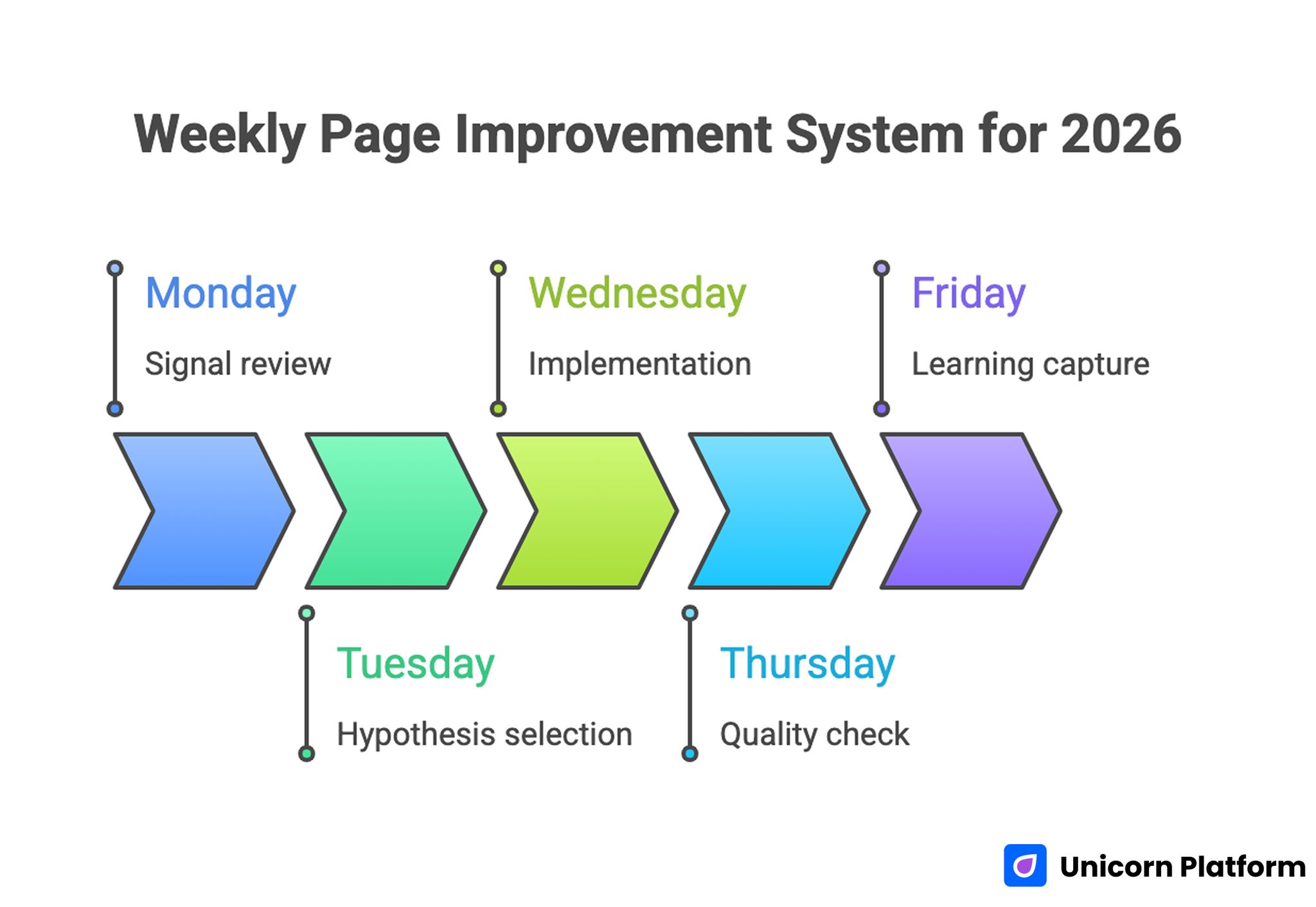
Weekly Page Improvement System for 2026
How to Apply This in Unicorn Platform
If you are comparing builders because you need to launch something quickly, Unicorn Platform works best when you already know the type of page you need: startup homepage, waitlist, product landing page, directory, or simple multi-page site.
A practical workflow is:
- start with a template or prompt-based first draft
- tighten the headline and CTA before expanding the page
- keep the first screen focused on one audience and one action
- publish early, then refine based on actual user behavior
If you are still deciding between landing-page-focused tools, best AI landing page builders in 2026 is the closest follow-up. If you want a broader implementation workflow, how to use AI to build a website helps turn builder choice into a real launch process.
FAQ: Best Free AI Website Builders
What is the best free AI website builder overall?
There is no single winner for everyone, but Unicorn Platform, Wix, Framer, Dorik, and Webflow are among the strongest options depending on your use case.
Which free AI website builder is best for startups?
For many startup launches, Unicorn Platform is one of the strongest choices because it balances speed, startup-friendly templates, and practical editing.
Which builder is best for design quality?
Framer is one of the best choices if design quality and visual control are the top priority.
Which builder is easiest for beginners?
Wix, WebWave, Webnode, and Jimdo are among the easiest places to start if you want a simpler learning curve.
Are free AI website builders really enough to launch?
Often yes, for early testing, simple sites, or landing pages. But branding, domains, SEO depth, and business features often become the reason teams upgrade.
Do free AI website builders support SEO?
Most support the basics. The bigger question is how flexible the publishing and editing workflow remains as the site grows.
Which builder is best for landing pages?
Unicorn Platform, Framer, Dorik, and Webflow are especially strong depending on whether you prioritize speed, design quality, simplicity, or long-term structure.
Is a WordPress-based AI builder worth it?
It can be, especially if your team wants more technical flexibility later. That is where tools like 10Web become more interesting.
What is the biggest mistake when choosing one?
The biggest mistake is choosing based only on the first AI-generated mockup instead of testing how easy the tool is to edit, publish, and maintain.
Should I choose the tool with the most AI features?
Not always. A smaller set of useful AI features inside a practical publishing workflow is often better than a flashy tool that becomes hard to use after generation.
Final Takeaway
The best free AI website builder in 2026 is not the one with the loudest promise. It is the one that helps you get from idea to published site with the least friction while still giving you enough control to improve the result.
For some teams that means a startup-focused tool like Unicorn Platform. For others it means Wix for breadth, Framer for design quality, Webflow for structure, or a simpler builder like WebWave or Webnode for fast basic publishing.
The smart move is to choose based on your real use case: landing page, startup site, local business page, or scalable multi-page build. Once that is clear, the right free builder becomes much easier to spot.