Table of Contents
- Tool Selection Framework for Non-Coders
- The Three Page Archetypes Every Non-Coder Should Master
- 30-Day Build and Optimization Plan
- Common Mistakes and How to Fix Them
- FAQ
The question is no longer whether you can build a website without coding. You can. The real question is whether you can build a website that attracts the right traffic, builds trust fast, and drives useful business actions.
That difference matters. Publishing a page is easy. Building a site that consistently creates signups, leads, or sales requires better decisions around structure, messaging, and workflow. Without that system, teams launch quickly but plateau quickly too.
This guide gives you a complete no-code execution framework: how to choose tools, how to avoid common beginner traps, how to build conversion-focused page structures, and how to improve performance week by week.
sbb-itb-bf47c9b
Key Takeaways
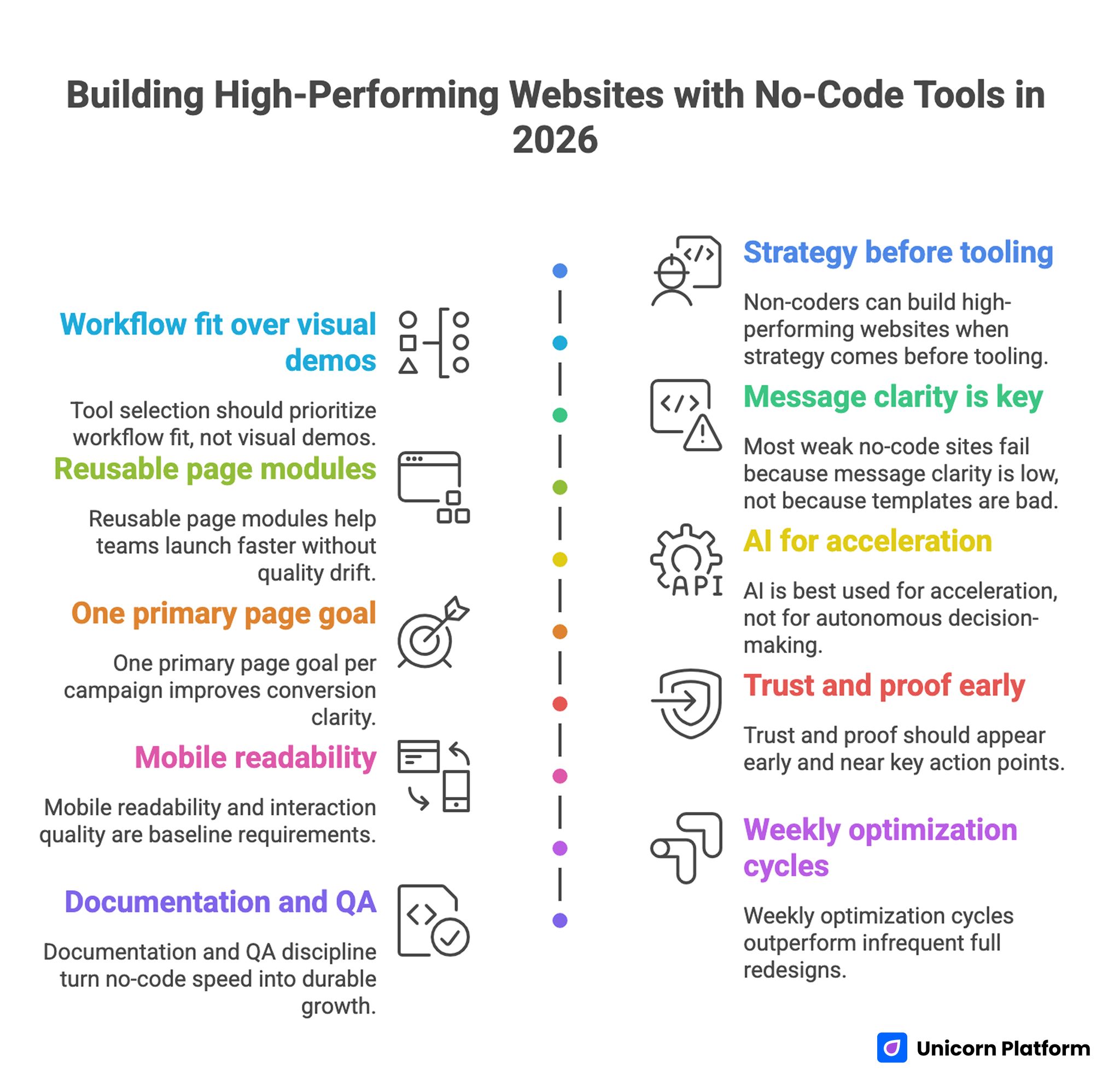
Building High-Performing Website with No-Code Tools in 2026
- Non-coders can build high-performing websites when strategy comes before tooling.
- Tool selection should prioritize workflow fit, not visual demos.
- Most weak no-code sites fail because message clarity is low, not because templates are bad.
- Reusable page modules help teams launch faster without quality drift.
- AI is best used for acceleration, not for autonomous decision-making.
- One primary page goal per campaign improves conversion clarity.
- Trust and proof should appear early and near key action points.
- Mobile readability and interaction quality are baseline requirements.
- Weekly optimization cycles outperform infrequent full redesigns.
- Documentation and QA discipline turn no-code speed into durable growth.
This performance pattern aligns with research published in the Harvard Business Review, which highlights how structured experimentation and incremental testing drive stronger long-term performance than large, infrequent strategic overhauls. Teams that iterate in smaller cycles reduce risk, learn faster, and compound gains over time.
Why No-Code Is a Strategic Advantage in 2026
No-code tools reduce technical dependency, but their bigger advantage is operational. Teams can update pages when offers change, launch new variants for campaigns, and ship improvements without waiting for development queues.
This speed is valuable for startups, service firms, educators, creators, and ecommerce teams because positioning changes quickly as markets shift. If your website update cycle is slow, messaging gets stale and conversion quality drops.
No-code also improves organizational agility. Marketing, product, and operations teams can collaborate directly on customer-facing pages instead of handing off every edit as a technical task.
According to research from the World Economic Forum, no-code platforms are accelerating digital transformation by reducing technical bottlenecks and enabling non-technical teams to ship and iterate faster.
The teams that win are not the ones with the most templates. They are the ones with a repeatable process for deciding what to publish, why to publish it, and how to measure whether it works.
The Biggest Mistake Non-Coders Make
Most beginners focus on tool interfaces before clarifying page purpose. They compare drag-and-drop features, color flexibility, and animation effects, then launch a site with weak value framing and no clear action path.
That leads to the same pattern: visually acceptable pages, low conversion confidence, and unclear next steps for visitors.
A better approach is strategy-first. Define audience, core problem, promised outcome, proof type, and primary action before choosing design details.
If that foundation is strong, most modern no-code builders can support execution. If that foundation is weak, even advanced design tooling will not fix results.
Tool Selection Framework for Non-Coders
Choosing a builder by intuition creates expensive migrations later. Use a scoring model with explicit criteria and weighted priorities.
Step 1: Define your business priority
Your priority could be speed-to-launch, SEO growth, lead quality, product demo conversion, or event registrations. This priority determines how to weight the scoring model.
Step 2: Score tools on operational factors
Rate each candidate on:
- editing speed for non-technical users
- quality of conversion-ready templates
- mobile editing reliability
- SEO and metadata controls
- integration coverage (analytics, email, CRM, payments)
- publishing stability and collaboration workflow
- long-term maintainability for small teams
Step 3: Apply weights by use case
If launch speed matters most, give heavier weight to editing and publishing flow. If organic discovery matters, increase weight on SEO controls and performance. If lead quality matters, prioritize form flexibility and integration depth.
Step 4: Run a practical pilot
Build one real page, not a demo sandbox. Test live editing, mobile behavior, and tracking setup. Tool weaknesses usually appear during practical execution, not during static previews.
For teams comparing no-code workflows end to end, this framework pairs well with build your custom website without coding as a baseline reference.
AI + No-Code: Where It Helps and Where It Fails
AI is useful when treated as a draft accelerator. It can generate initial section ideas, headline options, and first-pass copy variants faster than manual brainstorming.
AI is weaker at strategic prioritization, credibility nuance, and domain-specific detail. It does not reliably understand your exact offer constraints, risk profile, or brand tone without strong human direction.
The best model is collaborative. Use AI for speed, then apply human editing for clarity, proof quality, and conversion logic.
A practical place to start is structured prompt-driven drafting, then section-by-section refinement with business context. Teams doing this can use tactical guidance from how to create AI landing pages and adapt it to their own audience language.
Avoiding Tutorial Hell: Build by Shipping, Not by Watching
Many beginners spend weeks consuming tutorials and still do not launch. This is common in coding education and no-code execution alike. The trap is replacing progress with preparation.
A stronger learning loop is short and practical:
- Pick one page objective.
- Build a usable first version in one session.
- Publish and gather behavior data.
- Improve one section based on observed friction.
This loop teaches faster than passive tutorial consumption because every iteration is tied to a real decision and measurable outcome.
The goal is not perfect first release quality. The goal is meaningful progress with structured learning.
When teams adopt this ship-and-improve model, confidence and capability grow together. They learn what matters in real contexts: clarity, trust, and action design.
The Three Page Archetypes Every Non-Coder Should Master
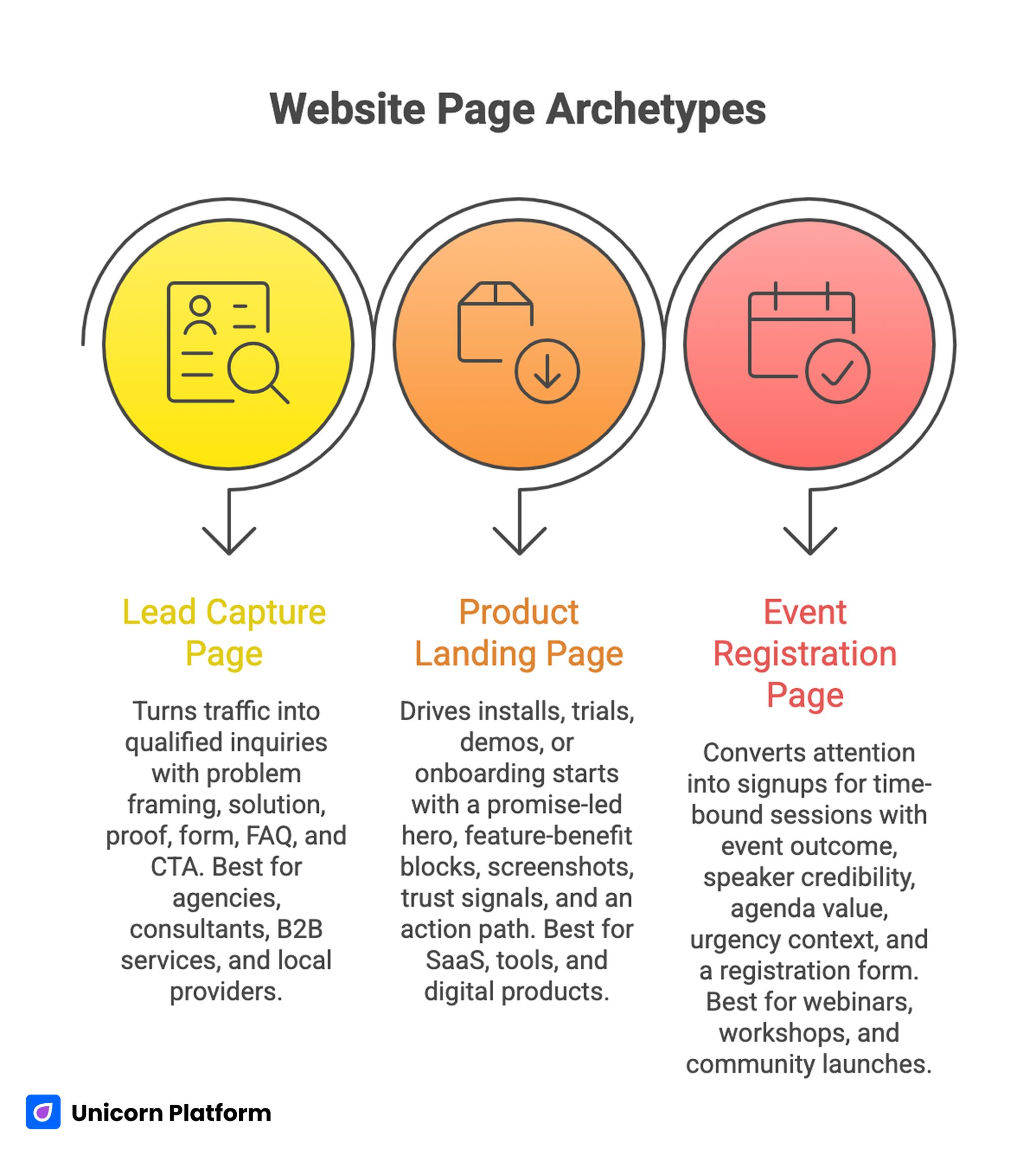
Three Essential Page Archetypes for Non-Coders
You do not need to master every site format at once. Start with three archetypes that cover most use cases.
1. Lead capture page
Purpose: turn targeted traffic into qualified inquiries.
Core sections: problem framing, solution snapshot, proof, form, FAQ, CTA.
Best for agencies, consultants, B2B services, and local providers.
2. Product or app landing page
Purpose: drive installs, trials, demos, or onboarding starts.
Core sections: promise-led hero, feature-benefit blocks, screenshots or demo visuals, trust signals, action path.
Best for SaaS, tools, and digital products.
3. Event and registration page
Purpose: convert attention into signups for time-bound sessions.
Core sections: event outcome, speaker credibility, agenda value, urgency context, registration form.
Best for webinars, workshops, and community launches.
Event-driven teams can review practical section flow patterns from meetup and calendar landing pages before adapting them to their audience.
Conversion Architecture for No-Code Pages
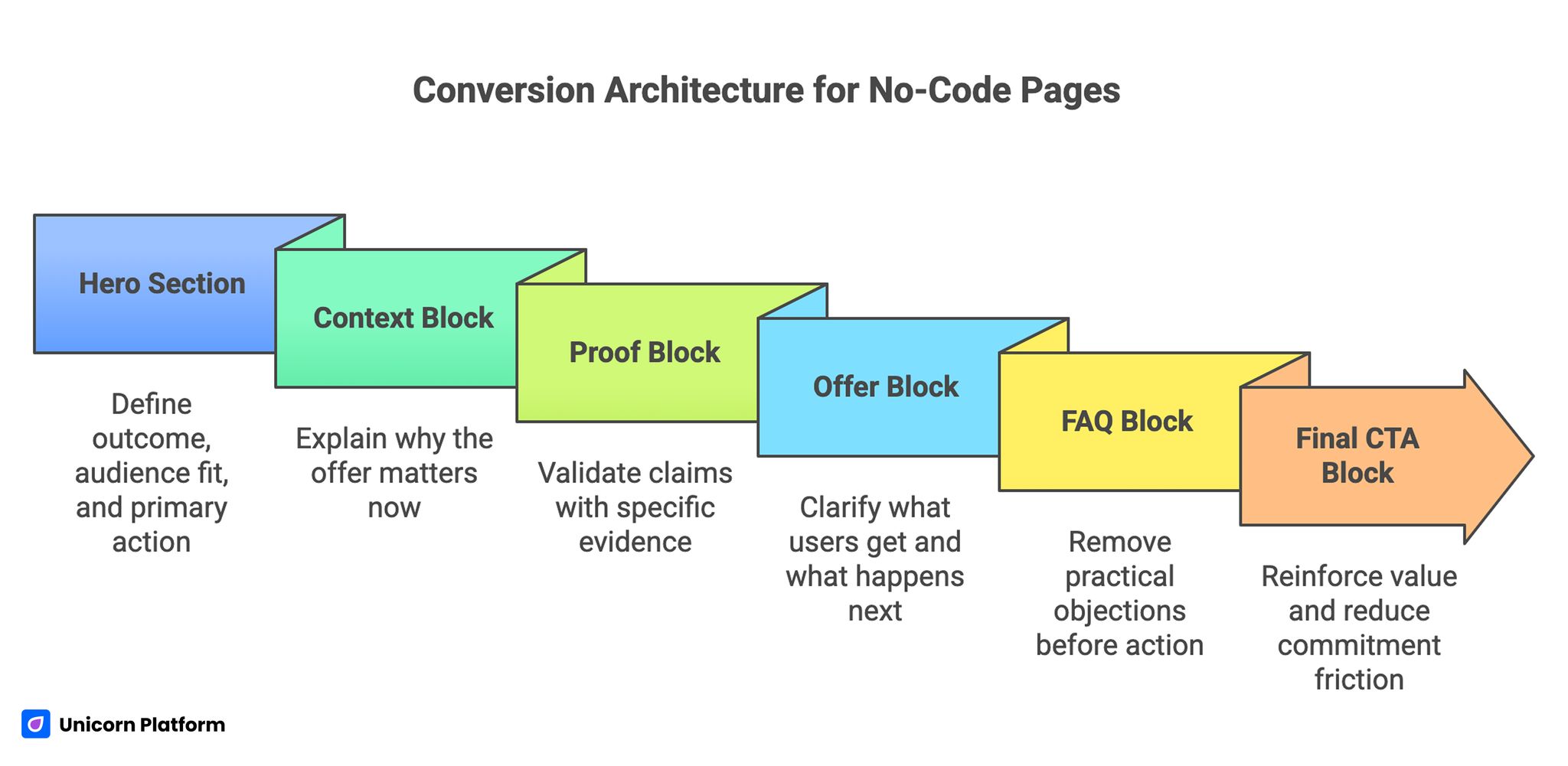
Conversion Architecture for No-Code Pages
Strong pages are easier to build when section jobs are explicit. A clean architecture often includes promise, context, proof, offer, objection handling, and action.
If you need a structural blueprint to standardize this flow, apply the sequencing principles in a step-by-step guide to a high-converting landing page structure.
The point is not rigid templates. The point is predictable decision flow that reduces user confusion.
Section roles that usually perform well
- Hero: define outcome, audience fit, and primary action.
- Context block: explain why the offer matters now.
- Proof block: validate claims with specific evidence.
- Offer block: clarify what users get and what happens next.
- FAQ block: remove practical objections before action.
- Final CTA block: reinforce value and reduce commitment friction.
When section roles are clear, teams can iterate faster because they know exactly where problems are likely to exist.
Copy Framework for Non-Coders Who Want Professional Results
Most low-performing no-code pages fail at language precision. They use broad claims, abstract verbs, and overused phrases that do not help users make decisions.
Use a simple conversion copy model: Problem, Promise, Proof, Path.
Problem statements should reflect real user friction. Promise statements should describe practical outcomes. Proof should validate those outcomes with relevant evidence. Path should tell users the next step clearly.
Avoid generic claims like “innovative solutions for modern teams.” Replace them with clear outcomes tied to user context.
Example:
Generic: "Powerful website builder for everyone."
Stronger: "Launch conversion-ready pages in hours, test messaging weekly, and improve signups without developer dependencies."
Specificity increases trust. Trust increases action.
UX Standards That Keep No-Code Sites from Looking Generic
Professional UX is mostly about consistency and clarity. You do not need advanced design theory to achieve this.
Use one clear hierarchy for headings, text blocks, and CTA styles. Keep spacing predictable. Limit major visual styles to avoid layout noise.
Use contrast intentionally. Reserve strongest emphasis for decision points such as key proof and primary CTA.
Keep forms short at first contact. Ask only what is needed to qualify next steps, then collect deeper details later if required.
Test scans, not only aesthetics. Ask whether users can answer these questions quickly:
- What is this page offering?
- Is this relevant to me?
- Why should I trust this?
- What should I do now?
If those answers are unclear, redesign section order before redesigning visuals.
SEO Fundamentals for No-Code Teams
No-code pages can rank well when fundamentals are handled correctly. The core is intent coverage and technical cleanliness, not keyword repetition.
Start with clear page intent. Align title, H1, and early content around one main purpose. Then add semantic coverage for related user questions.
Maintain clean metadata, readable headings, and optimized media sizes. Keep mobile performance strong and avoid heavy unnecessary scripts.
Internal linking should support user progression. Link to related deep-dive content where additional context improves decisions.
For post-launch prioritization, it helps to combine SEO review with behavioral diagnostics. A practical framework is available in user behavior tips to optimize landing pages.
Integrations That Turn a Website Into an Operating System
A website should be connected to execution workflows, not isolated as a static asset.
At minimum, connect:
- analytics for behavior and attribution
- CRM for lead ownership and follow-up
- email automation for nurture and confirmation
- scheduling or booking for consultation flows
- payment or checkout tools where transaction is required
Define event naming and source standards early. Clean naming conventions make analysis faster and reduce reporting confusion.
Without integration discipline, teams collect leads but lose conversion quality in handoff stages.
QA Workflow Before Every Publish
Fast publishing should never bypass quality checks. A short QA system prevents most avoidable conversion losses.
Pre-publish checklist:
- headline and first screen match campaign intent
- one clear primary CTA is visible and functional
- trust proof appears before deep scroll depth
- forms and links work on mobile and desktop
- page speed is acceptable on real device testing
- critical events fire in analytics
- confirmation and follow-up automations are active
Assign one launch owner for each release. Shared responsibility without ownership usually causes QA gaps.
Track repeated user questions after launch. They often reveal unclear copy or missing sections that should be fixed in the next update.
Execution Governance for Small No-Code Teams
Most teams think no-code failure is a design problem, but it is usually a governance problem. Pages drift when ownership is unclear, quality checks are optional, and experiment decisions are made from opinions instead of evidence.
A lightweight governance model solves this without slowing delivery. Assign one owner for content quality, one owner for analytics and reporting, and one owner for launch QA. In small teams, one person can hold multiple roles, but the responsibilities should still be explicit.
Use a weekly review ritual with a fixed structure:
- Which traffic sources changed most week over week?
- Which sections lost engagement or stalled conversion?
- Which one change is most likely to improve outcomes?
- What metric confirms success for that change?
This structure prevents random edits and keeps iteration focused on measurable impact.
Keep a simple decision log for every major update. Record the hypothesis, the exact section changed, the metric observed, and the result. Over time, this creates a practical playbook that reduces repeated mistakes and speeds up onboarding for new collaborators.
Governance should also include release discipline. Avoid stacking too many major edits in one publish cycle because interpretation becomes noisy. Smaller, isolated releases create cleaner learning loops and better long-term performance.
When teams commit to this process, no-code speed turns into strategic advantage instead of constant rework.
60-Day Experiment Roadmap After Initial Launch
The first 60 days after launch are where most meaningful gains happen. Teams that run sequenced experiments improve faster than teams that redesign everything at once.
Days 1 to 20 should focus on first-screen clarity. Test headline angle, subheadline specificity, and primary CTA wording while keeping the rest of the page stable. The goal is to improve comprehension and action intent at the top of the page.
Days 21 to 40 should focus on proof and trust placement. Test whether testimonials, outcome evidence, or policy clarity sections perform better near the hero versus mid-page. Measure impact on CTA progression and form completion quality.
Days 41 to 60 should focus on friction reduction. Test form length, step order, and confirmation experience. Small interaction improvements in these areas often produce compounding gains in conversion completion.
Keep each test constrained to one main hypothesis and one primary success metric. If multiple major changes happen simultaneously, attribution becomes unreliable and teams learn less from each cycle.
At the end of each 20-day block, summarize wins, non-wins, and open questions. Use these summaries to inform the next experiment sequence rather than starting from scratch every month. This practice turns no-code publishing into a disciplined growth system with repeatable outcomes.
30-Day Build and Optimization Plan
Week 1: Strategy and message system
Define audience, page objective, value proposition, and proof requirements. Build a section map before selecting detailed design styles.
By the end of week one, every section should have a defined role and one success signal.
Week 2: Build and instrumentation
Implement the page in Unicorn Platform using modular sections. Configure analytics, forms, and follow-up workflows.
Run device QA and confirm action-path reliability before traffic scale.
Week 3: Launch and diagnosis
Publish controlled traffic sources and review behavior by segment. Identify where users drop or hesitate.
Prioritize improvements in first-screen clarity, proof placement, and CTA wording.
Week 4: Focused experiments
Run two isolated tests such as headline angle, CTA copy, proof position, or form friction.
Document outcomes in a simple test log so future pages start from proven decisions.
Common Mistakes and How to Fix Them
1. Tool-first, strategy-last execution
Teams choose platforms before defining audience and page job.
Fix: lock strategy inputs before template selection.
2. Generic headline language
Visitors cannot quickly understand value and relevance.
Fix: rewrite hero around one audience and one practical outcome.
3. Too many competing CTAs
Action hierarchy becomes unclear, lowering conversion intent.
Fix: set one primary CTA and demote secondary actions.
4. Proof appears too late
Users leave before seeing trust signals.
Fix: place proof near early claims and key action zones.
5. Mobile behavior tested too late
Desktop-first builds create hidden friction on phones.
Fix: run mobile-first checks from the first working draft.
6. No measurement discipline
Teams cannot identify why conversion changes.
Fix: define events and attribution standards before launch.
7. Launch-and-forget mindset
Pages are treated as finished instead of continuously improved.
Fix: run weekly optimization cycles with one focused change at a time.
FAQ: Building Websites Without Coding Skills
Can a no-code website really perform like a custom-coded site?
Yes, for most marketing and conversion use cases. Performance depends more on strategy, UX clarity, and optimization discipline than on writing custom code.
How do I pick the right no-code tool quickly?
Use a weighted scoring matrix based on your priority and run one live pilot page before committing.
How long should my first page be?
Length should match decision complexity. Keep it scannable, section-driven, and focused on objection handling where needed.
Should I use AI to write the whole site?
Use AI for first drafts and ideation, then apply human editing for clarity, proof quality, and credibility.
What page should I build first?
Start with the page closest to business value: lead capture, product landing, or event registration depending on your current acquisition strategy.
How many CTAs should one page have?
One primary CTA with optional secondary actions usually performs best.
What metrics matter in the first month?
Track first-screen engagement, CTA progression, form completion, and lead or signup quality by source.
How often should I update a no-code page?
Review weekly and make focused improvements rather than waiting for occasional large redesigns.
How do I avoid generic-looking templates?
Define clear section roles, tighten copy specificity, and standardize visual hierarchy across modules.
What is the fastest fix for weak conversion?
Improve headline relevance and move proof closer to action points before changing overall design style.
Final Takeaway
No coding skills are not the barrier anymore. The real advantage comes from how clearly you position your offer, how reliably you build trust, and how consistently you optimize after launch.
No-code tools give you execution speed. A disciplined framework turns that speed into measurable outcomes. Build with intent, publish with QA, and improve in short cycles until performance compounds.