Table of Contents
- Core Page Architecture for Repair and Maintenance Funnels
- Step-by-Step Build Workflow in Unicorn Platform
- 30-60-90 Day Execution Plan
- Common Failure Modes and How To Fix Them
- FAQ
Most repair shops do not lose demand because drivers are not searching. They lose demand because the page does not answer urgent questions fast enough: do you service my vehicle, can I book quickly, and can I trust your process and pricing? When those answers are hard to find, people leave and choose the next option.
A high-performing repair site works like an intake system, not a digital brochure. It confirms fit, reduces risk, and guides users to the right action with minimal friction. Teams that treat site structure as part of service operations usually improve appointment quality faster than teams focused only on design polish.
sbb-itb-bf47c9b
Quick Takeaways
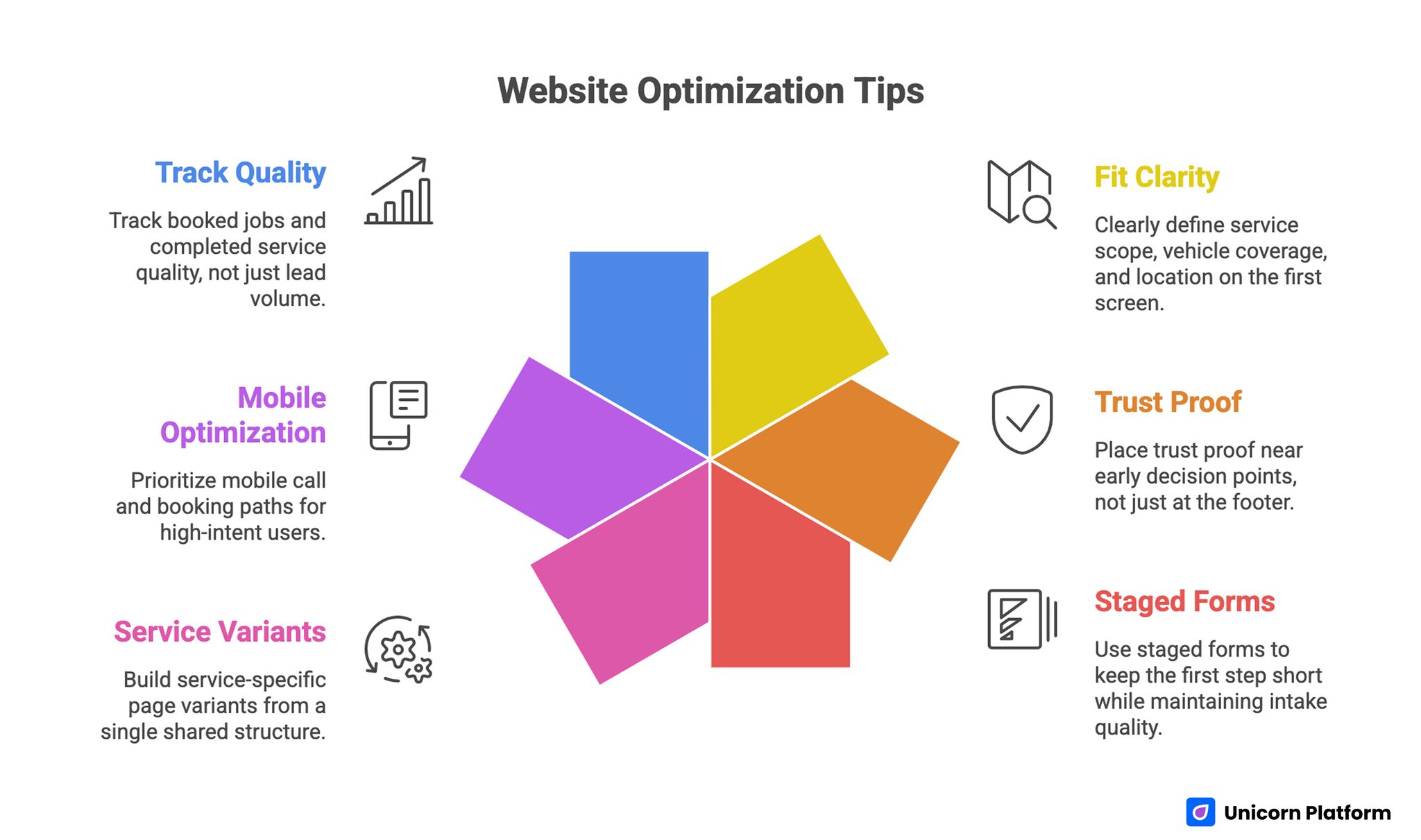
Website Optimization Tips
- Lead with fit clarity in the first screen: service scope, vehicle coverage, and location.
- Put trust proof near early decision points, not only near the footer.
- Use staged forms so the first step stays short while intake quality remains strong.
- Build service-specific page variants from one shared structure.
- Prioritize mobile call and booking paths for high-intent users.
- Track booked jobs and completed-service quality, not lead volume alone.
Why Many Auto Service Sites Underperform
The most common failure is message overload. Shops try to present every service, offer, and differentiator at once, so visitors cannot tell whether the business fits their exact need. A page can look modern and still fail conversion if decision paths are unclear.
Another issue is weak process visibility. Drivers want to understand what happens after they click call or submit a form. If response timing, diagnosis steps, and estimate flow are vague, uncertainty increases and drop-off follows.
The third issue is trust placement. Many sites include reviews and certifications, but place them too late in the scroll. In auto repair, trust evidence needs to appear before the first serious commitment request.
The Conversion Sequence That Matches Driver Behavior
Most local auto-repair decisions follow a predictable order. First, people check fit: service type, distance, and urgency compatibility. Second, they check credibility through reviews, credentials, and transparency signals. Third, they choose a contact route based on urgency and convenience.
Your page should mirror that order. Start with a fit-focused hero, move to service and trust validation, then present clear booking options. If the page sequence fights this behavior, even strong traffic quality will underperform.
For teams standardizing section order and hierarchy, this framework on high-converting landing page structure is useful for keeping each block tied to a clear conversion job.
Core Page Architecture for Repair and Maintenance Funnels
A reliable structure for repair pages in 2026 includes seven blocks: fit-first hero, scoped service overview, trust row, diagnostic process steps, booking options, risk-reduction FAQ, and a strong final CTA zone. This pattern works for independent garages, specialty shops, and multi-location service brands.
In Unicorn Platform, this architecture can become a reusable system. Teams can clone one approved structure and change only service-specific content, proof elements, and local details. This keeps production fast while preserving consistent decision flow.
The advantage of a shared architecture is operational, not just editorial. It reduces quality drift across campaigns, simplifies QA, and makes performance comparisons cleaner because each variation changes fewer variables.
What To Show Above the Fold
The first screen should answer three questions immediately: what you do, who you help, and how to start. Use plain language for services and avoid slogans that hide practical details. If a driver cannot confirm fit in seconds, they will continue searching.
Include one primary action and one fallback action. For urgent needs, the primary action may be call now; for planned service, it may be request appointment. The fallback route should stay visible without competing with the main conversion path.
Keep location signals explicit. Mention area served, service hours, and urgency availability if relevant. These details remove ambiguity and reduce low-fit contacts.
Must-Have Features for Modern Auto Service Sites
Service-Specific Entry Paths
Users should be able to reach dedicated pages for brakes, diagnostics, battery, AC, suspension, and maintenance without digging through generic menus. Each service page should include symptoms, process, expected timeline, and booking route.
Booking and Call Routing
Offer both online request and immediate call options. Urgent users often choose phone first, while scheduled users prefer forms. Hiding either path limits conversion for a meaningful traffic segment.
Trust and Proof Modules
Show review snippets tied to specific services, technician certifications, warranty context, and transparent process expectations. Generic "best service" language should be replaced by concrete proof users can evaluate quickly.
CRM and Intake Integration
Every submitted contact should enter a clear follow-up workflow with ownership and response timing. Without a clean handoff, lead generation improvements do not turn into booked work.
Analytics That Support Decision-Making
Track funnel steps beyond form submission: callback completion, appointment booking, arrival rate, approved repair rate, and repeat-customer signals. These outcomes help teams prioritize changes that grow revenue rather than vanity metrics.
Step-by-Step Build Workflow in Unicorn Platform
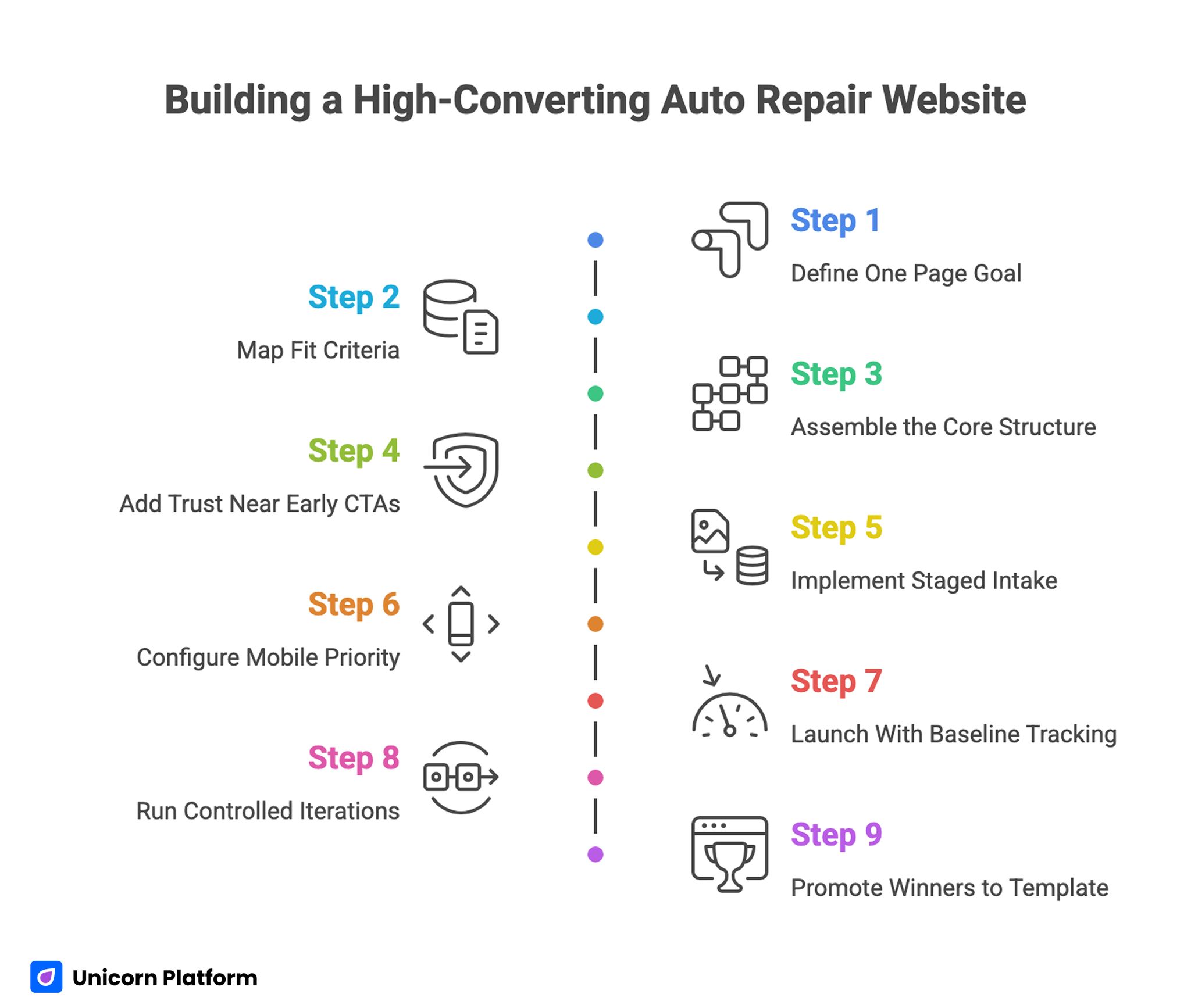
Building a High-Converting Auto Repair Website
Step 1: Define One Page Goal
Choose the exact outcome for the page before writing copy. Examples include diagnostic calls, appointment requests, or quote-start submissions. A single goal keeps the page focused and reduces CTA conflict.
Step 2: Map Fit Criteria
Document service scope, vehicle types, location boundaries, and urgency policy. This becomes the basis for hero messaging and qualification copy. Clear boundaries improve lead quality and reduce intake confusion.
Step 3: Assemble the Core Structure
Build the seven-block architecture first, then fill each section with service-specific content. Starting from structure prevents long-form copy drift and keeps the journey coherent.
Step 4: Add Trust Near Early CTAs
Place credentials, service-specific proof, and response expectations near the first action point. This is where users decide whether contact feels safe.
Step 5: Implement Staged Intake
Keep first-step fields minimal: name, contact, vehicle, primary issue, preferred timing. Collect deeper details later in confirmation or follow-up, where users are less likely to abandon.
Step 6: Configure Mobile Priority
Ensure call and booking actions remain visible on small screens. Test keyboard behavior, tap targets, and form length on real devices before launch.
Step 7: Launch With Baseline Tracking
Record starting conversion and booking metrics for at least one complete operating cycle. Baseline data prevents misreads when early changes are tested.
Step 8: Run Controlled Iterations
Change one major block per test cycle, such as hero fit copy or CTA order. Multiple simultaneous edits make attribution unreliable and slow down learning.
Step 9: Promote Winners to Template
When a section consistently improves qualified bookings, move it into the default page template used across service variants. This creates compounding gains over time.
Service-Intent Variants That Lift Booking Quality
A single page rarely serves all intent levels equally. Emergency brake concerns, routine maintenance, warning-light diagnostics, and seasonal AC issues each require different message emphasis. Using one shared layout with intent-specific content usually performs better than one broad catch-all page.
For urgent-intent variants, prioritize response speed language, phone-first options, and concise proof. For planned-maintenance variants, expand educational context and highlight scheduling convenience. The structural backbone stays the same while decision cues adapt to user context.
If your business also runs adjacent vehicle acquisition or inventory campaigns, this guide on used car dealership website design can help align broader automotive messaging with conversion logic.
Mobile UX and Page Speed: Where High-Intent Demand Is Won or Lost
A large share of repair searches happens on mobile during practical, time-limited moments. Slow load, cluttered first screens, or hidden call actions create immediate leakage from otherwise strong traffic.
Compress heavy assets, keep first-screen content scannable, and avoid long visual blocks before the first action. Mobile users should reach either call or booking within one clean interaction path.
For behavior-level optimization checks on CTA placement and friction points, these user behavior tips to optimize landing pages are useful when refining repair funnels.
Local SEO and Conversion Must Work Together
Visibility and conversion should not be treated as separate projects. Local page relevance helps discovery, but conversion quality determines whether traffic turns into booked revenue. Both layers need shared standards.
Keep service-region details clear in page copy, maintain consistent business info, and connect reviews to specific service outcomes. Local trust is strengthened when users see practical proof connected to their likely needs.
For businesses with appointment-heavy flows, this reservation landing page blueprint can improve handoff clarity from page action to confirmed slot.
Content Strategy That Supports SEO and AI Retrieval
Depth matters more than repetition. Strong repair pages answer adjacent questions that affect booking decisions: what diagnostics include, how estimates are explained, which vehicles are supported, and how follow-up works after service.
Use a mix of evergreen and timely sections. Evergreen content covers durable process questions, while timely updates reflect seasonal patterns and operational changes. This balance helps maintain relevance without constant full rewrites.
When expanding page clusters, keep internal links contextual and tied to user decisions. For teams building broader pipeline systems, this lead generation landing page guide helps maintain qualification quality as traffic grows.
Operational Governance for Consistent Performance
High-performing pages degrade when ownership is unclear. Assign clear roles: one owner for offer and scope copy, one for trust/proof updates, one for intake-routing logic, and one for final QA approval. Lightweight governance prevents silent errors and keeps launch speed stable.
Run weekly review loops using real inquiry patterns. If intake teams repeatedly answer the same question by phone, that answer belongs higher on the page. This turns customer friction into structured optimization work.
Track change logs by section so performance shifts can be traced to specific edits. Without change discipline, teams often keep iterating but lose confidence in why results changed.
30-60-90 Day Execution Plan
Days 1-30: Baseline and Launch
Publish one primary service page and one high-demand variant using the same structure. Validate all contact routes, response-time language, and mobile call behavior before traffic scaling. Establish baseline metrics for request quality and booking outcomes.
Days 31-60: Quality and Segmentation
Create two additional service-intent variants and refine trust modules using intake feedback. Standardize first-step form fields across pages so triage workflows remain consistent. Begin section-level A/B testing with one hypothesis per test.
Days 61-90: Scale What Works
Promote winning blocks into the default template and roll them into all core service pages. Expand local variants only where coverage and staffing support them. Prioritize stable quality gains over rapid page-volume growth.
Common Failure Modes and How To Fix Them
1) Generic First Screen
If the opening message could apply to any business, users cannot self-qualify. Fix this by adding concrete service, area, and next-step language.
2) Too Many Competing CTAs
Multiple equal-priority actions create indecision. Keep one primary CTA and one supporting fallback route based on urgency.
3) Form Friction at First Contact
Overloaded forms reduce completion, especially on mobile. Use staged intake and collect deeper details after initial intent is confirmed.
4) Proof Without Specificity
Generic testimonials do not reduce risk effectively. Use service-linked proof and process clarity near conversion points.
5) No Post-Launch Governance
Pages drift when updates happen without ownership and QA. Implement a weekly review loop tied to intake outcomes.
Performance Dashboard and Weekly Decision Rhythm
Most shop teams collect traffic and lead counts but cannot connect them to completed jobs. Build a simple weekly dashboard that follows the full path: landing-page visits, contact attempts, confirmed appointments, attended appointments, approved work, and average ticket trend. This sequence reveals where demand is leaking and where quality is improving.
Split results by service intent and device type. Brake or diagnostic traffic often behaves differently from routine maintenance traffic, and mobile sessions often need a faster action path than desktop sessions. When data is segmented correctly, teams can make targeted changes instead of rewriting entire pages based on mixed signals.
Use one fixed weekly review format with intake and operations present. Start with the top two friction patterns from calls and form submissions, then map each pattern to one specific page change. Keep the next test cycle small and measurable so the team can identify exactly what improved outcomes.
Over time, this rhythm turns page work into an operational advantage. Instead of occasional redesign projects, the site becomes a continuously tuned booking system that reflects real customer behavior, real service capacity, and real conversion economics in your local market.
Pre-Publish QA Checklist for Repair Funnels
Before each launch, verify that service scope and availability match on-page claims, phone and form routing are functioning, and location details are current. Confirm mobile readability and action visibility on real devices, not just desktop previews.
Check consistency between ad promise and page messaging. If a campaign emphasizes quick diagnostics, the page should clearly explain diagnostic timing and what the first interaction includes.
Review every variant for trust-block consistency, disclaimer accuracy, and natural writing quality. Fast publishing should never remove clarity around process and expectations.
FAQ: Auto Repair Website Growth
1) How much content should a repair page include?
Include enough depth to resolve fit and trust questions before contact, then keep the path to action simple. Depth is useful when it removes uncertainty, not when it repeats the same message.
2) Should we use one page for all services?
Usually no. A shared structure with service-specific variants tends to improve qualification and booking quality.
3) What matters most above the fold?
Service fit, location relevance, and a clear next action. If those are unclear, most other optimizations will underperform.
4) Call-first or form-first CTA?
Use both, but prioritize by intent and device. Urgent mobile users often prefer call, while planned-service users may prefer short forms.
5) How do we reduce low-quality leads?
Clarify scope and exclusions early, keep first-step qualification focused, and set clear process expectations around response and diagnosis.
6) Which metrics are most useful?
Track booked appointments, arrival rate, approved-service progression, and repeat-customer outcomes by traffic source.
7) How often should pages be updated?
Run scheduled reviews monthly or quarterly, plus event-based updates when service scope, staffing, or local conditions change.
8) Do reviews still matter if we have strong service pages?
Yes. Reviews remain a high-impact trust input, especially when linked to specific services and practical outcomes.
9) What is the most common mobile mistake?
Hiding or delaying core actions behind long content blocks. Mobile users need a short path to call or book.
10) What is the fastest way to improve results this month?
Tighten first-screen fit clarity, move trust proof closer to early actions, and simplify first-step intake fields.
Final Takeaway
Auto-service websites perform best when they are designed as intake systems with clear fit signals, visible trust proof, and low-friction action paths. Strong structure plus disciplined operations turns local traffic into more qualified bookings.
Use Unicorn Platform to standardize what works, test improvements with clean methodology, and scale service variants without losing consistency. That combination drives steadier growth than one-off redesign cycles.