Table of Contents
- The Main Ways AI Helps in Web Development
- Real Workflows Where AI Actually Helps
- Common AI Tool Categories in Web Development
- A Beginner-Friendly Way to Start Using AI in Web Development
- FAQ
Artificial intelligence in web development usually means using AI tools to speed up planning, design, coding, testing, content, and support work. It does not mean every human decision disappears.
That distinction matters because this topic is often explained too vaguely. AI can help teams move faster, generate first drafts, reduce repetitive work, and uncover problems earlier. But it still needs human review for product decisions, brand voice, quality control, security, and final publishing judgment.
This guide explains what AI in web development actually covers, where it helps most, what kinds of tools fit different jobs, and where human review still matters.
sbb-itb-bf47c9b
Quick Answer
If you want the short version, artificial intelligence in web development is most useful for:
- planning page structures and user flows
- generating first-draft code or copy
- speeding up debugging and testing
- producing documentation and FAQs
- improving repetitive content work
- helping teams ship faster without doing everything manually
It is least reliable when you need:
- final product judgment
- secure production decisions
- accurate factual claims without review
- original strategic thinking
- strong brand positioning without editing
The best way to use AI in web development is to treat it as a speed layer, not as a replacement for technical and editorial responsibility.
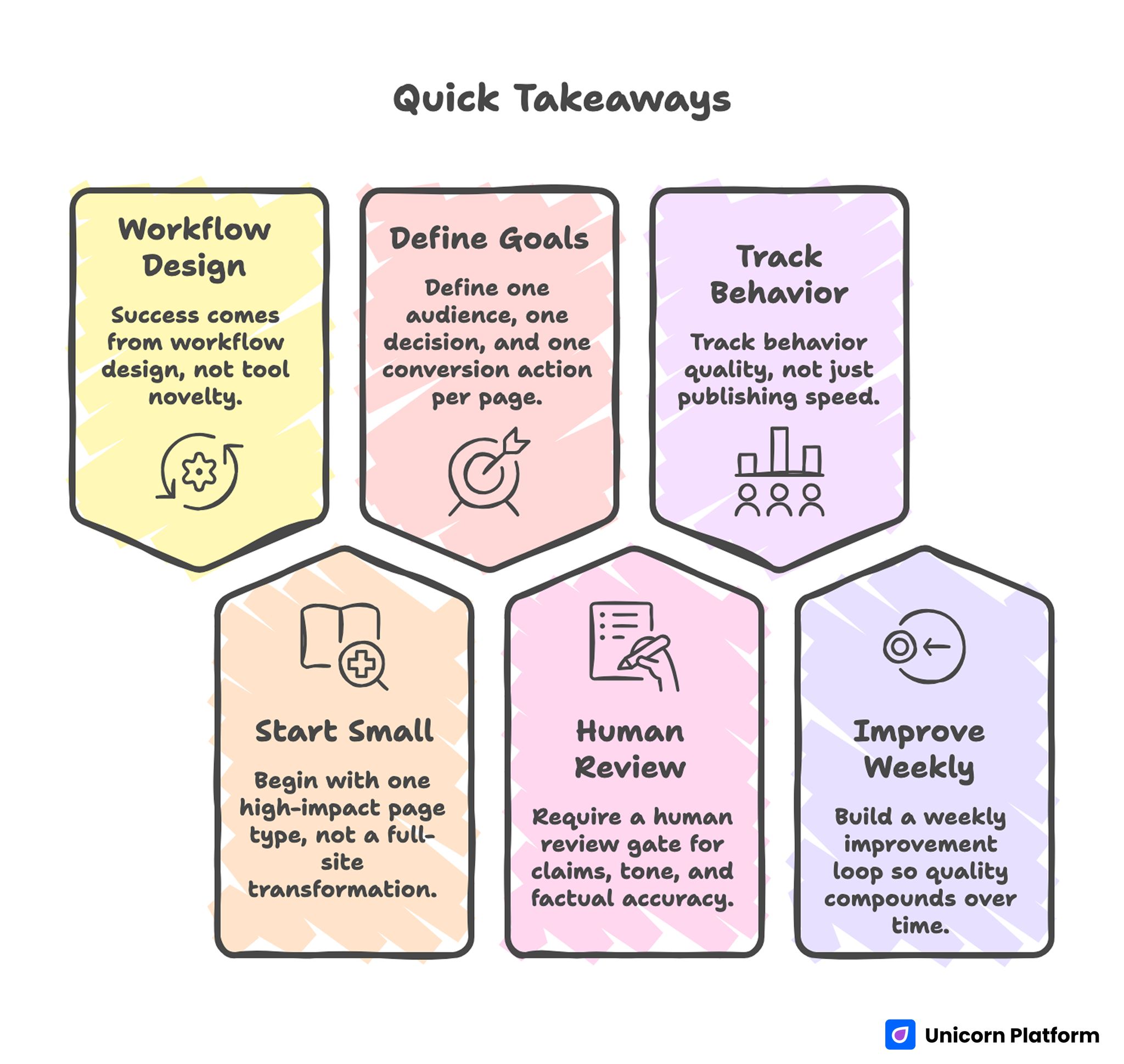
Quick Takeaways
What Artificial Intelligence in Web Development Actually Covers
This topic is broader than AI coding tools.
In practice, AI shows up across several parts of web work:
- content planning
- wireframing and layout generation
- frontend assistance
- debugging and QA support
- SEO and metadata drafts
- chatbot and support experiences
- documentation and internal workflow support
That is why a beginner-friendly explanation has to go beyond code generation. Web development includes how pages are planned, built, tested, published, and maintained.
Task vs Tool Matrix
| Web development task | What AI helps with | Typical AI tool category | Where human review still matters |
| Sitemap and page planning | drafting page structures and section order | AI chat assistants, planning copilots | product priorities, clarity, user intent |
| Landing page creation | first-draft headlines, section ideas, CTA options | AI website builders, landing page generators | messaging quality, proof, offer strength |
| Frontend coding | scaffolding components, explaining patterns, small refactors | coding assistants and code generation tools | code quality, accessibility, maintainability |
| Bug fixing | suggesting likely causes, test ideas, quick patches | coding copilots, QA assistants | production safety, edge cases, final validation |
| Content and SEO support | titles, descriptions, FAQs, section drafts | AI writing tools and builder assistants | accuracy, originality, brand voice |
| Support docs | drafting onboarding text and help-center copy | AI writing assistants, support copilots | product truth, sequence, support policy |
| QA and testing | generating test cases, spotting obvious failures | testing assistants, browser automation tools | real-device validation, release confidence |
| UX iteration | pattern suggestions, microcopy options, flow ideas | AI design tools, prototyping assistants | user research judgment, visual quality |
The Main Ways AI Helps in Web Development
1. Planning and structure
One of the best beginner use cases for AI is turning a rough idea into a workable page or site structure.
For example, instead of starting from a blank page, you can ask AI to outline:
- homepage sections
- landing page flow
- pricing page structure
- onboarding sequence
- help-center article topics
That saves time because the team starts with something editable instead of nothing.
2. Drafting copy and interface text
AI is useful for first drafts of:
- hero headlines
- feature summaries
- FAQs
- onboarding text
- CTA variations
- help documentation
This is especially valuable for small teams that need to ship quickly. The catch is that first-draft speed is not the same as final quality. Most AI-generated copy still needs tightening.
3. Frontend assistance
AI coding tools can help with:
- generating component scaffolds
- explaining code snippets
- refactoring repetitive sections
- producing HTML, CSS, or JS examples
- debugging small issues faster
This is often where people first notice AI in web development, but it is only one layer of the picture.
4. Testing and QA support
AI can speed up quality work by helping teams:
- think through edge cases
- draft test scenarios
- suggest failure points
- summarize obvious bug patterns
- create starter test cases
It is helpful for coverage and speed, but it should not replace real QA review, staging checks, or production verification.
5. Documentation and support workflows
AI is also strong at structured explanation work, such as:
- product walkthrough drafts
- support article outlines
- internal SOP drafts
- release note summaries
- user-facing FAQs
This is one of the most practical and lower-risk uses when teams review the final version before publishing.
Real Workflows Where AI Actually Helps
Workflow 1: Building a landing page faster
A common real-world workflow looks like this:
- define one conversion goal
- ask AI for a section outline
- generate first-draft hero copy
- create FAQ and proof-block ideas
- edit the output to match the actual offer
- publish and test
This is useful because AI reduces blank-page time. Instead of trying to invent every section from scratch, the team starts with a draft and improves it.
For a no-code launch workflow, this is where tools like Unicorn Platform are useful. You can use AI to speed up:
- section ideas
- page copy
- CTA drafts
- FAQ generation
Then use the builder to turn that into a real, editable page.
Workflow 2: Creating a blog article draft
AI is also useful for content workflows tied to web growth.
A practical blog workflow might be:
- choose the search intent
- ask AI for a content outline
- draft section summaries and FAQ questions
- fact-check and rewrite key sections
- improve internal linking and examples
- publish with human-edited SEO fields
This can save real time, but it only works well when the team reviews accuracy and removes generic filler.
Workflow 3: Improving support documentation
For support content, AI helps by taking rough notes and turning them into a cleaner article draft.
Example workflow:
- gather support questions
- ask AI to group them into help topics
- draft a support article structure
- rewrite the answer with product-specific detail
- review for accuracy and update sequence
- publish in the help center
This is often one of the safest and highest-leverage AI uses because the format is structured and the team can validate facts.
Workflow 4: Speeding up QA and debugging
In QA work, AI can help developers think through likely causes and test cases faster.
Typical workflow:
- describe the bug clearly
- ask AI for likely root causes
- generate a short debugging checklist
- test the ideas in staging
- confirm the actual fix manually
- add regression checks if needed
This is useful for speed, but it still depends on a human verifying the fix.
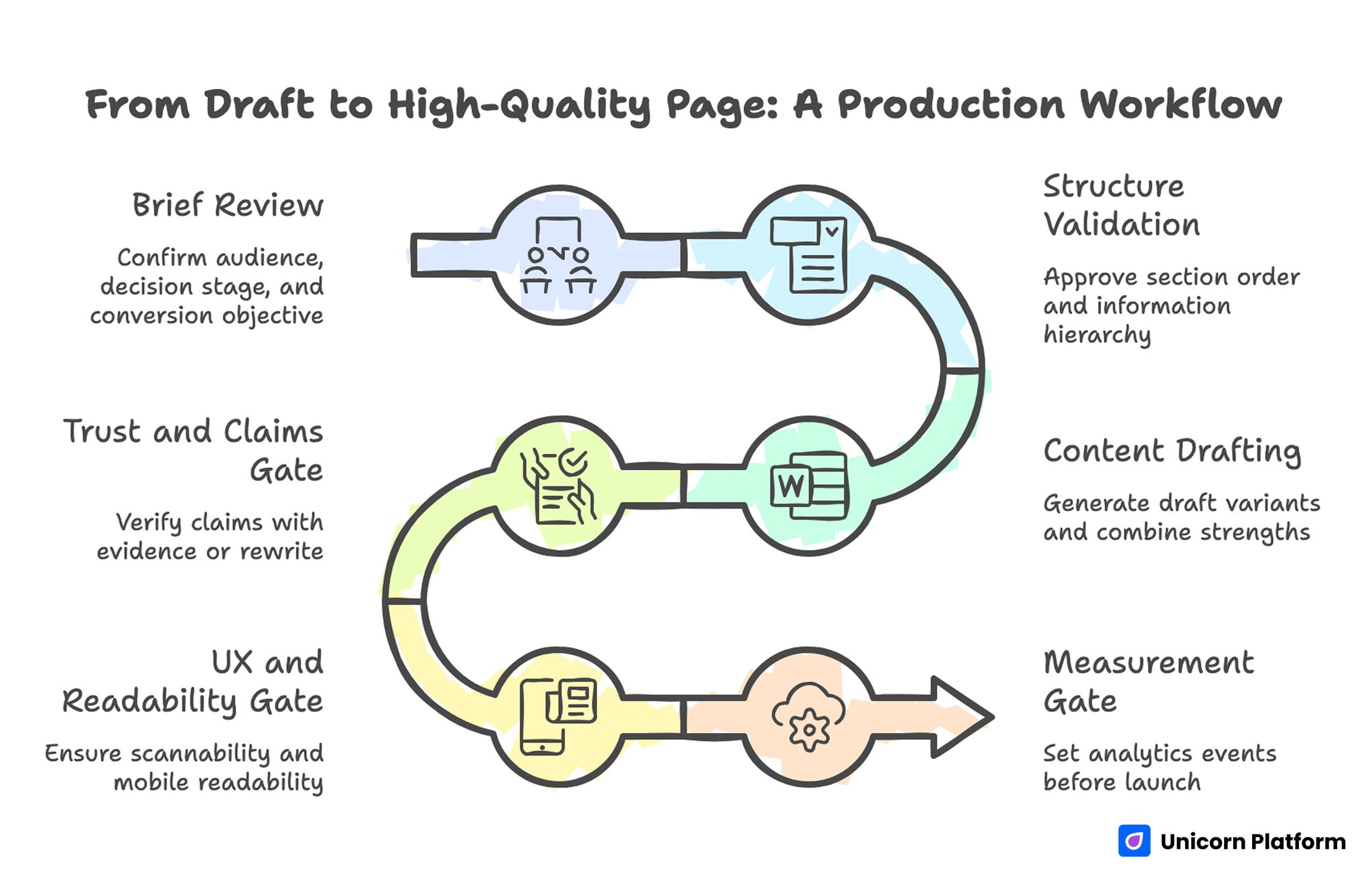
From Draft to High-Quality Page: A Production Workflow
Where AI Speeds Teams Up Most
AI tends to create the most value in web development when the work is:
- repetitive
- draftable
- pattern-based
- easy to verify after generation
That includes:
- metadata drafting
- repetitive layout ideas
- FAQ generation
- documentation drafts
- first-pass code scaffolding
- summarizing bug reports
These are strong use cases because human review can quickly confirm whether the output is useful.
Where Humans Still Decide
There are still important decisions AI should not own alone.
Product and business priorities
AI can suggest site structures, but it does not know the real product strategy unless humans define it.
Offer positioning
A generated headline is not automatically a strong value proposition. Teams still need to decide what the page is really selling and to whom.
Security and production safety
AI-generated code may look correct while still introducing risk. Security, privacy, dependency review, and production readiness need human oversight.
Accessibility and usability quality
AI can help generate a UI, but it cannot replace real accessibility checks, keyboard testing, contrast review, or user-flow judgment.
Final editorial quality
AI can produce fluent content that still says very little. Humans still need to tighten, simplify, and verify the final output.
Common AI Tool Categories in Web Development
You do not need one tool that does everything. Most teams get better results by combining a few tool types.
AI chat and planning assistants
Best for:
- outlining pages
- turning rough ideas into site structures
- drafting workflows
- brainstorming page sections
AI coding assistants
Best for:
- explaining code
- scaffolding components
- suggesting refactors
- speeding up debugging
AI website and landing page builders
Best for:
- generating first-draft page structure
- helping non-technical teams ship pages faster
- producing marketing pages, waitlists, and campaign sites
AI writing assistants
Best for:
- FAQs
- metadata
- onboarding text
- help-center drafts
- first-draft articles and section copy
AI design and prototyping tools
Best for:
- layout ideas
- responsive mockups
- fast first-pass interface concepts
- collaborative iteration before implementation
Risks and Limits You Should Understand
A practical article on AI in web development should be honest about where things go wrong.
Hallucinations
AI can invent details, features, examples, and explanations that sound confident but are not correct.
That is especially risky in:
- technical docs
- pricing pages
- product claims
- support content
Security problems
Generated code can introduce unsafe patterns if no one reviews it carefully. That includes weak validation, unsafe dependencies, or hidden assumptions.
Originality problems
AI can produce content that feels generic because it averages common patterns. That is fast, but it often weakens brand differentiation.
Code quality problems
A snippet may work in a narrow case while still being hard to maintain or inconsistent with the rest of the codebase.
Overconfidence
One of the biggest operational risks is trusting AI-generated output too quickly because it sounds polished.
That is why good teams use AI to accelerate work, not to skip review.
A Beginner-Friendly Way to Start Using AI in Web Development
If you are just getting started, the safest path is simple.
Start with low-risk tasks
Good beginner tasks include:
- page outlines
- FAQ drafts
- metadata drafts
- support article structure
- CTA ideas
- test-case brainstorming
Keep review close to output
The more important the page or code is, the closer human review should be to the final output.
Use AI to reduce blank-page time
This is one of the most reliable gains. AI is often best at giving you a usable starting point.
Build a workflow, not a dependency
The goal is not to make the team unable to work without AI. The goal is to remove repetitive friction so humans can focus on better decisions.
How to Apply This in Unicorn Platform
A simple way to use AI in Unicorn Platform is to let AI handle first-draft work while you keep strategic control.
For example, use AI for:
- landing page section order
- hero variations
- CTA rewrites
- FAQ generation
- feature explanations
- short documentation blocks
Then review for:
- clarity
- proof
- accuracy
- offer quality
- readability
A practical workflow looks like this:
- define the page goal first
- ask AI for a draft structure
- generate section copy one block at a time
- rewrite the weak parts manually
- publish fast
- improve based on real feedback
If your focus is more specifically on launch pages, these related guides are useful too:
- AI Landing Page Builder: Best Tools, Real Use Cases, and What to Pick in 2026
- Free AI Website Builder: Best Tools, Limits, and What You Can Launch for Free
FAQ: Artificial Intelligence in Web Development
What is artificial intelligence in web development?
It usually means using AI tools to speed up parts of web work such as planning, design, coding, testing, content, and support documentation.
Does AI replace web developers?
No. AI can speed up repetitive and draftable work, but human review still matters for product decisions, code quality, security, accessibility, and final publishing judgment.
What are the best uses of AI in web development?
Some of the strongest use cases are landing page drafts, component scaffolding, bug investigation, metadata drafting, documentation, and FAQ generation.
Can AI write code for websites?
Yes, AI can generate code snippets and component drafts, but that code should still be reviewed for quality, maintainability, accessibility, and security.
Is AI useful for frontend development?
Yes. It can help with structure, repetitive code, debugging ideas, UI copy, and quick experiments. It is most useful when developers verify the output instead of pasting it directly into production.
Is AI good for website content?
It is good for first drafts and structured content support, especially FAQs, outlines, metadata, and documentation. It is weaker when accuracy, originality, and strong positioning matter and no one edits the output.
What are the risks of using AI in web development?
The biggest risks are hallucinations, security issues, generic content, weak code quality, and overtrusting polished output without review.
Can beginners use AI in web development?
Yes, but it is smartest to start with lower-risk tasks like outlines, FAQs, content drafts, and structured brainstorming before trusting AI with more critical technical work.
What kind of AI tools do web teams usually use?
Most teams combine several types: chat assistants, coding assistants, AI builders, writing assistants, and design or prototyping tools.
Is AI in web development mostly about coding?
No. Coding is only one part of it. AI is also used in planning, copywriting, testing, support, SEO, and documentation.
Final Takeaway
Artificial intelligence in web development is most useful when it helps teams work faster on tasks that are easy to review, improve, and validate.
It can save time on planning, drafting, testing, and documentation. But it still needs human judgment for product strategy, security, quality, accessibility, and final messaging.
If you treat AI like a practical speed layer instead of a replacement for real web judgment, it becomes much more useful and much less risky.
