Table of Contents
- How This List Is Organized
- How to Choose the Right AI Website for Your Workflow
- What Makes an AI Websites List Worth Keeping
- FAQ
If you are looking for the best AI websites, the fastest way to choose is by category and use case, not by hype.
A random list is not very helpful when one person needs a writing assistant, another needs image generation, and someone else wants a research or automation tool. The better question is simple: which AI website fits the job you need to do right now?
This guide organizes useful AI websites by category, adds short editor notes, and gives simple access-model guidance so you can scan quickly and pick the right tool faster.
sbb-itb-bf47c9b
Editor Note
This list is intentionally practical. It focuses on widely useful AI websites and tool hubs that people can sort by workflow:
- writing
- image
- video
- coding
- research
- automation
Quick Answer
If you want the short version:
- ChatGPT and Claude are strong starting points for writing, drafting, summarizing, and idea development.
- Midjourney and Canva are useful if your main goal is image creation or fast visual production.
- Runway and Invideo are useful when video is part of your workflow.
- GitHub Copilot and Cursor are strong picks for coding help and developer productivity.
- Perplexity and Hugging Face are useful for research, discovery, and technical exploration.
- Zapier and Make are useful when you want AI inside repeatable workflows and operations.
The best pick depends on whether you need creation, coding, research, or automation support.
Quick Scan Table
| Category | Website | Best for | Access model |
| Writing | ChatGPT | drafting, rewriting, structured ideation | free and paid |
| Writing | Claude | long-form writing and editorial cleanup | free and paid |
| Image | Midjourney | stylized image generation | paid |
| Image | Canva | fast branded visuals and simple design work | free and paid |
| Video | Runway | AI video generation and editing | free exploration and paid |
| Video | Invideo | script-to-video workflows | free and paid |
| Coding | GitHub Copilot | coding assistance and scaffolding | paid-focused |
| Coding | Cursor | AI-native coding workflow | free and paid |
| Research | Perplexity | fast topic discovery and research orientation | free and paid |
| Research | Hugging Face | model discovery and experimentation | free and paid |
| Automation | Zapier | business workflow automation with AI steps | free and paid |
| Automation | Make | more customizable visual automations | free and paid |
How This List Is Organized
This page is built to be scannable.
For each website, you will see:
- what it is best for
- who gets the most value from it
- a short editor note
- a simple access-model label
That makes the page more useful than a generic roundup where every tool sounds equally important.
Writing AI Websites
1. ChatGPT
Best for: drafting, brainstorming, rewriting, summarizing, and general-purpose text work
Access model: free and paid options
Editor note: One of the easiest starting points for broad AI use.
ChatGPT is one of the most useful AI websites for people who need help turning rough ideas into structured output. It works well for article outlines, FAQ drafts, CTA variants, email rewrites, summaries, and general problem solving.
It is especially useful for:
- article and landing-page outlines
- headline and CTA ideas
- summaries and rewrites
- FAQ generation
- first-draft content support
2. Claude
Best for: long-form writing, cleaner editorial flow, and structured explanation
Access model: free and paid options
Editor note: Often useful when the writing needs to feel calmer and more coherent.
Claude is a strong option for longer documents and heavier writing tasks. It is especially useful when you already have notes or a rough draft and want help turning them into clearer, more readable content.
It is often a good fit for:
- long-form guides
- policy or process documentation
- article cleanup
- explanation-heavy content
Image AI Websites
3. Midjourney
Best for: stylized visuals, concept art, and creative image exploration
Access model: paid access
Editor note: Better for creative output than for the simplest beginner workflow.
Midjourney is one of the strongest-known AI image websites for visually ambitious work. It is useful when the goal is to create imaginative, polished images rather than simple branded assets.
It is especially useful for:
- concept visuals
- editorial imagery
- campaign moodboards
- creative experimentation
- image-first storytelling
4. Canva
Best for: simple design tasks, social visuals, lightweight branded content
Access model: free and paid options
Editor note: Easier than most image tools when speed matters more than deep creative control.
Canva is useful when the goal is practical output, not a heavy design workflow. It works well for creators, marketers, and small teams who need visuals quickly and want AI assistance inside a familiar design environment.
It is especially useful for:
- social graphics
- basic brand assets
- quick presentation visuals
- creator content
- simple campaign graphics
Video AI Websites
5. Runway
Best for: AI video generation, editing, and creative production workflows
Access model: free exploration and paid plans
Editor note: One of the strongest AI video picks if video is a core workflow.
Runway is useful when the team needs AI-enhanced video production rather than only text or image generation. It is often a good fit for short explainers, visual experiments, motion ideas, and fast creative iteration.
It is useful for:
- promo videos
- creative video tests
- visual storytelling
- AI-assisted edits
- short-form media workflows
6. Invideo
Best for: turning scripts and messages into simple marketing videos
Access model: free and paid options
Editor note: Better for business-friendly speed than for highly experimental visual work.
Invideo is useful when you want to move from script to usable video without a heavy editing process. It is a practical option for marketers, founders, and creators who need functional video output quickly.
It is especially useful for:
- product explainers
- ad-style video drafts
- social video variants
- content repurposing
- fast marketing video workflows
Coding AI Websites
7. GitHub Copilot
Best for: code assistance, scaffolding, refactoring help, and developer productivity
Access model: paid-focused access
Editor note: Strong when AI needs to sit inside real coding work.
GitHub Copilot is one of the most practical AI websites for developers because it helps reduce repetitive coding effort and speeds up implementation work.
It is especially useful for:
- component scaffolding
- code explanation
- repetitive refactors
- implementation drafts
- day-to-day developer assistance
8. Cursor
Best for: AI-assisted coding inside an AI-native editor workflow
Access model: free and paid options
Editor note: Strong for developers who want deeper AI interaction inside the editor itself.
Cursor is useful for teams or developers who want AI tightly integrated into their coding workflow rather than only layered on top as a suggestion tool. It is especially helpful for navigation, drafting, refactoring, and iteration.
It is especially useful for:
- codebase navigation
- rewrite and refactor workflows
- implementation help
- developer iteration speed
Research AI Websites
9. Perplexity
Best for: quick research orientation, topic discovery, and first-pass exploration
Access model: free and paid options
Editor note: Useful for getting started, but not a replacement for final verification.
Perplexity is one of the best AI research websites for reducing blank-page time. It is useful when you want to map a topic quickly, identify common angles, and orient yourself before doing deeper source review.
It is especially useful for:
- topic mapping
- quick discovery
- question-led exploration
- reducing research startup time
10. Hugging Face
Best for: model discovery, technical exploration, and experimentation
Access model: free and paid layers
Editor note: More useful for builders and technical teams than for casual browsing.
Hugging Face is useful when you want to explore models, demos, and open-source AI work in a more technical environment. It is a stronger fit for experimentation and AI exploration than for casual general-purpose use.
It is especially useful for:
- model discovery
- open-source exploration
- experimentation
- technical AI learning
Automation AI Websites
11. Zapier
Best for: connecting apps and adding AI steps to everyday business workflows
Access model: free and paid options
Editor note: One of the easiest ways to make AI useful inside repeatable operations.
Zapier is useful when the same work happens every week and you want to automate pieces of it. AI becomes more useful here when it sits inside a real process rather than acting as a standalone chatbot.
It is especially useful for:
- AI summaries
- lead routing
- support workflows
- content operations
- light no-code automation
12. Make
Best for: visual multi-step automations with more customization than basic integrations
Access model: free and paid options
Editor note: Strong when workflows need more branching and logic.
Make is useful for teams that want a more visual and customizable automation builder. It works well when the workflow is more operational and has multiple steps, branches, or conditions.
It is especially useful for:
- content workflows
- AI-assisted operations
- routing and transformation logic
- multi-step automations
-
more custom no-code processes
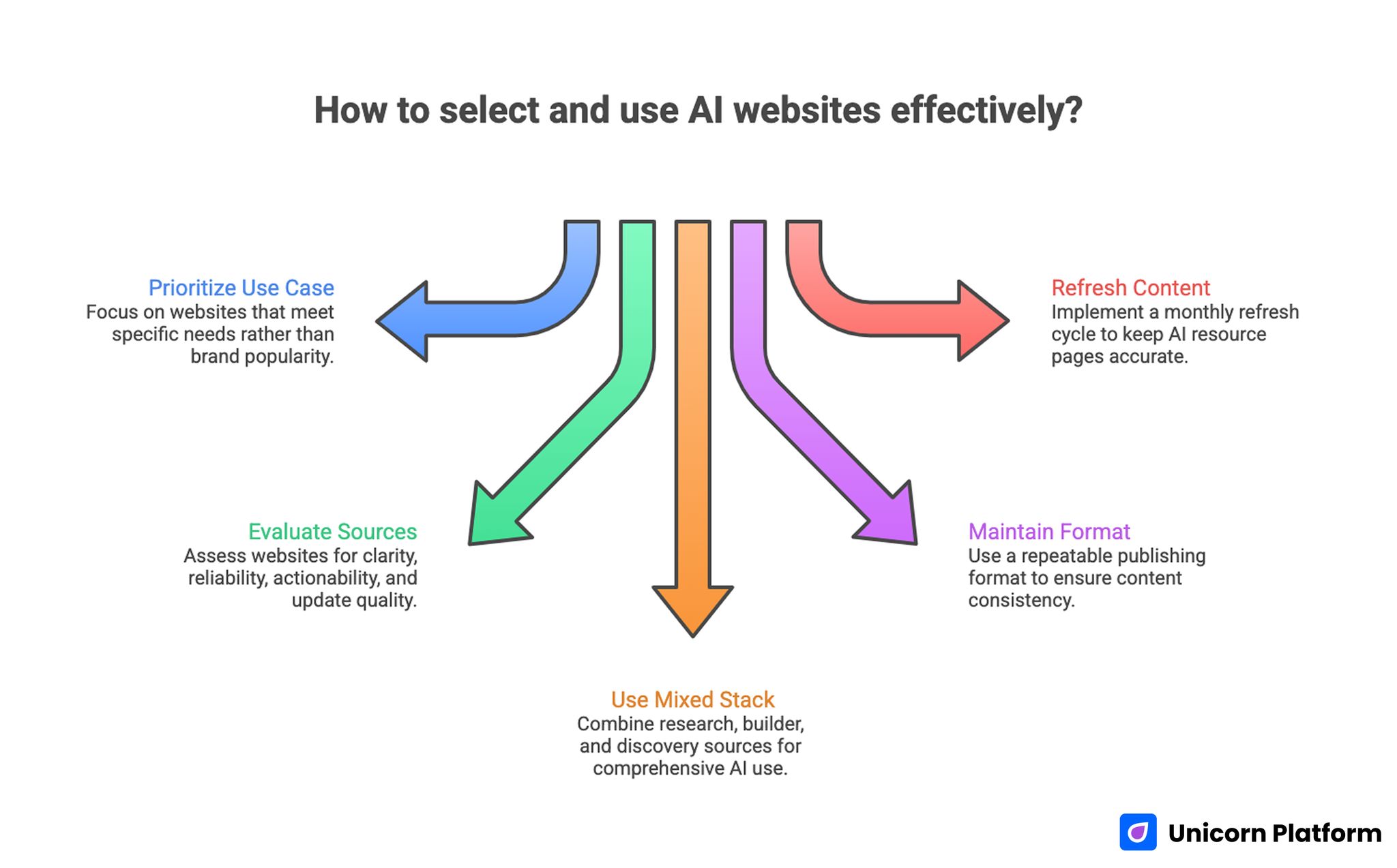
How to Select and Use AI Website Effectively?
How to Choose the Right AI Website for Your Workflow
A simple decision model helps a lot.
Choose a writing tool if
- your bottleneck is drafting or editing
- you need summaries, outlines, or structure quickly
- your work is text-heavy
Choose an image or video tool if
- your bottleneck is visual production
- you need creative assets faster
- your work depends on presentation and media
Choose a coding tool if
- you spend time building, debugging, or refactoring
- your workflow benefits from scaffolding help
- you want AI inside development work, not beside it
Choose a research tool if
- your bottleneck is topic discovery
- you need a fast first pass on a topic
- you want to reduce blank-page research time
Choose an automation tool if
- repetitive tasks happen every week
- you want AI inside an operational workflow
- process speed matters more than one-off generation
What Makes an AI Websites List Worth Keeping
A useful AI list page should help readers decide quickly.
That usually means:
- category-first organization
- short practical summaries
- best-for labels
- access-model notes
- less hype and more clarity
That is also why overlapping list pages often perform badly. If the page is just a long opinion piece or a random sequence of tools, it becomes hard to use and easy to forget.
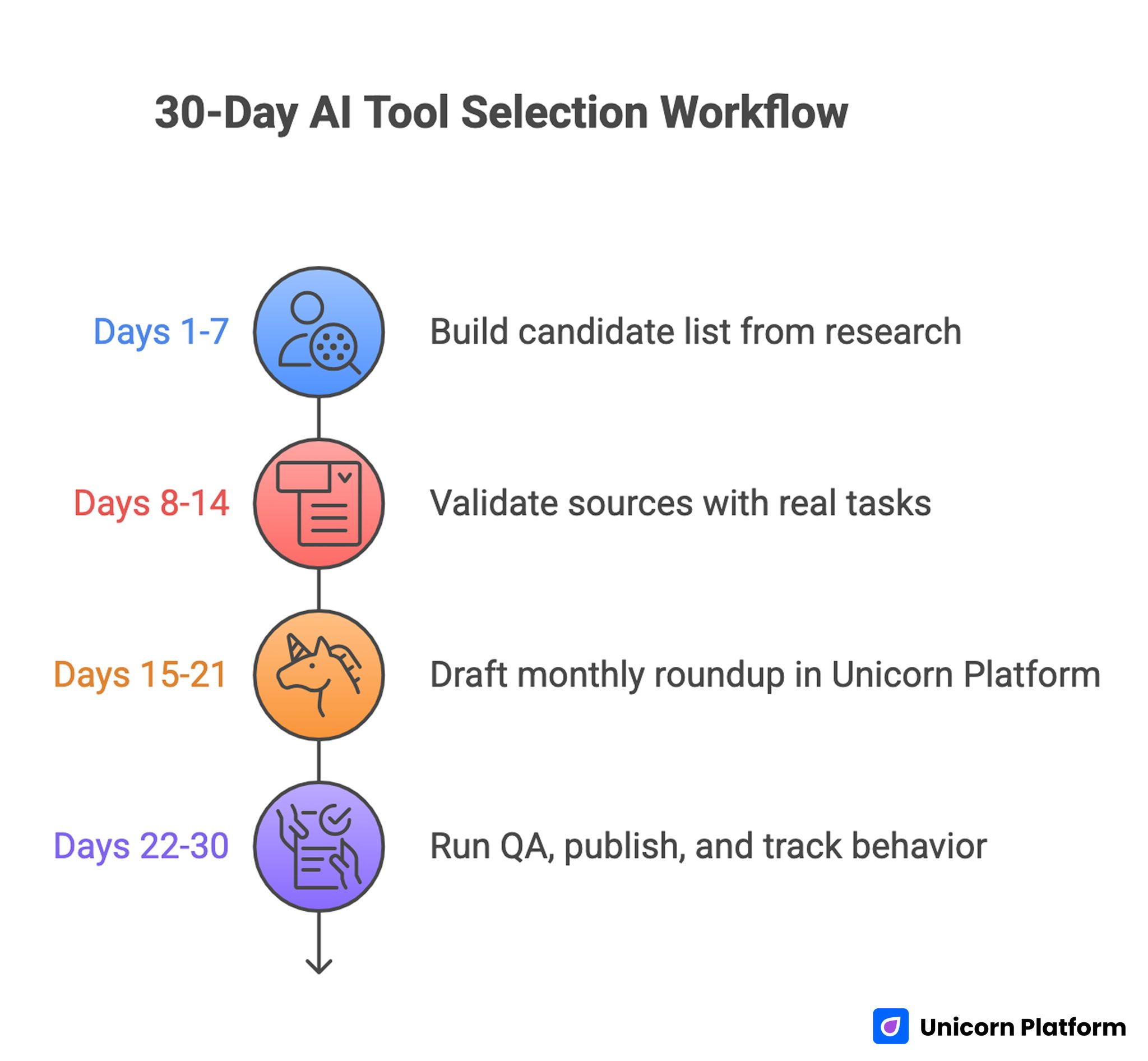
30-Day AI Tool Selection Workflow
How to Apply This in Unicorn Platform
If you are publishing in Unicorn Platform, the best way to use this list is to build a smaller internal AI stack based on the pages and workflows you publish most often.
A simple approach looks like this:
- choose the page goal first
- pick one research tool and one drafting tool
- add a visual or automation tool only if it clearly saves time
- keep the publishing workflow simple
- review monthly and remove tools that do not help enough
For example:
- use a writing tool for outlines and copy drafts
- use a research tool for topic mapping
- use a visual tool for assets when needed
- use an automation tool if the same content or support tasks repeat often
Related reading inside Unicorn Platform:
- Free AI Website Builder: Best Tools, Limits, and What You Can Launch for Free
- AI Landing Page Builder: Best Tools, Real Use Cases, and What to Pick in 2026
FAQ: Top AI Websites to Try in 2026
What are the best AI websites right now?
The best AI websites depend on the job. For writing, ChatGPT and Claude are strong options. For image work, Midjourney and Canva are useful. For research, Perplexity and Hugging Face are strong starting points.
How should I choose an AI website?
Choose by use case first. Start with the actual job you need done, then pick the category that fits that job.
Are free AI websites enough?
For many users, yes. Free access is often enough for testing, learning, and light usage. Paid access matters more once the tool becomes part of a regular workflow.
What is the best AI website for writing?
ChatGPT and Claude are two of the strongest starting points for writing, outlining, summarizing, and structured drafting.
What is the best AI website for images?
That depends on the goal. Midjourney is strong for stylized creative output, while Canva is easier for practical branded assets and fast design work.
What is the best AI website for coding?
GitHub Copilot and Cursor are both strong choices. The better fit depends on how deeply you want AI inside your editor and coding workflow.
What is the best AI website for research?
Perplexity is useful for fast research orientation, while Hugging Face is better for model exploration and technical experimentation.
What is the best AI website for automation?
Zapier and Make are both useful. Zapier is often simpler for straightforward workflows, while Make is better for more customizable automation logic.
Should I use many AI websites at once?
Usually no. A smaller stack is easier to maintain and more useful than trying too many tools without a clear workflow.
How often should an AI tools list be refreshed?
Often enough that the list still feels practical and current. These pages work best when they are reviewed and tightened regularly.
Final Takeaway
The best AI websites are the ones that match the job you need to do, not the ones with the loudest hype.
If you organize your choices by category and workflow, it becomes much easier to build a smaller, more useful stack that actually helps you write, design, code, research, or automate better.
That is what makes a good AI tools page useful: fast decisions, clear categories, and practical next steps.
