Table of Contents
- What Every Car Dealer Website Needs
- Homepage Examples: What Strong Dealer Sites Usually Show First
- Trust Elements that Help the Most
- Common Design Mistakes on Dealer Websites
- FAQ
A strong car dealer website needs to do three things well: show inventory clearly, build trust fast, and make it easy to book a test drive or contact sales.
That sounds simple, but many dealer sites still bury live inventory behind cluttered navigation, push visitors into long forms too early, or look polished without making the next step obvious. Buyers do not need more homepage slogans. They need to know what is available, whether the dealership feels credible, and how quickly they can move forward.
This guide breaks down the design elements that help dealer sites convert. It focuses on homepage structure, inventory pages, finance and trade-in CTAs, trust signals, mobile UX, local SEO, and template patterns that are practical for dealerships using Unicorn Platform.
sbb-itb-bf47c9b
Quick Answer
A good car dealer website usually includes these elements near the top:
- clear inventory search or category shortcuts
- visible CTAs for View Inventory, Book a Test Drive, Get Financing, and Value Your Trade
- dealership trust cues such as reviews, warranty language, location details, and contact options
- mobile-friendly vehicle cards with pricing and next steps visible without friction
- local content and page structure that help the site rank for dealership and inventory searches in its service area
If a dealer website looks attractive but does not make those actions easy, it will usually underperform.
What Every Car Dealer Website Needs
The best dealer sites do not try to say everything at once. They focus on helping buyers and sellers move through a few high-intent tasks smoothly.
At minimum, a car dealer website should help visitors do four things:
1. Find relevant vehicles quickly
Inventory is the product. If users cannot filter by price, body style, mileage, fuel type, financing range, or availability quickly, they lose confidence fast.
2. Understand why they should trust the dealership
People do not buy only based on vehicle photos. They also evaluate:
- dealer reputation
- return or warranty policies
- financing transparency
- service support
- ease of communication
3. Take a next step without confusion
High-performing dealer sites make key actions obvious:
- schedule a test drive
- ask a question
- start financing
- value a trade-in
- reserve a vehicle
4. Work smoothly on mobile
A lot of dealer-site browsing starts on phones. If the mobile version hides filters, overloads the screen, or makes forms frustrating, qualified users leak out early.
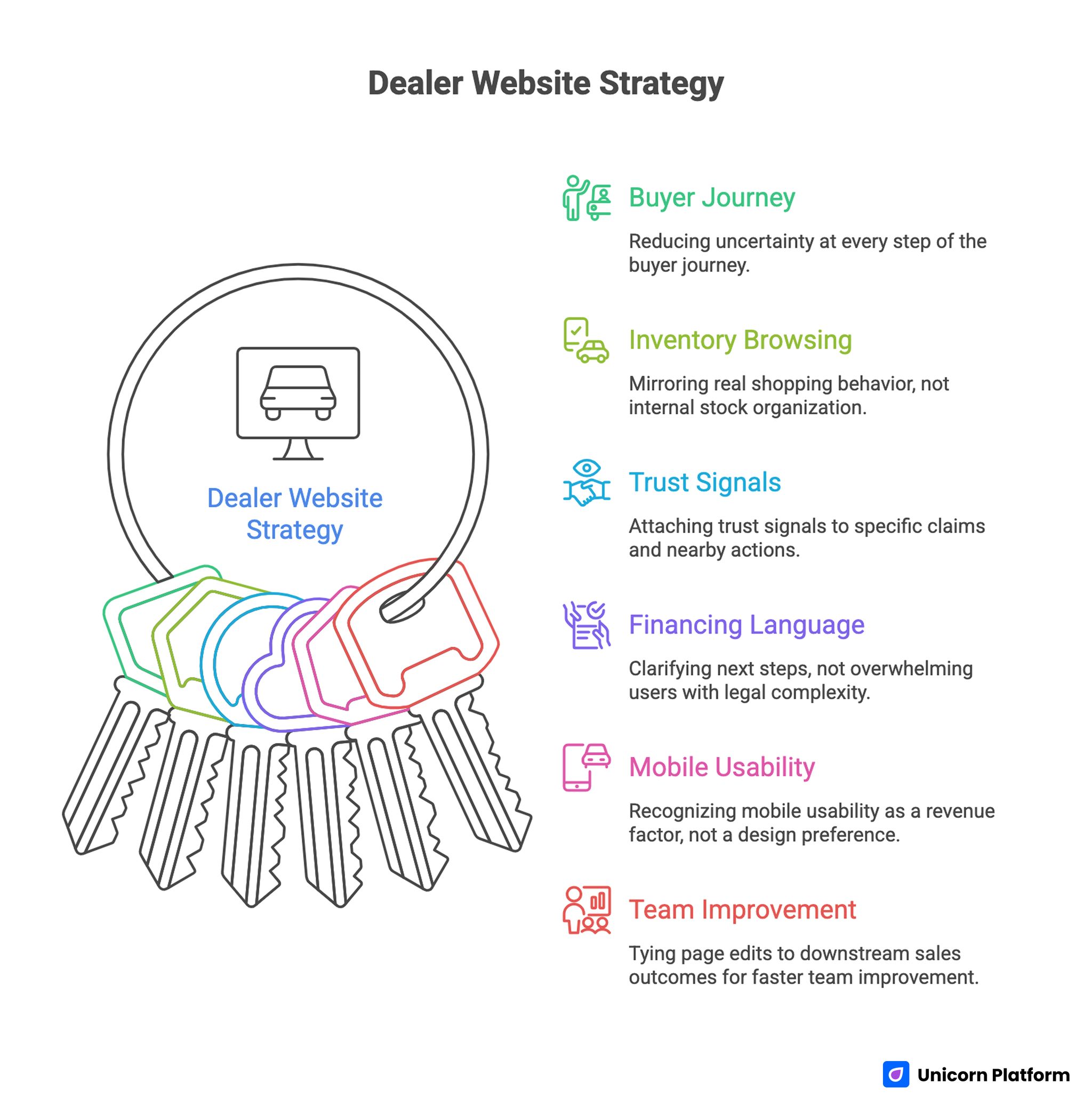
Dealer Website Strategy
Homepage Examples: What Strong Dealer Sites Usually Show First
A useful car dealer homepage usually follows a predictable pattern because the buyer journey is predictable too.
Example pattern 1: Inventory-first homepage
This is the clearest structure for dealerships with active stock turnover.
A strong version usually includes:
- a headline tied to local inventory or dealership value
- a fast inventory search module above the fold
- shortcuts such as SUVs, Trucks, Under $20K, Certified, or Electric
- a strip of featured vehicles with photo, price, and CTA
- trust cues such as review score, years in business, or service promise
- one secondary CTA for financing or trade-in
This model works well because it respects buyer intent. Many visitors are not starting with brand education. They are starting with available cars.
Example pattern 2: Trust-first used-car homepage
Used-car dealers often need more reassurance earlier in the page because buyers carry more risk concerns.
A trust-first homepage may put these blocks higher:
- warranty or inspection promise
- financing flexibility
- reviews or testimonials
- delivery or reservation information
- dealership photos and real contact details
The inventory still matters, but the homepage starts by lowering anxiety.
Example pattern 3: Finance-led homepage
Some dealer sites attract users who care more about approval path than vehicle model on first visit. In those cases, a homepage can lead with:
- Get Pre-Approved
- financing options by credit situation
- trade-in plus financing bundles
- monthly-payment or budget-oriented inventory shortcuts
This approach is especially useful when financing accessibility is a real differentiator.
Inventory UX: The Part That Usually Decides Whether People Stay
Inventory UX is where many dealer websites win or lose.
A site can have strong branding, but if the search and listing flow is weak, it still feels hard to use.
What Strong Inventory Pages Include
Fast filters that match buyer behavior
Useful filters are usually:
- make
- model
- body style
- price range
- monthly payment range if relevant
- year
- mileage
- fuel type or EV/hybrid
- drivetrain or transmission when relevant
- certified or one-owner flags
The goal is not to add every possible filter. The goal is to surface the ones buyers actually use early.
Clean listing cards
A useful vehicle card usually shows:
- strong lead photo
- year, make, and model
- price
- mileage
- key tag like Certified, New Arrival, or Available Now
- one direct CTA such as View Details
If the card is overloaded, scanning slows down. If it is too thin, buyers do not have enough context to click.
Inventory pages that keep context visible
Users should be able to:
- refine filters without losing place
- sort by relevance, newest, price, or mileage
- move between listing and detail views without frustration
- save or compare vehicles if the workflow supports it
A good inventory page feels like a practical shopping tool, not a brochure.
Vehicle Detail Pages: Where Many Dealer Sites Leave Money on the Table
Vehicle detail pages are often treated like data dumps. That is a mistake.
A strong VDP should work like a decision page.
What to show high on the page
- vehicle name and trim
- clear pricing
- primary photo gallery
- mileage and condition highlights
- availability status
- CTA cluster such as Call, Message, Test Drive, Get Financing
What should appear lower but still clearly
- feature list
- inspection or certification notes
- ownership or accident-history disclosure where appropriate
- delivery or pickup options
- related vehicles
- dealership trust block
Why CTA placement matters
If a visitor is ready to act, the page should not force them to hunt for the next step.
A better pattern is to repeat the main action in a few logical places:
- near the top
- after key specs
- after trust or reassurance content
That helps different buyer types act when they are ready.
Finance and Trade-In CTAs: Do Not Hide the High-Intent Actions
Finance and trade-in flows are not secondary features. They are often core conversion paths.
That is why they should be visible throughout the site, not buried in the footer.
Finance CTAs that work better
Effective finance blocks usually answer one question quickly: what happens if I click?
Good CTA examples:
- Get Pre-Approved in Minutes
- See Financing Options
- Check Monthly Payment Paths
- Talk to Our Finance Team
Weaker CTAs are vague, such as Learn More or Submit.
The design around the CTA should also reduce anxiety. Helpful support copy can mention:
- soft-start application or easy next steps
- support for different credit situations
- transparent process explanation
- expected follow-up timing
Trade-in CTAs that deserve more prominence
Trade-in messaging often performs best when it feels simple and low-pressure.
Useful trade-in CTA patterns include:
- Value Your Trade
- Get an Estimate
- Trade In Your Current Car
- See What Your Vehicle Could Be Worth
This works especially well when paired with:
- a short explanation of the process
- a low-friction first form
- reassurance about no-obligation valuation
Trust Signals: What Makes a Dealer Site Feel Credible
Trust is one of the biggest differentiators in this category.
Most dealer websites do not need more generic copy. They need more believable proof.
Trust Elements that Help the Most
Reviews and ratings
A visible review score or short review block helps quickly, especially when it feels current and local.
Warranty or inspection language
If the dealership offers inspections, certification, return windows, service guarantees, or roadside support, that should not stay hidden.
Real dealership identity
Users trust sites more when they can quickly see:
- physical address
- real phone number
- hours
- team photos or dealership photos
- service area clarity
Payment and process transparency
If financing, trade-in, reservation, or delivery steps are vague, trust drops. Even a short explainer can help a lot.
Mobile UX: Dealer Sites Must Be Easy to Use One-Handed
A lot of car shopping starts on mobile, especially during off-hours or while comparing options quickly.
That means the mobile site should not be treated like a compressed desktop version. It needs its own usability logic.
What mobile dealer pages should do well
Keep the first screen focused
On mobile, the first screen should usually show:
- clear page purpose
- primary search, inventory shortcut, or CTA
- at least one trust cue
Make filters easy to use
Filters should open cleanly, close cleanly, and avoid overwhelming the user with too many nested choices.
Keep CTAs sticky or repeated
Helpful mobile CTAs include:
- Call
- Message
- View Inventory
- Get Financing
- Book Test Drive
Keep forms short early
A long mobile form creates friction fast. Start with the minimum useful fields and collect more context later.
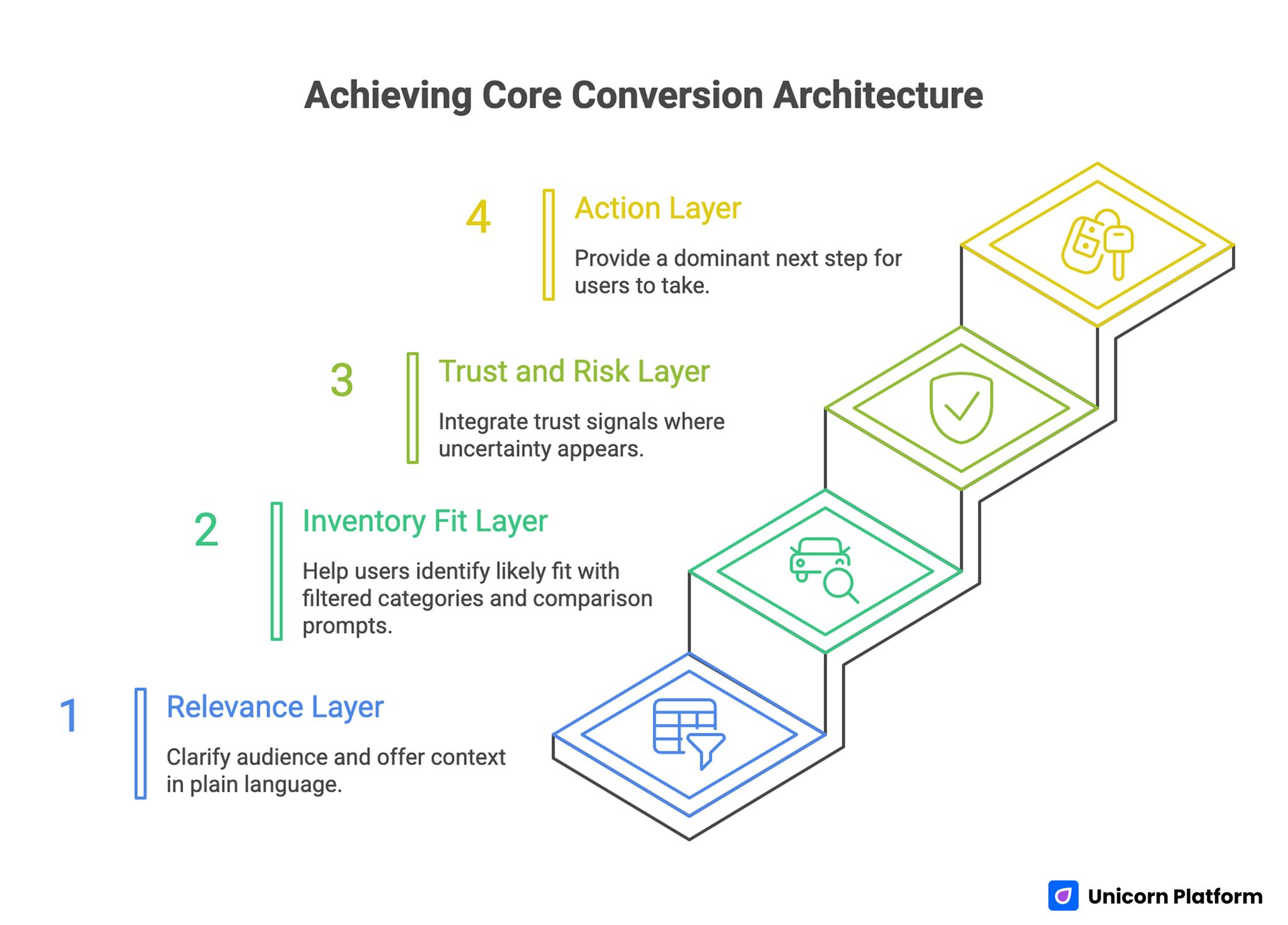
Achieving Core Conversion Architecture
Local SEO Considerations for Car Dealer Websites
A dealer site does not only need good design. It also needs pages and structure that help it show up for local intent.
What helps local visibility
Clear location signals
Use city and service-area language naturally in:
- titles and headings where appropriate
- homepage copy
- inventory category pages
- contact page
- store-location pages
Dedicated local landing pages when relevant
If a dealership serves multiple cities or has several locations, separate pages often work better than one overloaded catch-all page.
Strong page relationships
Good site structure usually includes clear internal links between:
- homepage
- inventory pages
- financing page
- trade-in page
- service page
- contact page
- location-specific pages
Consistent dealership data
Name, address, phone number, and hours should be easy to find and consistent across the site.
Local SEO does not need to look technical from the reader side. It just needs to help the site feel locally real.
Practical Template Ideas for Dealer Websites
Most dealerships do not need a fully custom UX system to improve performance. They need a cleaner version of a proven template model.
Template 1: Single-location inventory-led dealer site
Best for:
- independent dealerships
- used-car dealers
- local stores with rotating stock
Core sections:
- hero with search or inventory shortcuts
- featured vehicles
- trust and review block
- financing CTA
- trade-in CTA
- contact and map block
Template 2: Finance-forward used-car site
Best for:
- dealers competing on approval access
- stores with strong financing differentiation
Core sections:
- trust-first hero
- credit-path or approval CTA
- inventory by price/payment range
- customer reviews
- trade-in support block
- FAQ about approval steps
Template 3: Multi-location dealership group site
Best for:
- dealer groups
- businesses with several locations or brands
Core sections:
- location selector
- inventory search
- service and financing shortcuts
- location-specific trust and hours
- group-level offers or support information
The point of a template is not to look generic. It is to start from a structure that matches how buyers decide.
Common Design Mistakes on Dealer Websites
Putting brand copy above inventory access
People usually want available vehicles or a clear next step faster than they want a broad brand statement.
Hiding finance and trade-in flows
These actions often carry strong intent. Treat them like core navigation items, not side features.
Overloading vehicle cards
Too much information makes scanning harder. Too little information reduces confidence. Balance matters.
Making trust too generic
Generic claims like best service or great experience are weak without visible proof.
Ignoring mobile friction
If buttons are small, filters are clumsy, or forms are too long, good traffic still leaks away.
How to Apply This in Unicorn Platform
Unicorn Platform works well for dealer landing pages, financing pages, trade-in campaigns, and location-specific conversion pages because the structure can stay simple while the message stays clear.
A practical workflow is:
- build one inventory-supporting homepage or campaign page
- create dedicated sections for financing and trade-in
- use testimonials, trust blocks, and CTA buttons higher on the page
- keep forms short at the start
- create local landing pages for city-specific traffic when needed
If mobile layout is part of the problem, this guide on responsive landing page strategy is a useful next step. If you want another automotive-adjacent structure example, car rental booking pages in 2026 shows how to simplify high-intent booking flows.
FAQ: Car Dealer Website Design
What should a car dealer website include?
A car dealer website should include clear inventory access, strong vehicle detail pages, visible finance and trade-in CTAs, trust signals, mobile-friendly design, and clear contact options.
What is the most important part of a dealer website?
For most dealerships, inventory UX is the most important part because that is where visitors decide whether the site is easy enough to keep using.
Should finance CTAs be on the homepage?
Usually yes. Financing is often a primary user goal, so the path should be visible early.
How do car dealer websites build trust faster?
They build trust with real reviews, dealership details, warranty or inspection information, financing clarity, and easy contact options.
Why do many dealer websites underperform on mobile?
Common reasons include cluttered first screens, hard-to-use filters, long forms, and CTA buttons that are easy to miss.
Do dealer websites need local SEO pages?
Often yes, especially if the dealership serves multiple cities or locations. Dedicated pages can help the site match local search intent better.
What is a good CTA for a car dealer site?
Good CTAs are specific, such as View Inventory, Book a Test Drive, Get Pre-Approved, or Value Your Trade.
Should vehicle detail pages repeat CTAs?
Yes. Different buyers are ready at different moments, so repeating the main CTA in logical places usually helps.
Are templates good for dealer websites?
Yes, if the template matches buyer tasks. A good template creates structure for inventory, trust, and conversion rather than forcing a generic brochure layout.
Can Unicorn Platform work for a dealership page?
Yes. It is especially useful for campaign pages, local landing pages, financing pages, trade-in pages, and simplified dealer-site flows that need to publish quickly.
Final Takeaway
A good car dealer website does not win by sounding strategic. It wins by making shopping easier.
That means clear inventory access, stronger vehicle pages, visible finance and trade-in paths, believable trust signals, smooth mobile UX, and local structure that helps buyers move forward with confidence.
When those pieces are in place, the site feels easier to trust and easier to use. That is what usually drives better dealer-site performance.
Related Blog Posts
- How to Build an Auto Repair Landing Page That Books More Jobs in 2026
- Travel Agency Website Strategy That Turns Visits Into Qualified Bookings
- Auto Repair Website Growth in 2026: A Practical Playbook for More Qualified Bookings
- Real Estate Sites in 2026: A Practical System for Trust, Lead Quality, and Faster Deal Progression